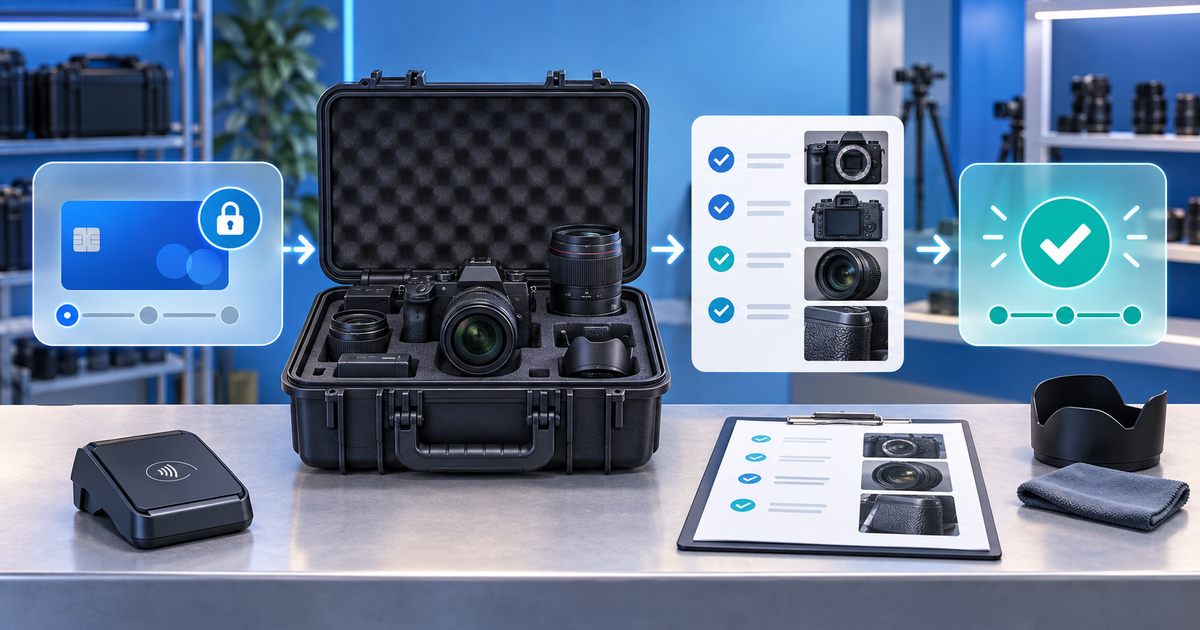
A camera-rental security deposit works best when the rental fee, deposit or authorization, equipment handover and return inspection are separate records. The deposit protects a defined custody risk; it is not a substitute for insurance, an inspection report or a vague claim that equipment came back “damaged.”
This workflow is for small camera, lens and video-equipment rental businesses serving creators, agencies and production teams. The distinct problem is evidence: high-value kits contain many serialised items, accessories can be missing, and a return decision may happen after staff change shifts.
Separate the four money and custody states
Before creating a checkout, name the state the customer is paying for. A rental payment settles use of the kit. A deposit or authorization protects a disclosed risk. A damage charge is a later decision supported by a comparison. Insurance is a separate risk-transfer arrangement.
| State | Customer-facing meaning | Record to retain |
|---|---|---|
| Rental fee | Payment for the agreed rental period | Order version and dates |
| Security deposit | Protection for defined loss or damage | Amount, terms and provider reference |
| Handover | Equipment moved into the customer's custody | Serial numbers and photos |
| Return review | Kit compared against handover state | Inspection, exceptions and decision |
Do not promise a universal deposit amount or hold duration. Provider, card, account, jurisdiction and contract rules can change the result. Stripe's authorization documentation explains why an authorization is time-limited and why merchants must verify the actual support available to their account.
Build a kit-level inspection record
Use one row per body, lens, battery, charger, cable, card and case. Record an identifier where useful, a condition note, a wide photo showing context and a close photo for an existing mark. At handover, note battery count, card capacity, firmware only when operationally relevant, and the person accepting custody.
At return, inspect in the same order. Separate ordinary wear, missing accessories, new damage and equipment that has not yet been located. A blurry photograph or a changed case layout is not enough to justify a capture. Keep the original handover record instead of replacing it with an edited “final” checklist.
Decide between a hold and a collected deposit
A card authorization can avoid a refund when the provider supports the intended capture and expiry path. A collected deposit creates a separate payment and usually requires a refund or release workflow. Neither one automatically authorizes an unfair or undisclosed deduction.
Before publishing terms, confirm the connected provider, supported payment method, maximum timing, capture rules, refund path and customer notice. Write the actual conditions in the rental agreement. Do not use “pre-authorization” as a marketing synonym for any payment that might be refunded later.
Run the return decision with an evidence ladder
Use this six-step review after a kit comes back:
- Match the order, customer, kit and custody window.
- Compare each returned item with the handover record.
- Classify the issue as ordinary wear, missing item or new damage.
- Calculate only a documented, disclosed amount.
- Approve a release, refund or supported capture.
- Send an itemized explanation and retain the provider reference.
For an illustrative €1,000 deposit, a documented €120 missing accessory would leave €880 to release or refund under the agreed process. This is arithmetic, not a recommended deposit or a legal entitlement. The example is useful because the calculation is visible and the unaffected amount is not silently absorbed.
Configure and rehearse the PayRequest route
Use security deposits for the configured deposit workflow and payment links for a focused rental payment when that matches the connected provider. Keep serial numbers and inspection evidence in the rental record. Open the buyer view on mobile and test a successful payment, an abandoned checkout, a return with no exception and a return with a documented exception.
PayRequest can support the configured payment route; it does not inspect physical gear, determine fair wear, provide insurance or decide whether local terms are enforceable. Review pricing: the Free plan has no monthly charge and PayRequest charges 2% per successful payment, capped at €25 per transaction, with provider fees separate.
Measure inspection completeness, release time, disputed deductions, missing-accessory rate and time spent resolving exceptions. A higher deposit is not proof of safer operations; a repeatable evidence trail is the more useful control.
Editorial note: AI assisted with this article and its illustrative cover. The kit-level record, evidence ladder and €1,000 arithmetic are original planning tools; no live authorization, capture, refund, insurance or legal outcome is claimed.