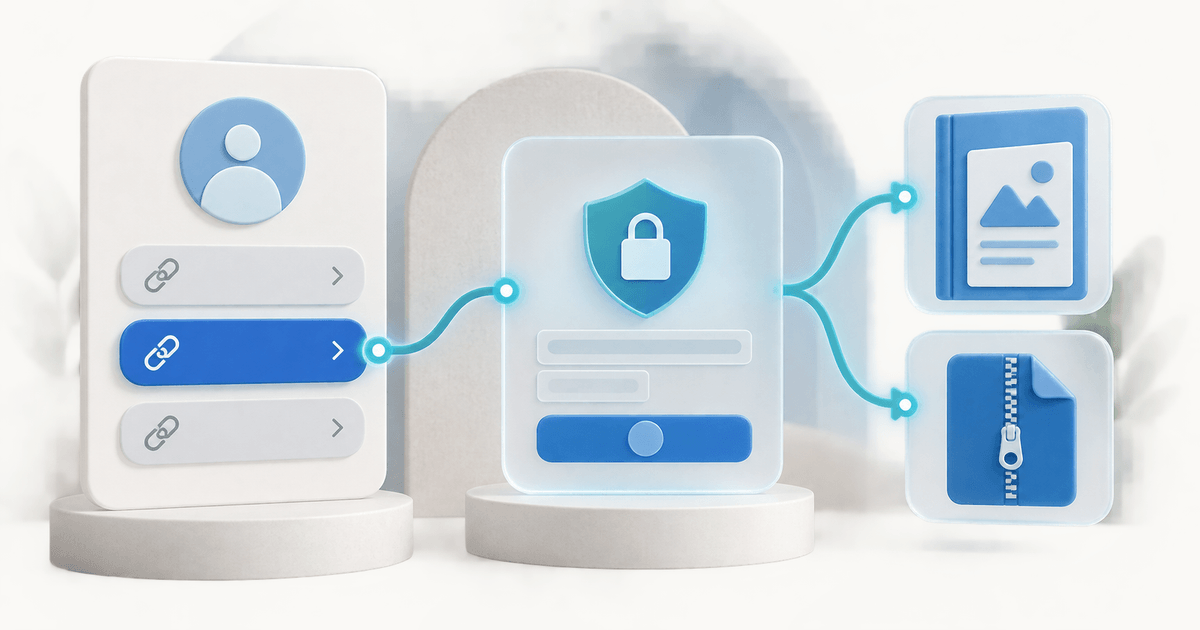
You can keep Linktree as your link-in-bio page and send buyers to an external product checkout that accepts PayPal. Create the product and delivery flow first, add its public sales URL as a regular Linktree link, and test the complete purchase from your social profile. The payment and download then happen in the external system.
This is different from assuming every Linktree commerce feature accepts PayPal. Linktree's current documentation describes Stripe processing for its native Digital Products and Courses. An external PayPal-enabled checkout is a separate route, with its own account requirements, order records, support and fees.
This guide is for creators who already have a useful audience and a finished ebook, template or downloadable resource. It includes an original handoff checklist for the three places where the purchase can fail: the bio link, checkout and delivery.
Choose the Right Linktree and PayPal Route
Select the route by what you must deliver. A general payment link may be enough when you manually provide a clearly agreed service. A digital product needs a dependable way to release the correct file after payment, without exposing it to everyone who can open the sales page.
| Route | Where the purchase happens | What to verify |
|---|---|---|
| Native Linktree Digital Products | Linktree's documented native product flow | Country eligibility, Stripe connection and current terms |
| Regular Linktree link to PayPal checkout | A PayPal-hosted destination | Product details, available methods and your delivery process |
| Regular Linktree link to PayRequest product | PayRequest checkout with eligible connected providers | PayPal availability, order details and file delivery |
Linktree's digital-product guide describes the first route. Its course instructions also specify Stripe. Check the feature you intend to use; a mention of PayPal elsewhere in a platform does not establish support in that particular checkout.
PayPal itself offers hosted Payment Links. That can be a sensible payment destination. However, do not treat a redirect to an openly accessible file as protected digital delivery. Decide separately how a paid order will receive access.
Build One Product Destination Before Editing Your Bio
Start with one offer. Define the exact files, supported software, usage rights, price, currency and delivery method. A useful example is a €24 design-template bundle containing an editable source file, a PDF guide and a license. The buyer should know these details before opening the payment step.
Use screenshots or previews that represent the actual product version. If editing requires paid software, say so. If the package contains a ZIP, explain that the buyer needs to extract it. A purchase completed on a phone does not prove that the included design files can be edited on that phone.
Keep the public preview separate from the paid file. Check that preview images do not expose a full-resolution asset you intend to sell. Store a release copy of the purchased package so support can identify the version delivered to a particular order.
For the PayRequest route, begin with digital product delivery, connect your eligible PayPal account and configure the product. Use the public product sales URL as the Linktree destination. Do not put an individual customer's private download link into your bio.
Our broader guide to selling digital downloads with PayPal covers product setup. The focus here is maintaining a reliable handoff when Linktree remains the entry point.
Add a Link That Tells Buyers What Happens Next
Use a descriptive button label, such as “Get the design templates — €24.” A visitor should understand the offer before leaving Linktree. Avoid “Pay me” for a defined product: it leaves the buyer guessing whether they are making a purchase, sending support or settling an existing order.
Keep one primary product near the top of the page during its launch. Link directly to that product when a social post promotes it. Sending the buyer to another broad directory adds a second selection step and makes it harder to tell which product the visitor intended to purchase.
Check the seller name and visual identity on the destination. The buyer has just left a familiar social profile; a consistent name, clear product description and recognizable branding help explain the transition. Do not imply that Linktree operates an external checkout or handles its customer support.
Write a short promise that covers the product, compatibility and delivery: “Editable design templates with a PDF setup guide. Check the supported app before buying. Files become available after confirmed payment.” Adapt that wording to the actual package and avoid promising instant access when manual approval is required.
Use sales pages when the product needs additional previews, explanations or comparisons before checkout. The page should answer the questions that otherwise become private messages, rather than serving as a second decorative introduction to the same offer.
Run This Bio-to-Download Handoff Check
Treat this table as a proposed acceptance test for your own store. It is not a claim that every social browser, Linktree configuration or PayPal account has been tested by PayRequest.
| Stage | Buyer should see | Evidence to retain | Common failure |
|---|---|---|---|
| Linktree | Clear product and price | Public link and button label | Generic label or wrong destination |
| Product page | Files, compatibility and terms | Product version and checkout URL | Missing app requirement |
| Payment | Correct seller, amount and eligible method | Order and completed payment reference | Wrong currency or unavailable method |
| Delivery | The purchased file and clear instructions | Filename and accessible delivery page | Preview file delivered instead |
| Support | Seller contact and order reference | Confirmation message | Buyer sent to the wrong platform |
Open the journey from the social app your buyers actually use. Then repeat it in a normal mobile browser and on desktop. Note the browser and result. If a payment window is blocked in an embedded browser, give the buyer a clear way to reopen the public sales page externally.
Verify payment in your own order records before interpreting a success screen. A buyer can close the browser before returning to the store. Conversely, reaching a public thank-you page is not proof of payment. The order system should be the reference for fulfillment, rather than the page currently visible on the phone.
PayRequest's current download flow separates opening the delivery page from the actual download action. Opening the page does not consume a download; the download action checks expiry and the remaining allowance. That is a useful distinction when email scanners or buyers revisit the confirmation, but it does not remove the need to test the file itself.
Compare Costs at the Same Sales Volume
Compare platform fees, payment processing, any monthly subscription and the delivery features you need. Do not compare a platform percentage with another provider's all-in transaction cost. Account country, currency conversion and payment method can change the total.
PayRequest's current pricing is €0 per month on Free, plus 2% per successful payment capped at €25 per transaction, with provider fees separate. In an illustrative batch of 100 completed €24 orders, sales total €2,400 and PayRequest's platform fee is €48. Each transaction incurs €0.48, so the cap does not affect this example.
That leaves €2,352 before PayPal charges, taxes, refunds and other business costs. It is not a profit forecast or a promise of take-home earnings. Substitute your own order mix and actual provider fees. A few high-value orders and hundreds of small orders can have different economics even when total sales match.
For the native route, use Linktree's current fee explanation and the terms shown for your account. A normal outbound link and a native sale are different flows; confirm applicable terms rather than assuming one fee schedule applies to every use of Linktree.
Keep Payment, Download and Refund Support in One Record
When a buyer reports a missing file, ask for the order reference and purchase email. Locate the completed payment, identify the purchased product version and check the delivery issue. Do not send a second payment link merely because the buyer cannot find the first confirmation.
For a ZIP package, determine whether the problem is downloading, extracting or opening the file. Those are different tasks. A buyer who downloaded successfully but lacks the required editing software needs the compatibility information and your applicable support or refund process.
If a refund is due, use the supported payment-provider process and retain the outcome beside the order. Removing a file from the sales page does not refund a purchase. Refunding a payment also cannot erase a file someone has already downloaded. The digital-product refund workflow explores that distinction.
Keep old product links under review when replacing a bundle. Decide whether an older purchase includes updates and communicate that policy clearly. A new filename should not silently change what a previous customer was promised.
Launch With One Offer and Measure Completed Orders
Publish the product link after the full path works. Count Linktree visits, outbound product clicks, completed orders and support requests separately. An increase in clicks may only reflect a clearer button; it does not establish that checkout or delivery improved.
Avoid setting a universal conversion target from this example. A warm newsletter audience and a broad viral post have different intent. Compare the same offer and traffic source over time, and investigate where buyers stop before redesigning the whole profile.
If you later want the storefront and bio destination together, explore PayRequest's payment page. You can also keep Linktree and use it as the entry point indefinitely. Choose the setup that helps buyers understand the offer and receive the correct product with the fewest unnecessary steps.
Editorial note: created with AI assistance. Platform documentation and PayRequest's download behavior were checked on 9 September 2026. The €24 example and handoff checklist are original illustrations, not reported customer results.