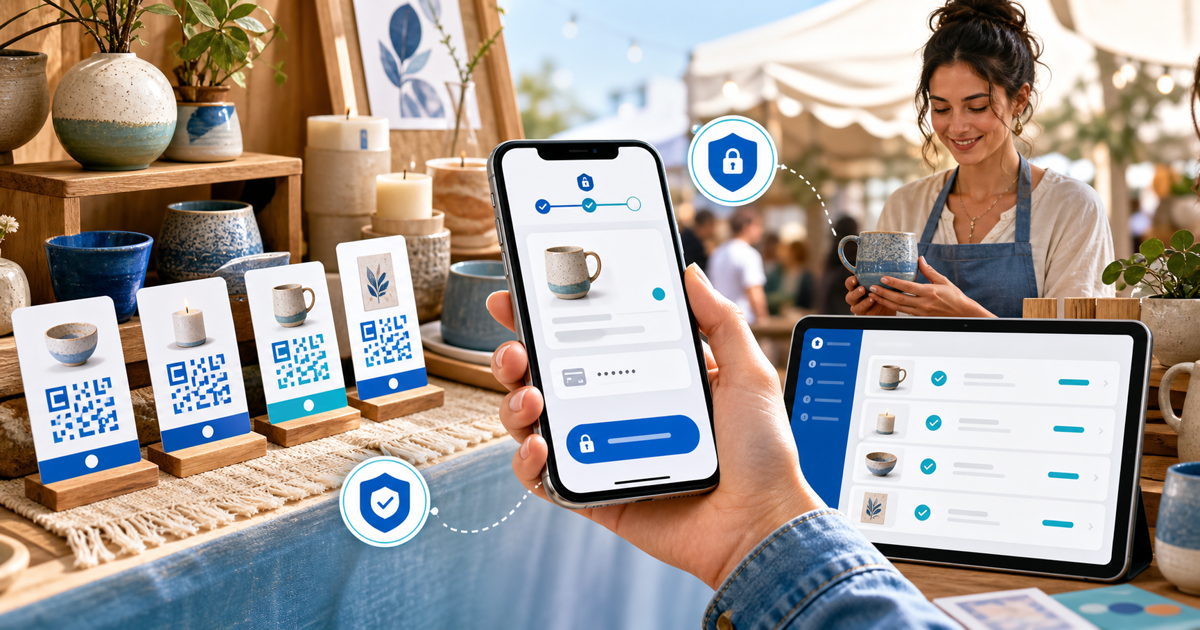
A craft-fair seller can accept browser-based payments without building a website by putting a hosted payment link behind a QR code. Use fixed product or price links where possible, show the destination domain beside the code, protect printed cards from replacement and verify the confirmed order before handing over the item.
This workflow is for makers and occasional market vendors who need a practical fallback or lightweight checkout. Its original asset is a 10-minute stall-opening test covering scan, price, trust, confirmation and reconciliation.
Choose the Right QR Layout
| Stall pattern | Link setup | Tradeoff |
|---|---|---|
| One or two fixed products | One QR per product | Fast and unambiguous, more printed cards |
| Several products at shared prices | One QR per price tier | Compact, but record the selected item |
| Custom commissions | Customer-specific payment link | Clear amount and customer context, created per order |
| Large catalogue | Hosted product/store page | Easier browsing, more taps at the stall |
A generic open-amount code makes the buyer type and the vendor verify more. A fixed link can carry the product, currency and amount into checkout, reducing verbal and reconciliation errors. Keep a second share method available so a buyer can type or receive the same visible URL if they prefer not to scan.
Run the 10-Minute Stall-Opening Test
Before customers arrive:
- Scan every printed code using a phone that is not logged into the seller account.
- Confirm the browser shows the expected PayRequest or configured checkout domain.
- Match product, amount and currency against the physical item label.
- Complete one small test payment through an enabled customer method.
- Confirm the seller view records the same product and amount.
- Check the customer confirmation and refund/support identity.
- Test the link on mobile data, not only venue Wi-Fi.
- Place the code where it cannot be casually covered by a replacement sticker.
- Photograph the approved display so helpers know what it should look like.
- Brief every helper: hand over only after verified payment confirmation.
The test is short enough to repeat each market day and specific enough to expose yesterday's price, a stale product, a damaged code or the wrong destination.
Make the QR Destination Trustworthy
The US Federal Trade Commission warns in its QR-code scam guidance that malicious codes can cover legitimate ones and send scanners to spoofed sites. Print the expected short domain in ordinary text, use a single-piece or tamper-evident display, inspect it during the day and let cautious buyers enter the visible address manually.
Never ask a buyer to show only a banking screenshot. Check the payment in the seller's verified PayRequest/provider view and match its status, amount and item. A pending or unverified screen is not the same as successful payment.
Design for Busy Handover
Give each physical product a simple SKU or item name matching the hosted checkout. For one-off pieces, mark them sold only after confirmation. For multiples, reconcile confirmed quantity against remaining stock. If connectivity fails, hold the item briefly or offer another supported payment method; do not treat an unconfirmed promise as settlement.
After the fair, export or review confirmed payments and compare them with starting stock, remaining stock, refunds and any cash/card-reader sales. Keep the link active for later orders only when its price, availability and fulfilment promise remain correct.
Create the Hosted Checkout in PayRequest
Use PayRequest payment links to create the product or amount destination and connect your own supported provider. The maker payment workflow is the closest product path for market stalls, custom orders and later online sales without marketplace dependency.
Generate the QR from the final live link, not a draft address. Complete the opening test after any price, provider, domain or product change. The QR is only a doorway; the hosted checkout, verified confirmation and stock handoff are the actual payment system.