To price 3D prints for sale, calculate the expected cost of producing one acceptable item, add hands-on work and order costs, then allow for payment fees and your chosen contribution margin. Filament alone is an incomplete price floor.
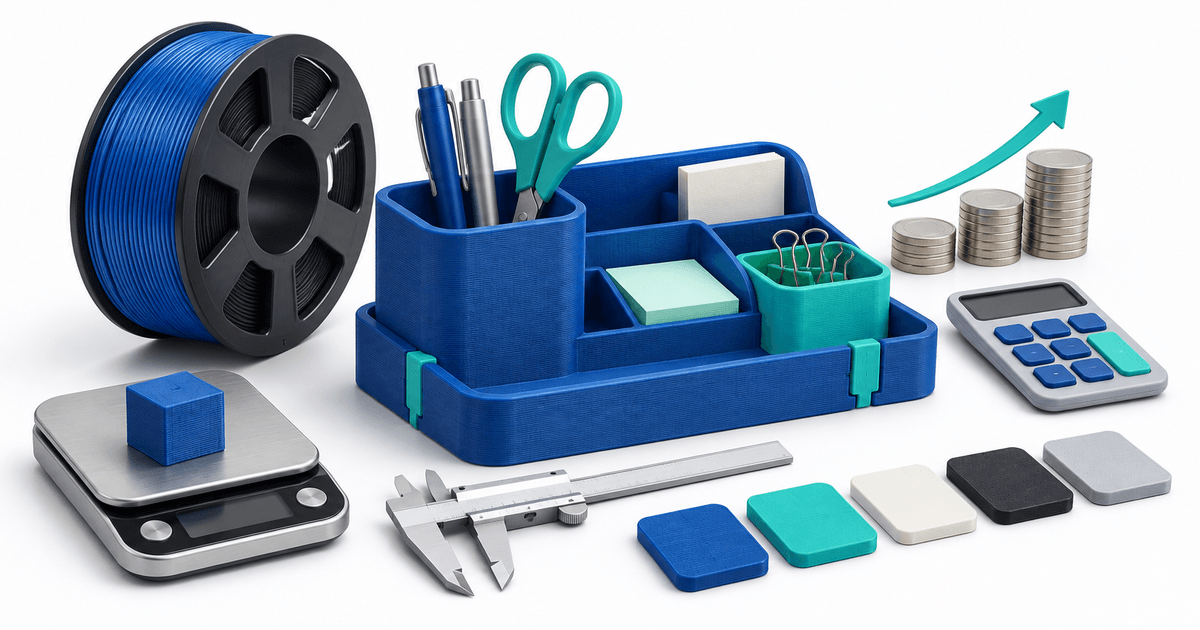
The worked example below is an illustrative planning model for a physical desk organizer. It is not a market average, a tax calculation or a promise of profit. Replace every input with your own observations before using it in a listing.
What belongs in a 3D print price?
Separate costs that occur on each printing attempt from costs incurred after an item passes inspection. That distinction makes the cost of failures easier to see.
| Input | Example assumption | Cost |
|---|---|---|
| Filament, including supports and purge | 120 g at €20/kg | €2.40 per attempt |
| Electricity | 4 h at an assumed average 0.12 kW and €0.30/kWh | €0.144 per attempt |
| Machine allocation | 4 h at a chosen €0.40/h | €1.60 per attempt |
| Hands-on work | 20 minutes at a chosen €18/h | €6.00 per accepted item |
| Packaging | Box and protective material | €1.20 per accepted item |
The electricity input is a hypothetical average draw, not a printer specification. Measure your own equipment if this matters to your price. Machine allocation is a budgeting choice for wear and capital costs, not an accounting depreciation rule.
Allow for failed prints without counting them twice
Assume 90% of attempts produce an acceptable organizer and that rejected attempts consume the same average print resources. Under that simplified assumption:
Add €6 hands-on work and €1.20 packaging: the modeled unit cost is €11.8044, rounded to €11.80 for display. Failed-job cleanup or repeated labor is excluded in this first model; add its expected cost if it happens in your workflow. If you already calculate materials and time per accepted item from actual batch totals, do not apply the failure adjustment again.
For a batch, divide all attempts' actual costs by the number of accepted items. A failed print at ten minutes and one at three hours should not automatically carry identical waste assumptions. Start with a simple estimate, then improve it with batch records.
Add percentage fees and a contribution target
For a simplified untaxed example below the PayRequest Free cap, use:
Suppose the unit cost is €11.8044, the provider fee is a hypothetical 1.5% + €0.25, the PayRequest standard fee is 2%, and the target contribution margin is 25% of the sale price. These provider inputs are invented solely for the calculation; use your actual provider agreement.
(€11.8044 + €0.25) ÷ (1 − 0.015 − 0.02 − 0.25) = €16.86, rounded to cents.
At an illustrative €17 sale, the simplified contribution is €17 − €11.8044 − €0.25 − €0.255 − €0.34 = €4.3506, about 25.6% of revenue before costs excluded from the model. Provider rounding can change cents. Contribution is not net profit: advertising, general overhead, tax, refunds, design time and shipping are excluded here.
Margin and markup are different
A 25% markup on €12 gives a €15 price and a 20% margin before fees: €3 ÷ €15. A 25% margin before fees requires €12 ÷ 0.75 = €16. Confusing these measures can make a viable-looking quote too low.
Keep the metric explicit on your worksheet. Decide whether you want a contribution per unit, per hands-on hour or per machine hour. A product can look strong on one measure and weak on another.
Check how failures and shipping change the result
Keeping the example inputs constant but reducing the success rate to 80% raises print cost to €5.1800 and total unit cost to €12.38. The same pricing formula gives approximately €17.66. This is sensitivity analysis, not a predicted failure rate.
If you absorb €4 shipping, include it in the cost before solving for price. If you charge shipping separately, account for any payment fees on the complete amount collected. A free-shipping label does not make the carrier cost disappear.
For multi-item orders, split shared packing and shipping costs at order level instead of charging the full single-item packing allowance to every part. For custom design work, quote the setup separately using the 3D printing quote template.
Copy this pricing worksheet
Download the editable 3D print pricing worksheet. Record:
- Product revision, material, finished dimensions and batch size.
- Total material and machine hours for all attempts, with accepted and rejected quantities.
- Electricity assumptions and machine allocation method.
- Finishing, inspection, packing and customer communication time.
- Packing, shipping, design allowance and other applicable order costs.
- Actual provider fees, platform plan and target contribution.
- Proposed price, buyer response and realized contribution after fulfillment.
Do not use a commercial model license cost as a substitute for checking permission to sell the prints. The physical-print selling guide covers that separate decision.
Collect the agreed amount
PayRequest's payment links let you request the amount agreed with a buyer. Your worksheet determines the amount; PayRequest does not automatically calculate filament use, failure allowance or your production margin.
The Free plan has a 2% standard payment fee capped at €25 per transaction. Premium (€5/month) and Business (€20/month) remove standard platform fees while active. Provider fees and commission exceptions remain separate. The simple percentage formula above must be adjusted when a cap applies or your fee structure changes.
Create a link only after the product, shipping total and terms are clear. For the broader sales process, follow how to sell 3D printed objects online.
Editorial note: all figures are hypothetical planning inputs. The AI-generated cover is illustrative.