To sell battle maps online, package your original encounter artwork as a clearly specified download, show a useful preview and give game masters enough information to import it. State map dimensions, pixels per grid square, included variants and the license. Then connect the paid order to the right files.
This guide is for tabletop mapmakers selling a reusable VTT map pack directly to their audience. It covers the whole offer-to-delivery job. A beautiful image is only one part of a product a game master can confidently buy for the next session.
Define the map product before choosing a shop
Choose one encounter need: a harbor ambush, a mountain pass or a modular dungeon. Tell the buyer what play situation the pack supports, how large the locations are and whether the files contain spoilers. Keep player-facing art separate from any game-master notes.
A direct download page works well when you already reach game masters through your portfolio, newsletter or permitted community promotion. A specialist marketplace may be more useful when you need discovery or native platform packaging. Roll20's partner program accepts mapmakers and provides marketplace-specific publishing resources. PayRequest supplies a paid download route; it does not place your pack in Roll20's marketplace or create a native VTT module.
Do not choose a subscription just because other mapmakers use one. A one-off pack promises a finished set. A membership promises ongoing value and needs a release schedule you can maintain. Start with the product you can actually deliver.
Check that you can sell the art and its ingredients
Record the origin and commercial permission for textures, brushes, symbols, fonts and any third-party map assets. Buying a tool or an asset does not automatically grant permission to redistribute its source files. Preserve the license version relevant to your work.
For example, Inkarnate's terms distinguish platform materials, exported scenes and commercial permissions. Check the current terms and the specific assets you used rather than treating every export or purchased scene as resellable. This guide does not certify your rights or give a blanket license for any game system's artwork or trademarks.
Write a buyer license for your own pack: personal tabletop use, permitted streaming or commercial publishing if offered, attribution, redistribution and source-file exclusions. State only rights you can grant. Use your own art or properly licensed ingredients; a checkout service does not resolve missing permissions.
Build a release manifest a buyer can understand
Here is an original package plan for a hypothetical Harbor Ambush pack. It is a proposed release specification, not an actual map sale or completed compatibility test.
| Package item | Proposed specification | Why the buyer needs it |
|---|---|---|
| Day map, gridded | JPG, 30 × 20 squares, 140 pixels/square | Visible tactical scale |
| Day map, gridless | JPG, same crop and pixel dimensions | Use the VTT's own grid |
| Night variants | Same dimensions, gridded and gridless | A second encounter mood without rescaling |
| Readme | Exact dimensions, import steps, version and contact | Reproduce the intended setup |
| License | Named permitted uses and redistribution limits | Understand what the purchase allows |
The pixel calculation is 30 × 140 = 4,200 wide and 20 × 140 = 2,800 high. Four day/night and grid/gridless variants are four files of the same 4,200 × 2,800 pixels. A decorative border outside those dimensions would change the alignment assumptions; crop it away or explain its size separately.
Roll20's official map-art guidance lists a 70-pixel square-grid baseline and recommends creating static map art at twice that scale, or 140 pixels per square. It also recommends a gridless option. That is the basis for this example, not a universal VTT requirement.
Name files so someone can identify them without opening each one: `harbor-day-grid-30x20-140px.jpg` and `harbor-day-gridless-30x20-140px.jpg`. Keep the same coordinate origin across variants so changing from day to night does not shift the room.
Verify import promises before publishing them
Choose a named VTT and document the import conditions you actually check: image dimensions, grid scale, software version and account upload limit. Use the buyer's intended route, not merely your design app's canvas. Record a screenshot and any manual alignment needed.
For the hypothetical pack, an editor's acceptance check would be: import the image; set the scene to 30 by 20 squares; confirm intersections at several points; switch to the matching gridless version; confirm that tokens and terrain remain aligned. This article has not performed that import test. Run it on your real files before advertising compatibility.
A JPG that can be imported is not a scene with walls, lighting, sounds or journal entries. List those features only when you supply and verify that native content. If you sell static images, say “image files for manual import,” and name anything the buyer must configure. Avoid a broad “works with every VTT” promise.
Make the preview answer buying questions
Show enough of the scene to judge layout and art quality. Use a lower-resolution preview or clearly identified watermark; do not link the full paid ZIP publicly. Include a visible grid sample and an exact file list close to the price.
A useful offer could read: “Harbor Ambush: four JPG maps, day/night and grid/gridless, 30 × 20 squares at 140 pixels per square. Includes import notes and a personal-use license. Static images only; no lighting or walls included.” Replace these details with your real release specification.
If the pack costs a hypothetical €12, state that currency and the applicable tax presentation. Do not promise a particular payout or income. The offer should explain what arrives, how it is used and how to reach you if a file is missing or corrupt.
Connect payment to the finished map bundle
Use PayRequest digital products to prepare the paid download. Create an account, finish setup, connect an eligible provider and upload the final ZIP as the product's delivery file. Copy the generated public product URL into your portfolio or announcement.
The digital-product documentation describes delivery after successful payment. Check your actual product's download settings and file-size support before publishing. A preview click proves that the offer opens; it does not prove that payment and delivery have succeeded. Review that complete journey separately before promoting the pack.
Digital products remain available on Free, with the standard 2% platform fee capped at €25 per transaction. On the hypothetical €12 sale, that platform fee is €0.24 before provider fees and any taxes. Premium (€5/month) and Business (€20/month) remove the standard platform fee while active; provider fees and commission-payment exceptions remain separate. No paid plan is required merely to sell this download.
Launch with a support boundary you can maintain
State which software you checked, the included file version and the support route. Fix corrupt or missing files promptly. A custom resizing job, added lighting setup or commercial publishing permission is a different request; decide whether to offer it and quote it separately.
Keep an internal release record: source artwork, ingredient licenses, ZIP version, file manifest, actual import evidence and the public offer URL. Update the description when files change. Do not imply that a download gives buyers unlimited future content or permanent access unless that is your real policy.
Prepare one complete pack and use the article action to create its digital product. Your next customer should be able to see exactly what they are buying, pay through your supported provider and receive the matching bundle.
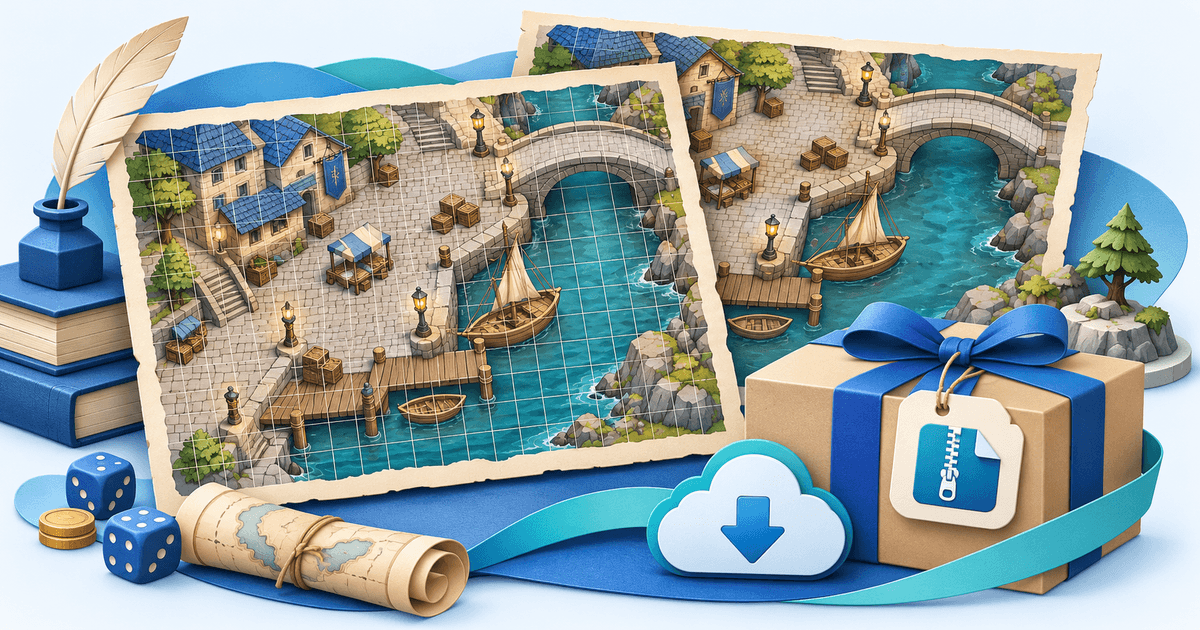
Editorial method: AI-assisted preparation; official sources reviewed on 8 November 2026. Harbor Ambush is a hypothetical specification, not a customer case or tested VTT product. The generated cover is illustrative artwork, not a map included in a download.