Digital brush packs can turn an artist's private workflow into a repeatable product. Illustrators buy brushes because they want a particular texture, faster rendering or a consistent effect—not because they need a folder containing hundreds of nearly identical presets.
This guide explains how to design, test, license and sell a focused brush pack for drawing applications such as Procreate, Photoshop or Clip Studio Paint.
Key Takeaways
- Build a small pack around one recognizable result
- Test every brush at several sizes, pressures and canvas resolutions
- Show unedited strokes and finished artwork made with the pack
- State the exact application and version compatibility
- Include installation instructions and a plain-language license
- Sell through an automatic digital-download checkout
Choose a Brush Pack People Can Understand
“250 ultimate brushes” sounds large but not necessarily useful. A focused promise is easier to demonstrate and easier to buy: six dry-gouache brushes, twelve inking brushes for expressive comics or eight foliage stamps for environment artists.
Choose a pack by intersecting three things:
- An effect your audience wants
- A process you already understand deeply
- A result that is visible in a thumbnail or short demo
Useful categories include ink and linework, paint and blending, grain and texture, lettering, foliage and clouds, fabric and hair, halftones, stamps and pattern brushes.
Design Brushes That Earn Their Place
Start with the minimum set needed to complete the promised workflow. Every brush should have a clear role. If two presets produce essentially the same mark, remove one or explain why both matter.
Test:
- Light and heavy stylus pressure
- Slow and fast strokes
- Small and large brush sizes
- Low- and high-resolution canvases
- Straight lines, curves, fills and overlapping strokes
- Different layer blending modes where relevant
Name brushes by job rather than internal experiment numbers. “Dry edge shader” is more useful than “Brush 17 final.” Arrange the presets in the order a customer might use them.
Only distribute source textures, shapes and samples that you created or have the right to redistribute. A license for using an image in artwork does not automatically grant permission to package that image inside a brush product.
Build Proof, Not Just Preview Art
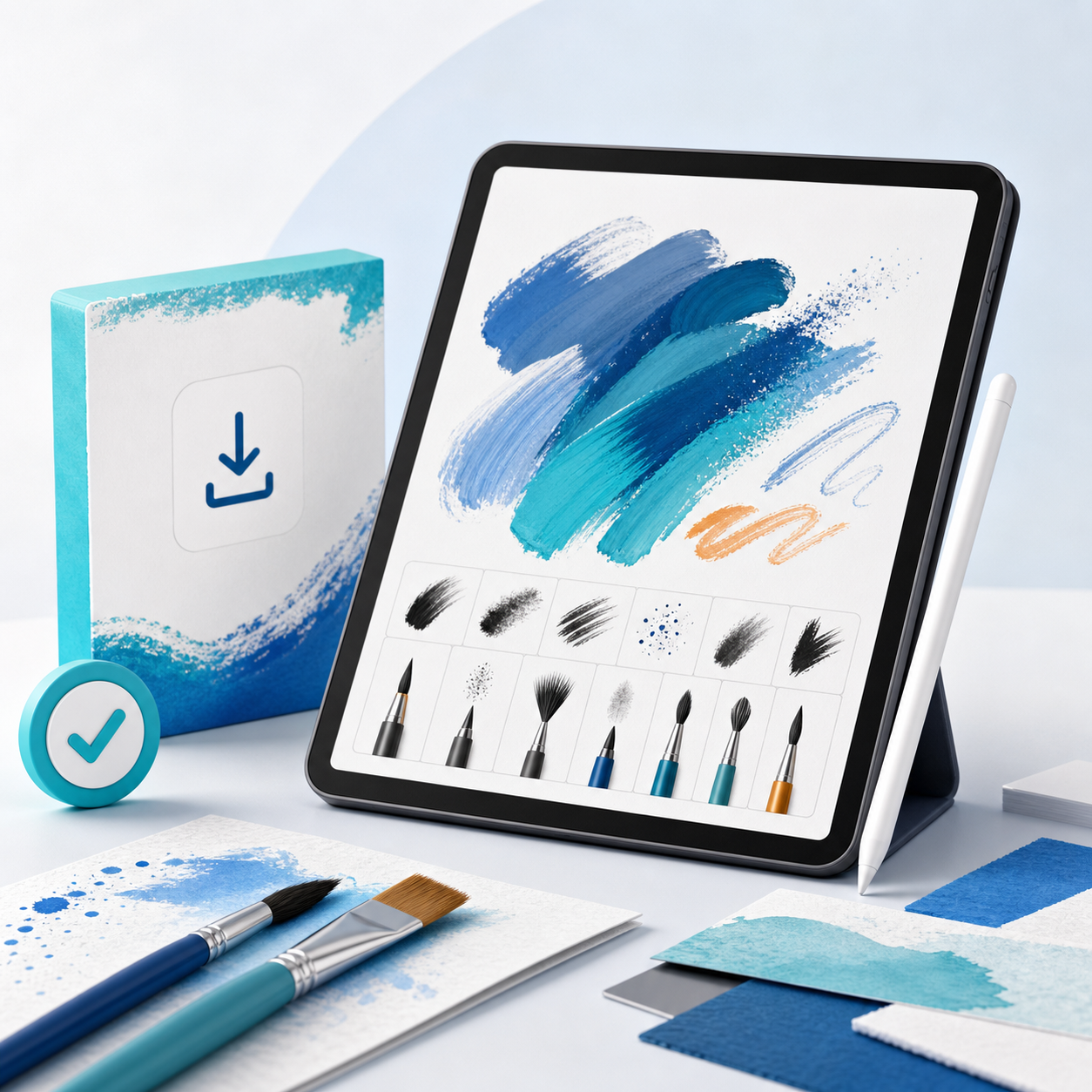
Finished illustrations show what is possible, but customers also need to see what they are actually buying. Include a clean stroke sheet with every brush used once, labels outside the artwork and no post-processing that hides the behavior.
A convincing product gallery contains:
- One cover image showing the overall style
- A complete brush-stroke chart
- Two or three close-ups at different sizes
- A finished artwork created primarily with the pack
- A short real-time demo with pressure variation
- A screenshot of the organized brush list
Say whether the artwork uses other brushes or editing. Honest demonstrations reduce the mismatch between expectation and result.
Package the Brush Download
Use a simple folder structure:
- The installable brush or brush-set file
- A PDF installation guide with screenshots
- A brush chart or sample sheet
- A plain-language license
- A README with application, version and device requirements
- Optional practice canvas or color palette
Keep the archive name and filenames readable. Test the ZIP on a second device and import it into a fresh application library. If the software has separate desktop and tablet versions, test the exact environments you advertise.
Write a License Artists Can Read
Separate the artwork buyers create from the brush files themselves. A practical standard license might allow personal and commercial finished artwork while prohibiting redistribution, resale, sharing or repackaging of the brush files.
Clarify these common questions:
- Can the buyer sell illustrations created with the brushes?
- Can a studio team share one purchase?
- Can the brush be included in a course or client handoff?
- Can brush-made textures be resold as standalone assets?
- Are future updates included?
Offer a studio or educator license when multiple users need access. Do not bury the most important restrictions in vague legal language.
How to Price a Digital Brush Pack
| Pack type | What buyers expect | Sensible starting range |
|---|---|---|
| Mini pack | 3–6 focused brushes | €4–€10 |
| Core pack | 8–20 tested brushes plus guide | €10–€25 |
| Professional toolkit | Broader workflow, demos and bonuses | €25–€49 |
| Studio license | Multiple users or commercial team access | €49–€149+ |
Price reflects specificity, consistency and time saved—not just brush count. Ten brushes that reproduce a distinctive print texture can be more valuable than 100 generic stamps.
You can launch with a small introductory discount, but avoid permanent fake urgency. A free sample brush is often a better sales tool: it lets the artist test pressure response and compatibility before buying the complete set.
Create the Product Page
Use the result in the headline: “Create soft storybook gouache without fighting digital edges.” Immediately state the supported application, required version and number of brushes.
Then show the stroke chart, demo artwork, included files, installation steps, license summary and refund policy for downloads. Add alt text to preview images and compress the gallery so mobile visitors are not waiting on enormous artwork files.
Deliver Brushes Automatically After Payment
Your checkout should accept payment, confirm the order and release the ZIP automatically. Manual delivery creates delays across time zones and turns every sale into inbox work.
PayRequest digital downloads provides hosted checkout and automatic file delivery through your connected payment provider. You can create a visual sales page for the demos and use a direct link from Instagram, TikTok, YouTube or your portfolio.
A Practical Launch Sequence
- Publish a short process video using one hero brush
- Offer that brush as a free sample
- Show the full stroke sheet and one finished piece
- Give early buyers a precise feedback question
- Fix installation or naming confusion immediately
- Publish one tutorial that teaches a result, not merely the product
- Collect permission before reposting customer artwork
Tutorial content works because it proves your expertise and helps buyers imagine a first project.
Frequently Asked Questions
Most useful brush licenses allow personal and commercial finished artwork while prohibiting resale or sharing of the brush files. State your terms explicitly.
Include only brushes that serve the promised workflow. A focused pack of 8–20 distinct, tested brushes is often easier to use and market than a huge unsorted library.
Often, yes. A representative sample helps artists test compatibility and feel before purchasing, while also building an email or social audience for future releases.
Name supported applications and versions, test the install from a fresh download and include a visual installation guide plus a troubleshooting section.
Sell the Workflow Behind Your Style
A brush pack succeeds when it helps another artist reach a result with less friction. Keep the promise specific, demonstrate the marks honestly and make installation as polished as the artwork.
Start free with PayRequest to sell and deliver your first brush pack, or browse more ideas for selling design assets.