Sell a small video course by letting prospective students watch the first lesson free, then charging one price for the complete lesson series. This works for a finished, focused curriculum that students can watch independently. Describe the learning outcome and access clearly before asking someone to pay.
PayRequest Video Series brings the player, ordered lessons and checkout onto the same product page. It is a one-time season purchase, so use it for a defined set of videos rather than promising an automatically expanding library.
Map six lessons to one achievable outcome
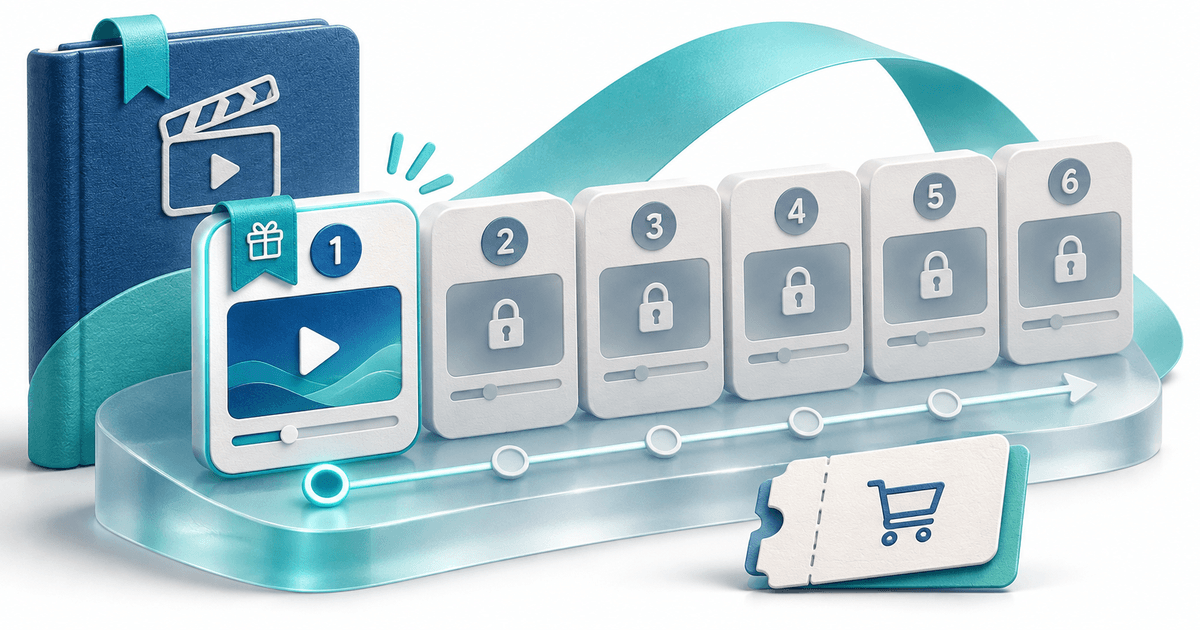
Here is an original planning example: ‘Light your first product photo with a window’, six short recorded lessons sold for €29, with the first lesson free. The names, price and curriculum are illustrative; this is not a published customer course or a claim about earnings.
| Lesson | Purpose | Access |
|---|---|---|
| 1. See the difference | Demonstrate the result and equipment needed | Free |
| 2. Choose a window | Set up the light source | Included in the purchase |
| 3. Place the product | Control the angle and background | Included in the purchase |
| 4. Shape the shadows | Use simple reflectors | Included in the purchase |
| 5. Make the photograph | Apply the complete setup | Included in the purchase |
| 6. Repeat the process | Review a reusable shooting checklist | Included in the purchase |
The free lesson should help a viewer assess your teaching. Do not spend its entire running time describing a result they never get to see. Keep the paid lessons focused on the steps needed to reproduce that result.
Write the offer before uploading
Use this copy as a starting point:
Adjust the subject, price and scope to match what you actually deliver. Say how many lessons are included, their full duration and the language. Do not call an illustrated checklist a separate downloadable workbook unless you have provided that file through an additional supported delivery flow.
Set up the lesson series
The Video Series guide describes the current workflow:
- Create each lesson as an active Pay to Unlock Video product and upload its private original.
- Use MP4 or WebM, up to 500 MB per episode. A series contains 2–50 videos from the same merchant account and uses one currency.
- Create a Video Series product and select the lessons in viewing order.
- Set the number of free opening episodes to one. At least one episode must remain paid.
- Set the positive one-time price, review tax and currency, then publish the season on your Payment Page.
- Review the public lesson page and complete a purchase to verify the handoff before promotion.
A free opening lesson is a complete episode marked free. It is different from the short teaser on an individual video product. Your payment-provider and account requirements still apply.
Check the buyer experience
A visitor should be able to identify the free lesson, inspect the remaining lesson titles and understand the final price. Choosing a locked lesson shows the season purchase action on the same page.
After confirmed payment, the buyer receives a Watch season link through the order pages and digital-delivery email. Anyone with that private link can use it, so explain that it should not be shared. It does not create a customer-account login or prevent screen recording. Browser playback position can be remembered on that device; do not promise cross-device learning progress.
Check the page on a phone, the first locked lesson, the successful-payment handoff and reopening the original watch link. These are proposed launch checks, not an end-to-end purchase we performed for the fictional course.
Finish the curriculum before selling ongoing access
The purchased episode list is saved with the order. Adding lesson seven later does not automatically grant it to earlier buyers. Replacing an existing lesson's underlying file can affect what those buyers watch, so retain the products and media you sold.
For this model, publish a complete edition and create a separate season for a materially different collection. If learners need quizzes, certificates or assessed progress, decide whether you need an LMS using the existing course-without-LMS guide. Recurring memberships are a separate offer, not an automatic Video Series setting.
Budget for files and delivery
Six source videos at 100 MB each use 600 MB before covers and previews. This is a transparent storage example, not a claim that a particular allowance includes the entire course. Check your storage allowance and delivery requirements before uploading a large library.
Digital products are available on Free with a 2% standard PayRequest fee, capped at €25 per payment. Active Premium (€5/month) and Business (€20/month) remove standard platform fees; provider fees and commission-payment exceptions remain separate. Review current pricing. Registration alone does not activate a paid plan.
Start with one finished lesson series. If you already have an audience on social video, see the separate TikTok-to-paid-season workflow.
Editorial note: AI assisted with drafting and illustration. Examples are fictional. Product documentation checked on 11 November 2026; no customer results or viral performance measured.