Sell an n8n workflow as a documented template, a setup service, or a custom automation with support. The buyer needs a repeatable outcome: a working lead intake, a reliable report or a controlled document-processing task. A JSON export alone rarely explains how to get there.
This guide covers packaging and collecting payment for your own workflows. It does not promise that n8n will host, distribute or sell your product. For image-generation pipelines, use the separate ComfyUI workflow guide.
Choose what the customer is buying
| Offer | Deliverable | Acceptance check |
|---|---|---|
| Downloadable template | JSON, setup guide, sample inputs and dependency list | Buyer can import it into the stated n8n version |
| Template plus setup | The same files plus one installation session | Agreed test completes on the customer's environment |
| Custom automation | Agreed workflow, handover and support scope | Named success and failure cases pass |
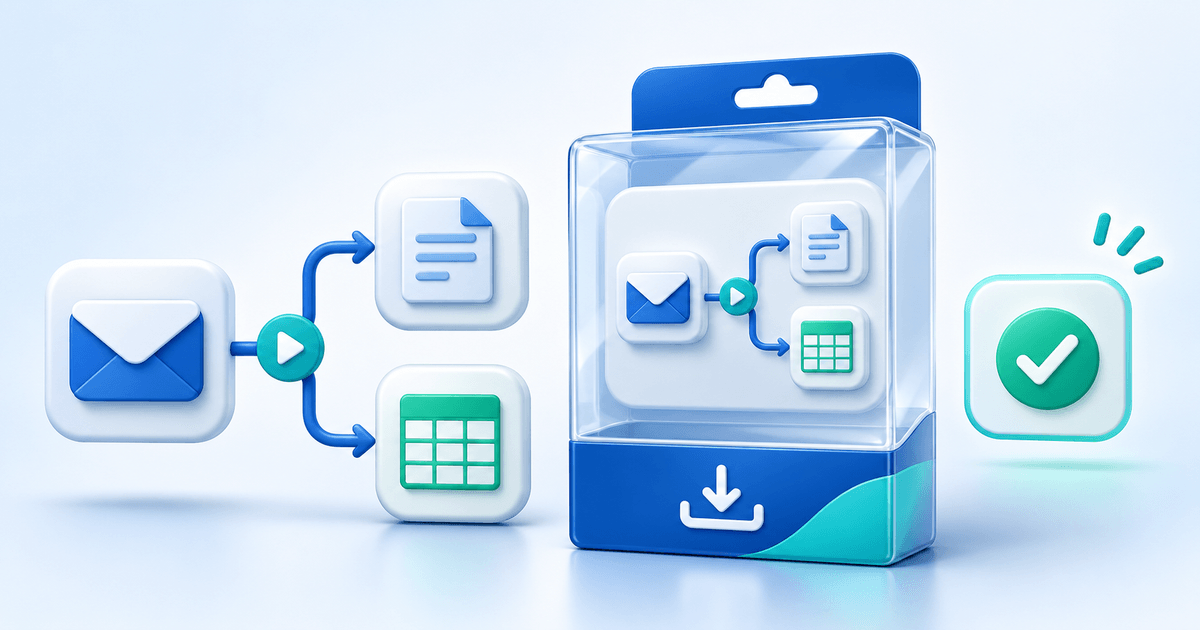
For example, offer an email-to-CRM assistant that proposes a category and drafts a reply, while a person approves any outbound message. State the supported mail service, CRM, model provider and approval step. Avoid promising “fully autonomous sales” when the workflow only drafts text.
Check the n8n license for your delivery model
n8n's current licensing guidance distinguishes consulting and managed output from letting external customers build or configure workflows. Customer access to the editor, configuration through your own interface, hosted n8n resale and white-label use need separate scrutiny. A downloadable template and a hosted automation platform are different offers.
For the simplest handover, the buyer supplies their own suitable n8n environment and provider accounts. Check the current Sustainable Use License and third-party licenses before publishing. Do not package the n8n software, paid custom nodes, model weights or other assets you cannot redistribute.
Build a release pack a buyer can actually use
Use this original release manifest for each version:
| Field | Example to replace with your actual test |
|---|---|
| Product/version | Email-to-CRM assistant, release 1.0 |
| Environment | Exact n8n version, hosting assumptions and required nodes |
| Accounts and costs | Mail, CRM and model accounts; API charges paid by buyer |
| Setup | Credential placeholders, field mapping and import instructions |
| Test fixtures | Synthetic sample email and expected CRM fields |
| Failure behavior | Duplicate prevention, missing fields, provider timeout and retry limits |
| Support boundary | Installation help period; changes and ongoing maintenance quoted separately |
Export from a clean copy. Inspect the JSON and instructions for API keys, bearer tokens, webhook secrets, customer data, private URLs and credential names. Replace them with placeholders. Use synthetic fixtures and ensure debug output contains no real messages.
Import the release into a fresh environment and run the success case, empty-input case, duplicate case and provider-failure case. Record actual results and date in the readme; do not label a template “tested” before doing this. A retry must not create a second invoice, send repeated emails or duplicate a CRM record.
Set a price and support boundary
Separate reusable files from your time. A hypothetical offer could be €29 for a documented template, €149 for the template plus a 60-minute setup session, and a separately scoped quote for custom integrations. These are test prices, not observed market averages.
State whether updates are included, which versions are supported and how customers request help. Do not promise lifetime maintenance at a one-off download price unless you can fund it. Provider subscriptions and API usage are separate from your selling price.
Collect payment and deliver the right version
For a finished reusable pack, create a digital product, upload the release ZIP and describe the prerequisites before checkout. For setup or custom work, use a service offer with an agreed scope and delivery date. Check the supported provider and account requirements for your chosen selling route.
Keep an order ledger: offer version → payment confirmed → delivered release → acceptance or support deadline. Match the receipt and download to the same version. PayRequest handles the supported selling and payment flow; it does not execute or validate the customer's n8n installation.
PayRequest Free is €0/month with a 2% standard platform fee. Premium is €5/month and Business €20/month; the standard platform fee is removed while paid access is active. Payment-provider fees and commission-payment exceptions remain separate. See current pricing.
Find buyers through a useful demonstration
Show one synthetic input, the resulting output and the human approval boundary. Publish a short setup walkthrough where your audience already looks for automation help. n8n has its own creator and template program, but participation is separate from selling through your own link.
Start with one maintained template for a specific job. Measure product-page visits, signups and completed sales before building a large catalog. For other file formats, see the AI creator selling hub.
Editorial note: written with AI assistance; the cover is an AI-generated illustration. Official sources checked on 6 November 2026. Examples are hypothetical offers, not customer results or verified market prices.