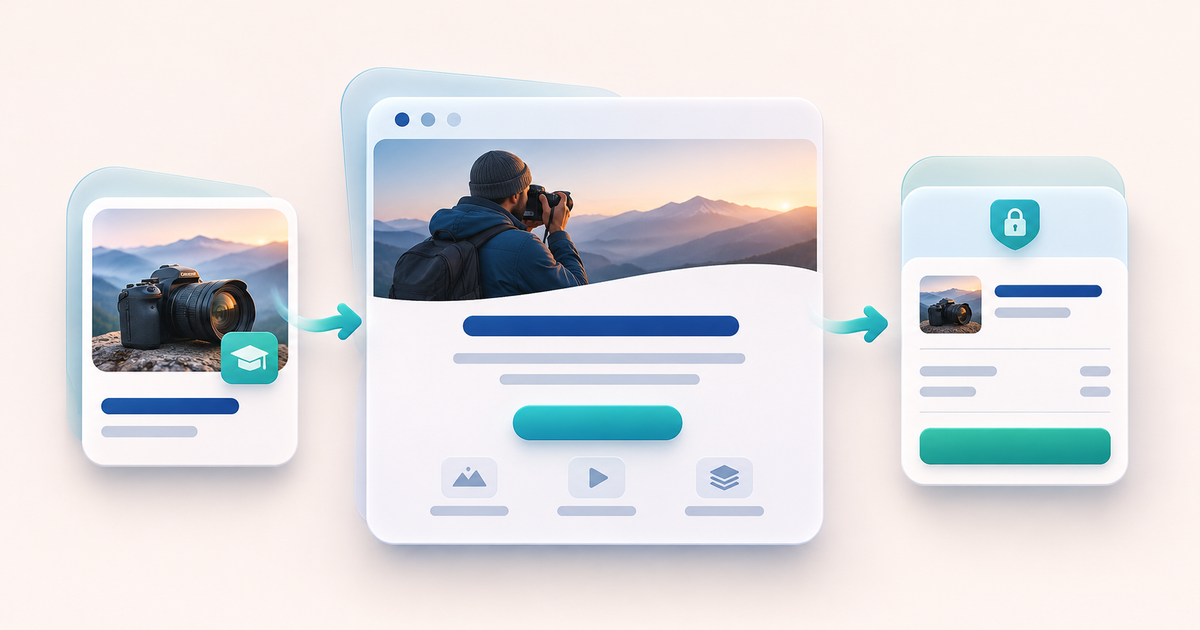
You can turn an existing PayRequest product into a hosted sales website with AI-assisted text, three styles and a generated PayRequest address. Visitors read the offer and select View price and buy to open its existing checkout. You need an active paid Premium, Business or Growth subscription for the website feature.
This guide is for a creator or small business with one offer ready to sell: a workbook, a finished course or a defined service. The useful starting point is your product, its audience and its actual delivery. AI helps prepare the presentation; you still decide what you promise buyers.
Decide whether you need a separate sales website
A direct product link is often enough when a buyer already knows what they want. Use a sales website when you need space to explain the result, audience and contents before the buyer reaches checkout. If you already have a Canva website, you can keep it and link it to checkout.
PayRequest AI product websites present one existing product. They are not a free-form HTML editor or a multi-page site builder. You choose a style and edit specific text fields. Hosting and HTTPS are included on the generated address; connecting your own domain is not available yet.
Work through one offer: a photography workbook
Imagine a fictional Weekend Photography Workbook with a finished PDF and your own cover image. This is a planning example, not a customer result or a live purchase we tested. Your product description should establish exactly what the buyer receives before generating any copy.
Use this fill-in product brief:
- For: [the specific audience and their starting knowledge].
- Includes: [actual files, lessons or service deliverables].
- Helps with: [the task your material explains, without promising a guaranteed result].
- Delivery: [how and when the buyer receives it after confirmed payment].
- Boundaries: [what is not included, such as personal feedback or live sessions].
For the example, write: “A downloadable PDF for beginner photographers practising over a weekend. Includes twelve self-guided exercises and printable planning sheets. No personal feedback or live lessons.” Replace every detail with facts about your own product. Avoid adding fabricated testimonials, qualifications or claims that buyers will become professionals.
Generate a private draft from the product
Follow the official AI product website guide. Sign in as the main account owner, open Products, select the existing product and choose Create website with AI. A Free account sees Upgrade to Premium; completing a qualifying paid subscription unlocks the editor. Trials, pending payments and expired plans do not qualify.
Choose English, Dutch, German, French, Spanish or Portuguese as the website language, then generate the draft. Generation uses the public product name, description, features and selected language. Your existing cover is reused when available. It does not generate a new image, inspect private delivery files or use customer records and payment configuration.
You can prepare a private draft while the product or Payment Page is inactive. Publishing requires an active, visible, unpaused product and an active Payment Page. Complete your existing payment-provider setup before accepting payments.
Edit the offer before choosing its appearance
Review the headline, introduction, product story, audience and up to six highlights. Use the product brief as your factual reference. For the workbook, a highlight might be “Twelve self-guided exercises” if twelve really are included. A claim such as “Guaranteed professional photos” would require a promise the product cannot establish.
Choose Studio for a clean colorful presentation, Editorial for a warm elegant layout or Midnight for a bold dark layout. These are presentation choices, not different delivery or payment options. Adjust the search title and description to describe the actual offer. They do not guarantee search indexing, rankings or visitors.
If AI is unavailable or a usage limit is reached, PayRequest can prepare an editable template from the product details and tells you it used a template. Review it with the same care as an AI-generated draft.
Save and check the buyer journey
Select Save draft, then Preview saved draft. The preview is private, shows saved content and disables purchase buttons. Unsaved edits will not appear. Check the page on both a narrow screen and a desktop before publishing.
Use this launch checklist:
| Check | What a good result looks like |
|---|---|
| Offer | Headline and highlights match the files or service actually sold |
| Audience | A buyer can tell whether their skill level or situation fits |
| Cover | You own the image and it accurately represents the product |
| Checkout | The linked product shows the intended currency, price, taxes and any recurring or additional charges |
| Delivery | Existing product settings deliver the promised file, access or instructions after confirmed payment |
| Availability | Product and Payment Page are active and paid website access is current |
The checklist is a proposed verification process. It is not a claim that we completed a real payment for the fictional workbook.
Publish one address and share a clear invitation
Select Publish website, then copy the exact address under Ready to share. An address might look like `https://photography-course-123.payrequest.me`; this is an illustrative format, not a live demo. The generated address combines a product-based name with its ID. Once saved, it stays the same when you rename the product. There is no custom subdomain-name field.
Share a specific invitation through your own channels. For the workbook: “Planning a weekend with your camera? See what is inside my beginner photography workbook and check the price.” Use your real title, audience and contents. Publishing alone does not send an email or bring an audience.
The website sends visitors to the existing product checkout. Current payment methods, purchase requirements, delivery and membership rules continue to apply. It does not create a second product, change the price or unlock a new video player.
Update the story without changing the live page
Save changes as a new draft, then select Publish changes when ready. The public page keeps its last published version until then. Generate a fresh draft replaces draft text and resets the style; review and save your preferred style before publishing again.
Changing the product description does not automatically rewrite the website copy. Prices and purchase terms continue to come from checkout. Unpublishing retains the website draft and leaves the existing product checkout available. An inactive product or Payment Page, a suspended seller or expired qualifying paid access can also make the website unavailable.
Digital products remain available on Free with the standard 2% platform fee, capped at €25 per transaction. The AI website is a paid addition. Premium (€5/month) and Business (€20/month) remove standard platform fees while active; provider fees and commission-payment exceptions remain separate. Check current plans. Registration or selecting a plan alone does not activate paid access.
Start with one product website. Judge the launch by people reaching checkout and confirmed purchases where your tools expose those steps, rather than treating a published page as proof of demand.
Editorial note: AI assisted with drafting and the illustrative cover. Product behavior was checked against PayRequest documentation on 14 November 2026. The workbook, brief and launch checklist are illustrative; no customer sales uplift or end-to-end purchase is claimed.