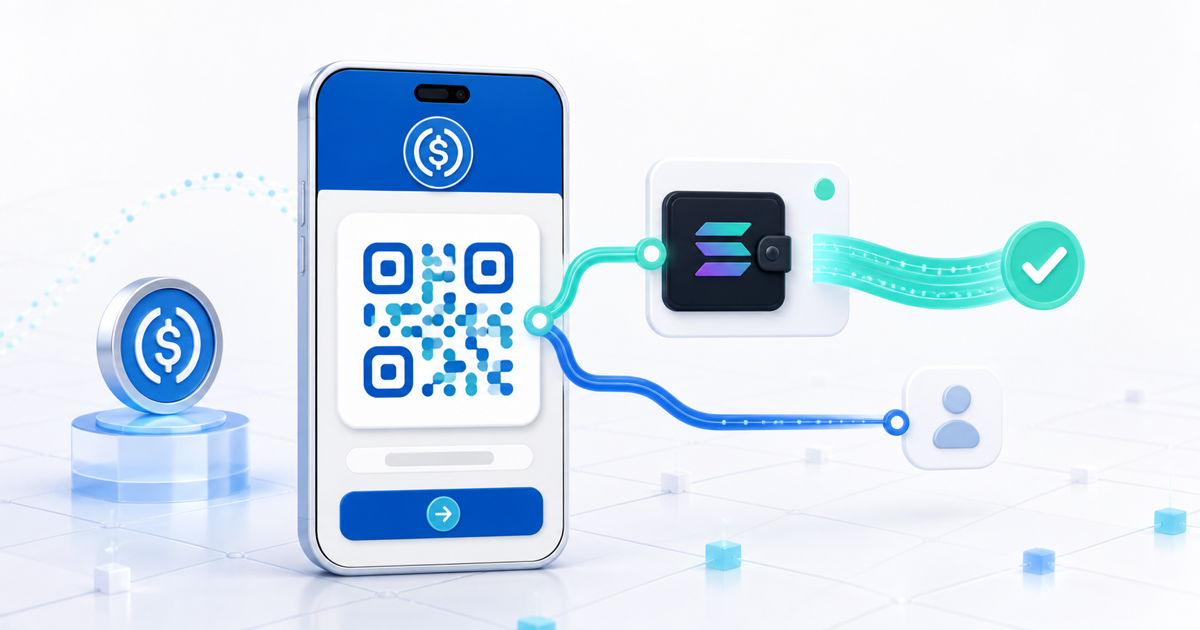
The simplest way to accept USDC on Solana without coding is to connect a Solana receiving wallet, create a hosted payment link, and share that URL or its QR code. The buyer opens the checkout, chooses a compatible wallet, reviews a USDC transfer on the Solana network, signs it, and sees confirmation only after the payment is verified on-chain.
This guide is for freelancers, creators and online businesses that want a real checkout record—not a raw wallet address pasted into a message. PayRequest handles the payment page, amount, wallet connection, verification and order status; the seller receives 98% after PayRequest's 2% successful-payment fee.
What a Solana USDC Payment Link Actually Does
A payment link is more than a QR code for an address. It joins the commercial order to the blockchain transfer.
| Checkout state | What the buyer sees | What PayRequest checks |
|---|---|---|
| Payment request | Seller, item, amount and USDC on Solana | The intended order and payment rail |
| Wallet choice | Connect button or QR handoff | A compatible wallet session |
| Review | Recipient, exact amount, token, network and fee treatment | A Solana USDC transaction—not Ethereum USDC |
| Signature | The wallet's approval screen | The buyer authorized the presented transaction |
| Verification | Pending, confirmed or failed | The expected transfer reached the chain and matches the order |
| Settlement | Paid receipt or delivery step | 98% forwarded to the seller wallet; 2% retained as the platform fee |
Solana's official accept-payments documentation lists Solana Pay for QR codes, payment links and point-of-sale use, and separately emphasizes verification. It also says merchants should share their wallet address rather than a USDC associated token account; the sender derives the correct token account.
Set It Up Without Writing Code
- Create a free PayRequest account and open Provider Settings.
- Connect the Solana wallet you control. Use its Solana account—not an Ethereum-style address and not a USDC token-account address.
- Create a payment link or product, enter the amount and describe exactly what the customer is buying.
- Enable USDC on Solana and publish the hosted checkout.
- Open the public link in a private browser window and complete a small payment from a different wallet.
- Confirm that PayRequest moves from pending to paid only after on-chain verification and that the order record contains the correct amount and transaction reference.
The seller never needs to run a Solana RPC node, build a wallet adapter, encode a Solana Pay URL or maintain a transaction-monitoring worker. Those are precisely the pieces a hosted checkout replaces.
The Real PayRequest Checkout Flow
On desktop, the customer can open the payment link and scan the displayed QR code with a wallet on their phone. On mobile, the wallet handoff opens the compatible app directly. In both cases, the meaningful security boundary is the wallet review screen: it should identify USDC, Solana, the amount and the destination before the customer signs.
PayRequest then verifies the result rather than trusting a screenshot or a customer clicking “I paid.” This matters because a transaction can be rejected, expire, use the wrong network or transfer the wrong token. Fulfilment should start from the confirmed PayRequest order state.
For a $100 USDC payment, the commercial split is simple:
- Customer authorizes 100 USDC on Solana
- PayRequest's platform fee is 2 USDC
- Seller receives 98 USDC in the connected wallet
PayRequest's Free plan includes the selling features and charges 2% per successful payment, capped at €25 per transaction. Solana network-fee treatment should be read from the live wallet review. The current PayRequest Solana provider information says the customer normally pays the very small network fee; only call it sponsored when that specific checkout and wallet explicitly show a sponsor or zero fee to the payer.
Test These Five Failure Cases Before Sharing the Link
USDC exists on many chains. USDC on Ethereum, Base or Polygon is not USDC on Solana. Circle publishes the official USDC contract addresses; native Solana USDC uses mint address `EPjFWdd5AufqSSqeM2qN1xzybapC8G4wEGGkZwyTDt1v`.
A seller should connect the Solana wallet address requested by the product flow. Do not paste an Ethereum `0x...` address or an associated token-account address into a field asking for a Solana account.
The customer needs enough native USDC on Solana for the amount. Depending on the checkout, the wallet may also need a small amount of SOL for the network fee. The review screen is authoritative for that attempt.
Connecting a wallet is not payment. The customer must still review and sign the transfer. Keep the order pending until verification succeeds.
Never release a file or grant access based only on an image of a wallet. Match the expected asset, chain, amount, recipient and transaction to the PayRequest order.
When to Use a Link Instead of Building Solana Pay
Use a hosted payment link when you need to launch quickly, sell without a website, support wallet handoff and keep an order record. Build directly with Solana Pay or RPC tooling when your product needs custom on-chain instructions, specialized point-of-sale hardware or a deeply embedded checkout controlled by your engineering team.
For most independent sellers, the payment link is the better first release: test one real order, document the refund process and only add custom infrastructure when a measured requirement justifies it.
Create your first checkout with PayRequest USDC payment links, or review the broader Solana payment-link guide before connecting your wallet.