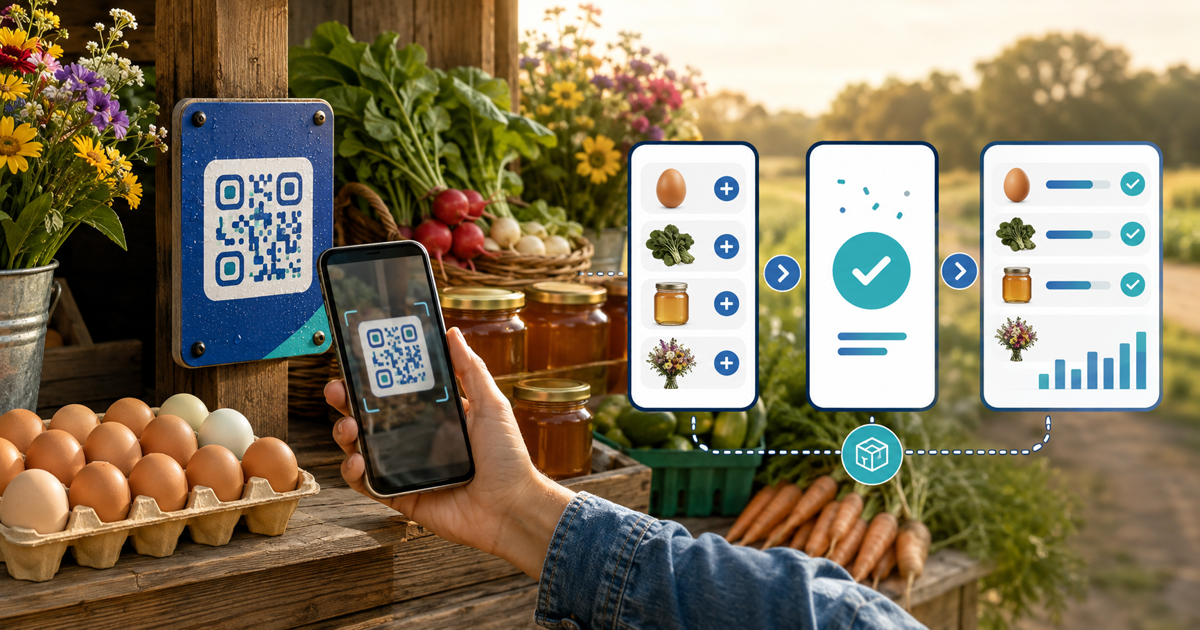
An unattended farm stand can accept card payments without a website by placing a hosted payment page behind a weatherproof QR code. The QR code solves access to checkout; the operator still needs clear prices, a trustworthy destination and a way to compare confirmed payments with stock removed.
This workflow is for small farm-gate stalls, egg boxes, flower stands and produce sheds. Its original asset is a shelf-to-settlement sheet that gives every displayed price a payment identity and turns the daily stock count into a useful reconciliation check.
Decide Whether One QR Code Is Enough
| Stand layout | Payment setup | Reconciliation tradeoff |
|---|---|---|
| One product and price | One fixed-price page | Simplest match |
| Several products at one price | One price page plus quantity | Buyer must record quantity accurately |
| Small stable range | One hosted product page per item | More signs, clearer product identity |
| Variable-weight produce | Staffed weighing or an honest entered amount | Harder to verify remotely |
| Frequently changing range | Hosted store or frequently updated menu | More maintenance, fewer stale signs |
Avoid asking an unattended buyer to calculate a complicated total. Round, visible prices and fixed product pages reduce input mistakes. Keep cash as a fallback only when you can secure and reconcile it safely.
Oregon State University Extension's farm-stand guide recommends routine stock checks against income for an honor-system stand. Digital checkout does not remove that control; it gives each confirmed transaction a timestamp and amount to compare with the count.
Build the Shelf-to-Settlement Sheet
Create one row per item or price tier with:
- display name and physical shelf or crate;
- unit, bundle size, price and currency;
- final hosted payment URL and QR identifier;
- opening quantity, restocks, closing quantity and spoilage;
- confirmed digital orders and cash total;
- unexplained difference and follow-up action.
Use a stable identifier such as EGG-6 on the sheet, product page and back of the printed sign. The customer-facing side can remain friendly; the identifier helps the operator replace the right code and investigate a mismatch.
Make the Printed Payment Point Trustworthy
Print the expected domain in readable text beside the QR code so a customer can recognize the destination before scanning. Mount the sign behind a weatherproof cover, keep sufficient white space around the code and avoid curved or reflective surfaces.
Treat sticker replacement as a real risk. Use a fixed frame or tamper-evident seal, photograph the approved display and inspect it during every restock. Offer the same short visible URL for people who cannot or prefer not to scan.
The payment-success screen is not a theft-prevention system. It helps an honest customer pay and gives the operator a record; it does not prove that every item removed was paid for.
Run a Five-Basket Opening Test
Before leaving the stand unattended, test five realistic baskets from a phone that is not signed into the seller account:
- one unit of the simplest product;
- several units at the same price;
- two different products where the layout supports it;
- a cancelled or failed checkout;
- a successful payment on mobile data with weak reception.
Confirm product, quantity, amount, currency and seller order match each time. A customer-facing success message or bank screenshot alone is not the handoff signal; verify the confirmed order in the seller view.
If mobile coverage is unreliable, do not advertise the QR route as guaranteed. Post an honest fallback, such as cash, a visible payment URL to complete later, or staffed hours. “Offline QR payment” is misleading when the browser and payment provider still require connectivity.
Reconcile Stock and Payments Each Day
At closing, count physical units, record spoilage or samples and compare expected sales with confirmed orders and secured cash. Investigate differences by item and time window rather than treating the daily total as proof that every basket matched.
Separate payment fees from missing stock. Provider and PayRequest fees explain why the net payout is lower than gross sales; they do not explain an absent product. Reconcile gross confirmed orders first, then provider fees and net settlement.
Use local advice for food rules, weights and measures, taxes, permits and roadside signage. These differ by product and location; a payment page does not replace them.
Create the Farm-Stand Payment Pages
Use QR-code payment links to create the smallest clear set of hosted payment destinations and connect a supported provider. If the range needs images and several stable products, use a hosted store rather than one ambiguous open-amount link.
Generate signs from the final live URLs, complete the five-basket test and start the shelf-to-settlement sheet with a short staffed trial. Move to unattended hours only when the QR display, confirmations and daily reconciliation are understandable without verbal help.

