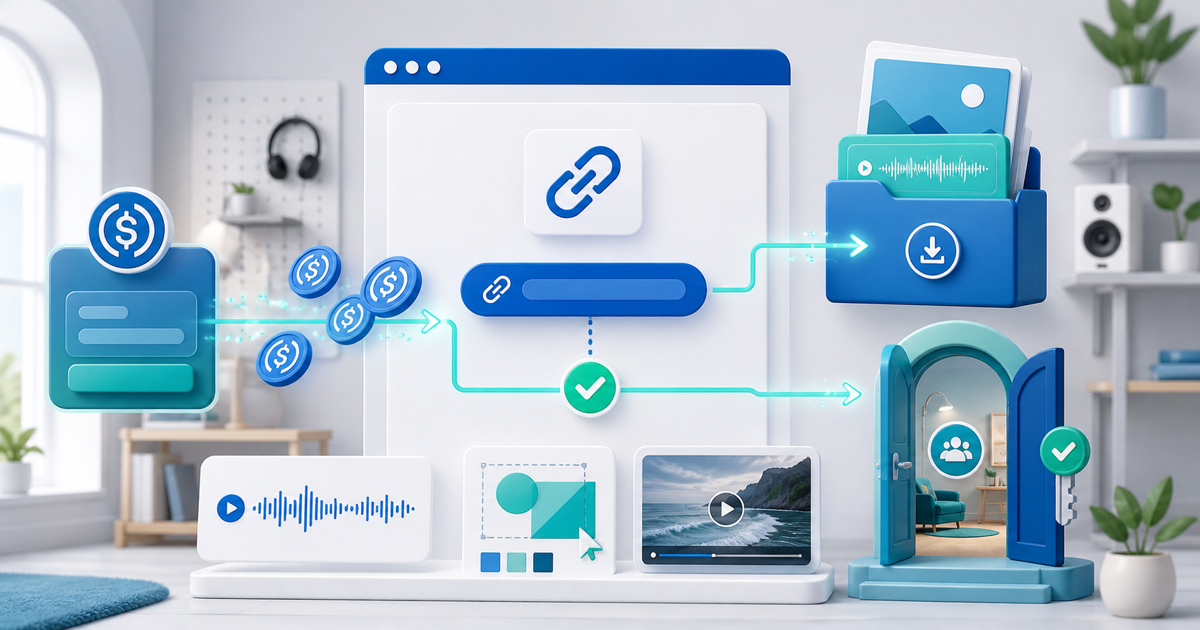
Web3 creators can sell digital products and community access for USDC by combining four records: a clear offer, a hosted payment link, verified on-chain payment and an automated fulfilment rule. Payment should unlock the exact file or membership promised—not an improvised DM, a wallet screenshot or a vague token investment pitch.
This workflow fits designers, musicians, educators, developers, researchers and community operators whose audience already holds USDC. It does not require launching a token or making claims about future value.
Choose the Product Before the Payment Rail
USDC is how the buyer pays; it is not the product. Define the deliverable and access rule first.
| Offer | Deliverable | Good fulfilment trigger |
|---|---|---|
| Template, ebook, sample pack or source file | Versioned download ZIP/PDF | Release after confirmed payment |
| Workshop recording or course bundle | Protected files or access page | Grant access to the paid email/account |
| Private community | Role or membership with stated duration | Invite or activate after confirmation |
| Research membership | Scheduled posts and archive access | Start the disclosed billing/access period |
| Creative commission | Scope and booking deposit | Create the project record; do not auto-deliver unfinished work |
Avoid selling “community access” with no description. State the platform, access duration, posting cadence, moderation rules, refund policy and what happens if the community closes.
Build a Wallet-First Sales Flow
- Create one product or membership with a specific buyer outcome.
- Upload the tested retail file or configure the community access rule.
- Publish a PayRequest sales page with previews, compatibility, license and support details.
- Enable USDC on Solana through the connected seller wallet.
- Share the product link in your profile, Discord, Telegram, X, newsletter or documentation.
- Let the buyer connect MetaMask, Phantom, Solflare or another compatible wallet and approve USDC on Solana.
- Start delivery or access only after PayRequest verifies the matching on-chain payment.
- Keep the order, transaction reference, delivery event and any refund in one reconciliation record.
WalletConnect's May 2026 Solana payment announcement confirms that SOL, USDC and USDT on Solana can be spent through supported WalletConnect Pay checkouts without bridging. That removes a common buyer detour, but it does not remove the seller's obligation to describe and deliver the product accurately.
Create a Proof-to-Purchase Page
A wallet-native audience still needs normal purchase information. Put these elements above checkout:
- A one-sentence outcome for a named buyer
- A real preview that does not leak the complete paid asset
- Exact files, formats, versions and dependencies
- Personal versus commercial license boundaries
- Community duration, renewal and removal rules where relevant
- Price and settlement asset: native USDC on Solana
- Refund/contact route for an irreversible payment rail
The strongest sales page demonstrates the product. For a design pack, show a labeled specimen; for audio, use a short preview; for a developer kit, publish documentation and a safe demo; for a community, show the current schedule and an example of the teaching format.
Automate Delivery Without Losing Control
For a downloadable product, upload one versioned retail archive and test it from a buyer account. The payment-confirmed event should reveal the protected download or send the correct delivery message. Record the product version against the order so support can reproduce what the customer received.
For community access, define a small state machine:
| State | Access action |
|---|---|
| Payment pending | No paid role or protected content |
| Payment confirmed | Create or activate the entitled membership |
| Invite sent | Record destination and expiry; allow safe resend |
| Member active | Start the promised access period |
| Refunded or expired | Apply the disclosed removal policy |
Do not make a public wallet balance the only membership database. Buyers change wallets, lose access to accounts and sometimes pay on behalf of a different email identity. Join the verified transaction to the customer and entitlement record needed to support them.
Account for the 98/2 Split
For a 50 USDC product, PayRequest's 2% successful-payment fee is 1 USDC and 49 USDC is forwarded to the connected seller wallet. The fee is capped at €25 per transaction under current pricing.
Record at least:
- Order ID and product version
- Gross amount and USDC/Solana rail
- PayRequest fee and net amount
- Transaction signature and confirmation time
- Customer/delivery identity collected with permission
- Delivery or community-access event
- Refund transaction when applicable
Crypto payments do not create card chargebacks, but they also do not reverse themselves. Publish a workable refund policy and verify the destination address with the buyer before sending a refund. Ask a local accountant how crypto-denominated sales, VAT/sales tax and exchange values should be recorded in your jurisdiction.
Avoid Investment and Token-Gating Traps
You do not need a tradable token to build a wallet-first business. Selling a file or membership for a stablecoin is straightforward commerce: a priced product is exchanged for payment. Keep the offer centered on the deliverable.
If you add token-gated access later, define whether holding, staking or spending is required; how transfers affect access; how you handle compromised wallets; and whether local consumer, promotion or financial rules apply. Do not promise appreciation, yield, profit sharing or “guaranteed upside” to sell ordinary creator access.
Test the Complete Buyer Journey
Run these five orders before launch:
- Phantom on mobile with the correct USDC balance
- MetaMask with the Ethereum address visible first, then the correct Solana account selected
- A wallet with USDC on the wrong chain
- A confirmed payment followed by download or community invitation
- A manual refund and access update using the published policy
The flow is ready when a buyer can understand the offer, pay the correct token on the correct chain, receive exactly one entitlement and retrieve help without sending a seed phrase or payment screenshot.
Start with PayRequest digital products or the PayRequest community feature, then add USDC on Solana checkout to the same seller workflow.