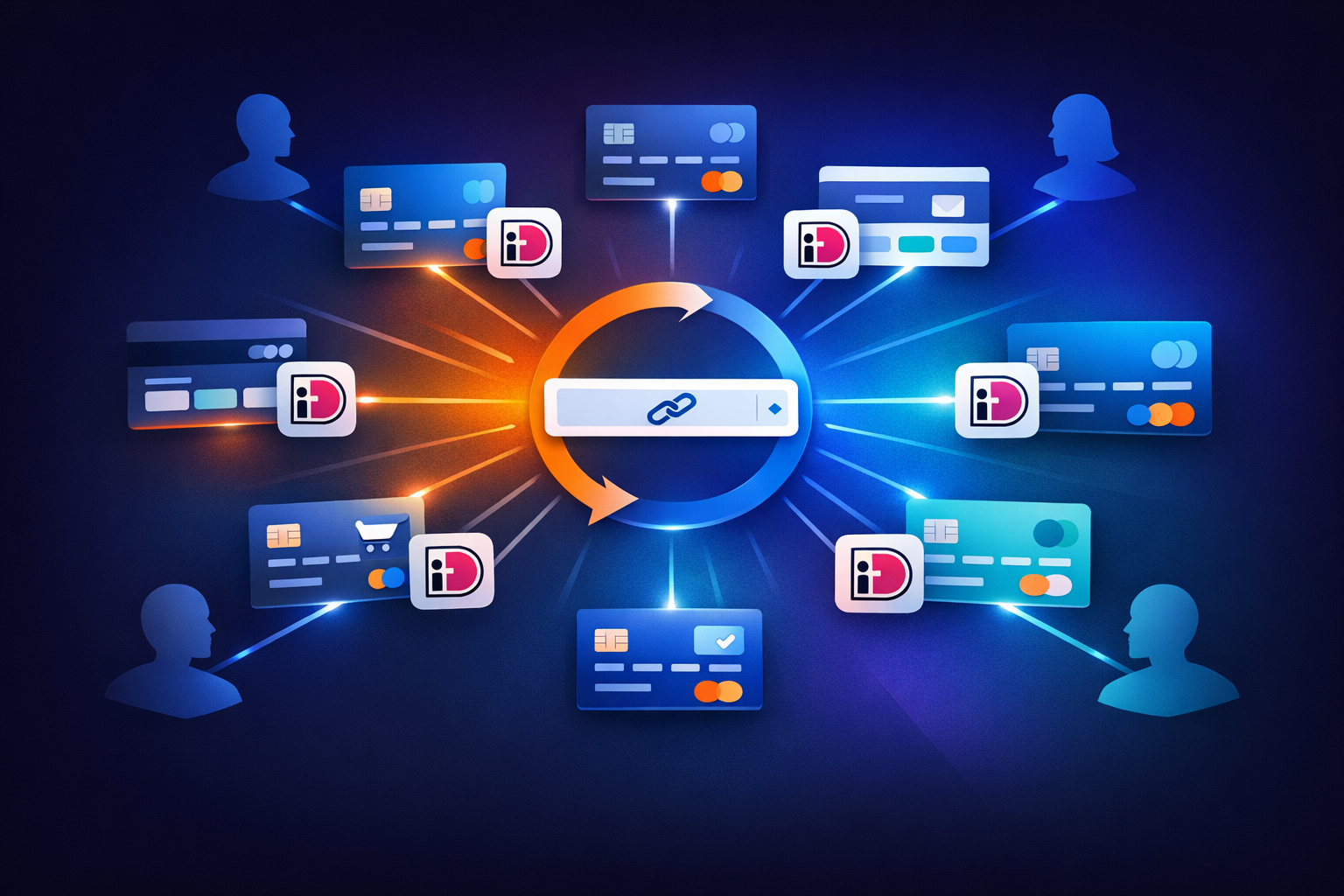
If you use Mollie to accept payments, you can now make a Payment Link reusable. Multiple customers can pay through the same public URL, which suits a fixed-price product, donations, an on-site QR code or a link in your social profile.
You therefore do not need an extra tool simply to reuse one URL. This guide explains Mollie's native option and when a billing layer such as PayRequest adds value through customer data, branding, QR codes, receipts, automation and reporting.
Single-Use and Reusable Mollie Links
Mollie lets merchants choose whether a Payment Link is reusable. With the reusable setting, each visitor can start a new payment from the same URL. Mollie's current support documentation describes the reusable option; always verify availability for your account and payment method.
When you create a Mollie payment, the system generates a unique payment ID and a corresponding checkout URL. The customer visits the URL, selects a payment method (iDEAL, credit card, Bancontact, etc.), and completes the payment. Mollie then sends a webhook to your server confirming the payment status.
A single-use URL remains appropriate for one customer or invoice. A reusable Payment Link remains shareable while Mollie records every resulting payment separately. Choose based on the commercial workflow, not on an outdated assumption that Mollie cannot reuse links.
This single-use design works well for invoices and one-time customer transactions. But many common business scenarios require a link that works repeatedly.
You run a yoga studio and want one link on your website for drop-in class payments. You sell a digital template for €29 and want to share a single buy link on social media. You accept donations and need a permanent donation link. You teach music lessons at a fixed hourly rate and want to send the same payment link to all students.
In all these cases, creating a fresh Mollie payment link for every customer is unnecessary overhead.
How to Create a Reusable Mollie Payment Link
The solution is to use a payment platform that sits on top of Mollie and generates reusable links. PayRequest connects directly to your Mollie account and creates Smart Payment Links that can be used by multiple customers — each getting their own unique Mollie checkout session behind the scenes.
Sign up for PayRequest and connect your Mollie account. This takes about 2 minutes — you paste your Mollie API key into PayRequest's settings, and the integration is live. All your Mollie payment methods (iDEAL, credit cards, Bancontact, SEPA, Sofort, etc.) become available in PayRequest automatically.
In PayRequest, navigate to Payment Links and create a new link. Enter the amount (for example, €29 for your template or €15 for a yoga class), add a description, and save. The resulting link is reusable by default — you can share it with as many customers as you want.
Each time someone clicks the link, PayRequest creates a new Mollie payment session for that specific customer. The customer sees a branded checkout page, selects their preferred Mollie payment method, and pays. You receive the payment in your Mollie account as usual, with full transaction details and webhook notifications.
Copy the payment link URL and use it wherever you need it.
On your website: Add it as a "Pay Now" or "Buy Now" button. The link works as a simple URL, so you can embed it in any website builder — WordPress, Wix, Squarespace, or a custom site.
On social media: Paste the link in your Instagram bio, Facebook page, X (Twitter) profile, or LinkedIn posts. Every follower who clicks gets their own checkout session.
In emails: Include the link in marketing emails, newsletters, or customer communications. Unlike a Mollie link that expires after one use, this link keeps working for every recipient.
On printed materials: PayRequest generates a QR code for every link. Print the QR code on flyers, business cards, posters, or event tickets. Customers scan and pay instantly from their phone.
In messaging apps: Send the link via WhatsApp, Telegram, or SMS. Each recipient gets their own payment session.
What Happens Behind the Scenes
Understanding the technical flow helps explain why this works reliably.
When a customer clicks your reusable PayRequest link, the following happens in sequence. PayRequest receives the click and creates a fresh Mollie payment via the Mollie API, using your connected Mollie account. The customer is redirected to a Mollie-powered checkout page with all your enabled payment methods. The customer selects their method (iDEAL, card, Bancontact, etc.) and completes the payment. Mollie processes the payment and sends a webhook to PayRequest. PayRequest records the transaction, sends you a notification, and optionally sends the customer a receipt.
From the customer's perspective, they see a professional payment page and pay in a few clicks. From your perspective, you see each payment as a separate transaction in both PayRequest and Mollie — with full details on who paid, when, and via which method.
The key difference from a native Mollie link is that PayRequest creates a new Mollie payment for each customer, while sharing a single URL. It is the URL that is reusable, not the underlying Mollie payment.
Use Cases for Reusable Mollie Payment Links
Reusable links are not just a convenience — they unlock business workflows that single-use links cannot.
If you sell something at a set price — a template, a consultation call, a workshop ticket, a piece of software — a reusable link eliminates the need to create a new link for each customer. Set it up once, share it everywhere, and collect payments indefinitely.
A graphic designer selling Canva templates at €19 each can put one link on their website and Etsy alternative page. A consultant offering 30-minute strategy calls at €75 can include the same link in every email signature. A language teacher charging €40 per lesson can send the same link to all students each week.
Nonprofits, content creators, and community organisations benefit enormously from reusable links. A donation link that works permanently on your website, in your newsletter, and on social media eliminates the friction of setting up payment collection for every campaign.
PayRequest's reusable links also support custom amounts — you can let the donor choose how much to give while keeping a single link.
For recurring events (weekly classes, monthly meetups, annual workshops), a reusable link means attendees always have a working payment link. No more "this link has expired" messages for people who discover your event a week after you shared the link.
Some businesses need regular payments from customers but do not want the complexity of a full subscription system. A personal trainer who charges per session, a cleaning service with variable schedules, or a freelancer with project-based billing can use a reusable link for each service tier instead of managing subscriptions.
Reusable Links vs. Other Mollie Payment Methods
How do reusable payment links compare to other ways of collecting payments through Mollie?
Mollie's hosted checkout page requires a website integration — you need to write code (or use a plugin) that creates a payment via the API when a customer clicks a button on your site. This is more complex than a payment link but offers more control over the user experience.
A reusable payment link gives you similar functionality without any code. If you do not have a developer or do not want to maintain an API integration, a reusable link is the fastest path to accepting payments.
A targeted payment request fits one customer, amount and reference. A reusable Payment Link fits a shared or public offer. The distinction is which link type matches the workflow, not that Mollie makes reuse impossible.
Mollie Components embed a payment form directly on your website. This provides the most seamless checkout experience but requires frontend development. For businesses without a developer, a reusable payment link achieves the same goal — collecting payments from multiple customers — with zero code.
Advanced Features of Reusable Mollie Links via PayRequest
Beyond basic reusability, PayRequest adds features that native Mollie links do not support.
Every reusable link in PayRequest includes Smart Link analytics. You can see how many people clicked the link, how many completed payment, which payment methods they used, and which channels (email, social media, website) drive the most conversions. This data helps you optimise where and how you share your payment link.
Every link automatically gets a QR code. This is particularly useful for Dutch and Belgian businesses where QR codes on invoices, at point-of-sale, and on marketing materials are common. Print the QR code on your menu, at your reception desk, or on event posters.
Need to collect additional information at checkout? PayRequest supports custom fields on payment links — add fields like name, email, reference number, or any other data you need to identify the payment.
When a customer pays through your reusable link, PayRequest automatically sends them a receipt. No manual follow-up needed.
Your reusable link offers all the payment methods enabled in your Mollie account: iDEAL, Visa, Mastercard, Bancontact, SEPA Direct Debit, Sofort, EPS, Giropay, KBC/CBC, Belfius, Apple Pay, and PayPal. Customers choose at checkout.
How to Get Started
Creating your first reusable Mollie payment link takes less than 5 minutes.
- Sign up for PayRequest (free trial, no credit card needed)
- Connect Mollie by entering your Mollie API key in PayRequest settings
- Create a payment link with the amount and description
- Share the link on your website, social media, email, or printed materials
- Get paid — each customer gets their own Mollie checkout session
PayRequest Free includes all standard features and charges 2% per successful payment, capped at €25 per transaction, on top of current Mollie fees. Compare that billing-layer cost with the customer fields, automation, invoices, subscriptions and consolidated reporting you will actually use.
Ready to stop creating a new Mollie link for every payment? Create your reusable payment link now or explore PayRequest's Mollie integration to see all supported payment methods.