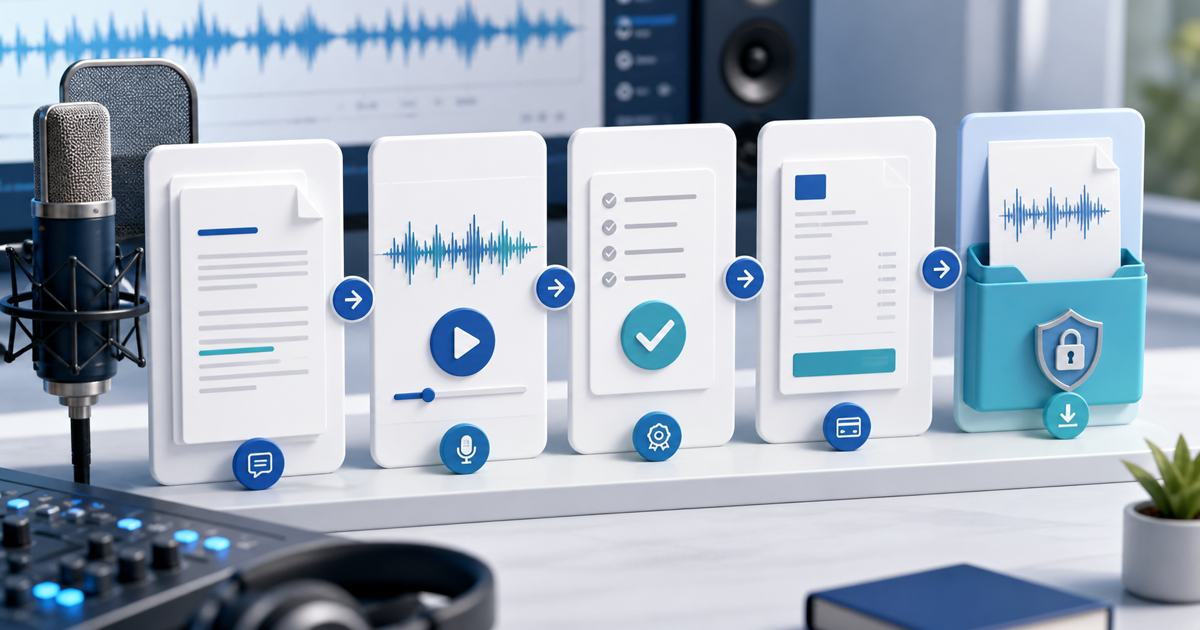
You can sell an AI voiceover service made with ElevenLabs when the generated audio qualifies for commercial use, the script and voice are authorized, and your offer defines revisions, usage and delivery. The sellable product is not “access to AI.” It is a finished narration for a specific video, podcast, course, ad or app.
This service angle attracts clients who already need audio and are close to paying. It also gives you a reason to collect a deposit before generation, approve a preview and release the clean WAV only after the balance is paid.
Clear the ElevenLabs Output and the Voice
ElevenLabs' current publishing guidance says its free plan does not include a commercial license. Paid plans include commercial use for eligible non-beta services, provided the user holds the necessary intellectual-property rights and follows the terms, prohibited-use policy and any service-specific conditions. It says eligible content generated during a paid subscription may continue to be used commercially afterward.
Keep the plan, generation date, model or service status and output ID for every delivered job. Confirm that the service was not beta at the time of generation. Use only voices you are authorized to use; do not imitate a client, employee, actor or public figure without valid permission. Confirm that the client owns or licenses the script, music and other supplied material.
Sell a Defined Voiceover Package
| Package field | State before payment | Why it matters |
|---|---|---|
| Script size | Final word count and language | Prevents an open-ended recording job |
| Intended use | Organic video, paid ad, course, podcast or app | Usage changes the buyer's risk and value |
| Voice | Authorized library voice or consented custom voice | Prevents identity and permission disputes |
| Revisions | Included pronunciation or script-change rounds | Separates corrections from a new brief |
| Delivery | WAV/MP3, sample rate, channels and file split | Makes “final audio” testable |
| Deadline | Script lock, preview and final-delivery dates | Keeps feedback from blocking the project |
A practical starter offer might include up to 500 final words, one pronunciation correction round, WAV plus MP3 and one defined use. Quote longer scripts, paid advertising, multiple languages, timed synchronization or many output files separately. Never promise a result in a named person's voice unless the consent and applicable platform route are documented.
Use a Deposit, Preview and Final-File Gate
Collect a deposit when the job requires meaningful setup, pronunciation research or generation cost. Freeze the approved script before producing the full narration. Send a short, lower-quality or watermarked preview for tone, pacing and pronunciation approval; do not send the clean complete master as the preview.
After approval, issue the balance request. Release the final files only when payment is confirmed, then store the invoice, approved script version, client approval, output record and delivered-file checksum together.
This is a useful five-state job ledger:
- Quoted: use, word count, voice and deadline agreed.
- Deposit paid: production may start.
- Script locked: changes after this point are scoped separately.
- Preview approved: pronunciation and pacing accepted.
- Balance paid and delivered: clean files released with the usage note.
Deliver a Client-Ready Audio Folder
Name files by project, language, section and version. Include the final WAV, a listening MP3, pronunciation notes where relevant, the approved script and a simple usage summary. Listen to the entire exported file with headphones, check for clipped words, unnatural joins, silence, inconsistent loudness and accidental alternate takes.
For video synchronization, ask for timestamps or a locked picture before quoting. For multilingual work, make clear whether the client supplies the translated script and who approves pronunciation. AI makes generation faster; it does not remove editorial responsibility.
Get Paid for the Voiceover With PayRequest
Use a PayRequest invoice for a custom quote and deposit, or a fixed payment link for a tightly defined starter package. Attach the project and script-version reference to the customer record. After approval, collect the remaining balance and send the final audio through the agreed protected delivery route.
Put one narrow offer in your portfolio—such as “AI voiceover for a 60-second product demo”—and link directly to its payment or quote page. That converts better-qualified demand than an article about AI narration in general because the visitor already knows the deliverable, limit and next action.
PayRequest includes standard billing features on the Free plan without a monthly feature fee. It charges 2% per successful payment, capped at €25 per transaction, plus the fees of the connected provider.