To sell 3MF files online, package a clearly described model, include STL exports where useful, document the software and printer setup you tested, and deliver the download after payment. Buyers need to know whether they are getting portable geometry or a slicer project prepared for particular equipment.
A good product saves a maker time: a fitted organizer, an original miniature or a set of parts that assemble as described. This guide walks through an illustrative desk-organizer bundle, including a release checklist you can copy. The example is a planning exercise, not a PayRequest customer result or a tested physical product.
What Should You Sell: STL, 3MF or Both?
Use the format to support the buyer's job. Offer an ordinary model export when buyers want to choose their own print settings. Add a clearly labelled slicer project when your prepared layout or settings are part of the value.
The 3MF specification defines a package for model data with explicit units and supports richer information through its specifications and extensions. That does not mean every program reads every feature. Prusa's project documentation explains that a PrusaSlicer 3MF project can retain objects and print settings. Name the creating application and version beside any project you sell.
| Deliverable | Buyer benefit | What to disclose |
|---|---|---|
| Individual STL exports | A geometry fallback for the buyer's own slicer | Intended units, dimensions and part count |
| Model-focused 3MF | Organized model data in one package | Exporting software and verified import behavior |
| Slicer-project 3MF | A prepared starting point | Exact slicer version, printer, nozzle and material assumptions |
| Print and assembly guide | Less trial and error | Orientation, supports, fits and what you actually tested |
Do not label a file “works on every printer.” A project that opens can still contain unsuitable temperatures, build volume or material assumptions. Let buyers slice for their own machine. For a fuller format explanation, see 3MF versus STL.
Build One Coherent Product Before a Large Catalog
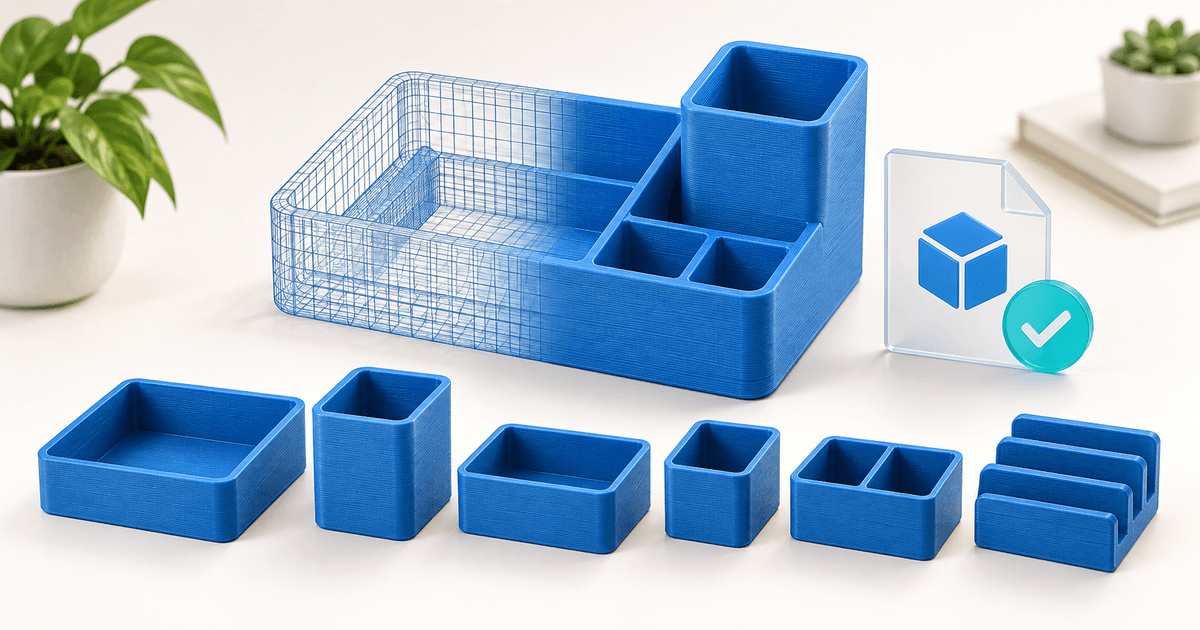
For the example organizer, define a tray, two insert sizes and a removable divider. Write down the outside dimensions and how many copies of each part make the pictured set. Photograph an actual assembly before claiming it prints or fits; a render can explain the design but cannot prove either.
Show one useful outcome in the title, such as “Modular desk organizer: tray, inserts and divider.” Then state “digital files only; no physical item shipped.” Avoid counting the same geometry in three file formats as three different models.
For mechanical fits, test the difficult joint first. A short fit coupon may reveal a clearance problem before you print a whole tray. Record the actual material and settings used, and describe the observed fit without promising the same result on untested machines.
Copy This STL and 3MF Release Checklist
Run the check from the final customer archive, not your working directory. Replace the example descriptions with your own observations. Keep untested combinations explicitly marked as untested.
| Check | Evidence to record | Release decision |
|---|---|---|
| Contents | Tray, both inserts and divider present; filenames match the guide | Stop if a pictured component is missing |
| Scale | Dimensions after importing both the STL and 3MF exports | Correct any difference before publishing |
| Project setup | Slicer/version, printer profile, nozzle and filament used | Name this setup in the listing |
| Physical result | Photos, orientation, support removal and fit notes | Resolve failures in the advertised configuration |
| Independent import | Result in each additional application you claim to support | Remove unsupported compatibility claims |
| Buyer download | Downloaded archive version matches the approved package | Replace a stale or incomplete upload |
Keep file versions together. If a divider changes, update the STL export, model 3MF, prepared project and assembly guide as applicable. Otherwise a buyer may download two incompatible versions of the same part.
Package Files So Buyers Know Where to Start
A simple archive is enough: a Models folder for 3MF, an STL folder for individual parts, an optional Projects folder, and a start-here PDF. Name project files after the actual software used. Include a license and a short changelog.
The start-here guide should list dimensions, included components, tested software and equipment, print orientation, supports, assembly steps and contact details. Label print-time and material-use figures as estimates for the documented setup. Do not present them as promises for all printers.
Keep a copy of each released archive. A support request saying “the insert does not fit” is easier to investigate when you can identify the release, file, printer, material and scale setting.
Set a Price and a Clear License
Price the usable outcome and the scope of support. A single decorative model, a documented multi-part kit and a commercial-print license solve different jobs. File size does not capture that difference.
For an illustrative starting test, you might offer one model for €8, a coordinated bundle for €24 and a separate physical-print permission tier for €59. These are example prices, not market averages or revenue forecasts. Compare buyer feedback and support effort before expanding the catalog.
State whether buyers may sell physical prints, modify the model, share files with a production partner or redistribute the digital package. Only include work and third-party assets you are entitled to distribute. Spell out your chosen permissions rather than relying on “commercial use” alone.
PayRequest's Free plan includes its features with a 2% fee per successful payment, capped at €25 per transaction; payment-provider fees are additional. At a €24 payment, the PayRequest fee is €0.48. The remaining €23.52 is before provider fees, taxes, refunds and your own costs. This is fee arithmetic, not a profit estimate.
Choose How Buyers Will Find the Product
A specialist marketplace can help reach people browsing models. A direct product link fits buyers coming from your own tutorials, portfolio, email list or community. Compare those acquisition routes separately from payment fees; a low-cost checkout does not create an audience.
Start with one demonstration: the problem, the actual print and the finished assembly. Show the contents and compatibility notes before the purchase link. If you need to compare selling channels, use the separate 3D-printing platform guide.
Sell the Approved Bundle With PayRequest
- Create a 3MF digital product and upload the tested archive, using ZIP to keep the model, documentation and license together.
- Add the price, real previews, exact file list and compatibility statement.
- Configure a supported payment provider and check the buyer-facing payment options.
- Verify the complete purchase and digital delivery workflow with an authorized test before promoting the link.
- Open the delivered archive and confirm its version, contents and documentation match the listing.
Tell buyers what support and updates you offer. For a corrected model, keep a change note and a practical way to contact affected customers; do not promise lifetime updates unless you intend to maintain them.
Start with one well-tested bundle. The first sales page should make three things easy to answer: what can I make, will these files fit my workflow, and what am I allowed to do with the result?
Editorial note: the cover is AI-generated illustration, not evidence of a successful print.