M4B setup guide · PayRequest Team · Updated 17 November 2026
How to sell M4B audiobooks online
To sell an M4B audiobook directly, upload your finished file as a digital product, add a cover and clear book details, set your price and optionally enable a short listening preview. Buyers receive the original M4B through the protected download flow after confirmed payment. This guide is for authors and publishers who have the rights to sell the recording.
01
Check the recording and your rights
Open the finished M4B in a compatible audiobook app before uploading. Check its beginning, ending, chapter markers, embedded cover and metadata. PayRequest preserves the file; it does not repair it, convert MP3s into an M4B or generate chapters.
Confirm permission to sell the text, translation, narration, recording, cover and any music. Check existing production and distribution contracts. A file being available to download somewhere does not establish your right to resell it.
02
Upload the M4B and present the book
Create a digital-download product and upload your M4B. The current documented upload limit is 500 MB per file and your account storage quota also applies. If your book exceeds those limits, prepare a suitable deliverable before publishing rather than promising an unsupported upload.
Add the book cover as the product image. Use the description for the author, narrator, language, complete listening time, synopsis and approximate download size. State M4B-compatible audiobook clearly, and explain that buyers need a compatible listening app.
03
Set your price and download conditions
Work out what you expect to retain after actual provider charges, platform costs, taxes and support. Keep fixed production costs separate from the costs of one more sale. Use the existing pricing example and interactive calculation to test recovery thresholds, not predict demand.
Set the supported price and download conditions for the product. Explain configured expiry and download limits in your offer. Free supports digital products with the 2% standard platform fee capped at €25 per transaction. Provider fees and commission-payment exceptions are separate. Do not choose a paid plan merely because the product is an audiobook.
Work out your audiobook price →04
Enable an optional listening preview
In the M4B product editor, enable Enable audiobook listening preview. Choose 30, 45 or 60 seconds and save. The fragment starts at the beginning of the file; its length must be at least two seconds shorter than the audiobook. There is no custom start-point selection in this workflow.
PayRequest generates a separate short MP3 with a fade-out. Check that the beginning represents the book and that the voice is audible. Only the sample is public; the original M4B stays in the paid download flow. Previews are optional and off by default.
05
Check the page before sharing it
Review the cover, M4B label, description, price, currency and delivery information on mobile and desktop. Listen to the generated sample. The card can show the complete running time when it was measured from the original during preview generation; unknown durations are omitted.
The player’s timer is for the short sample. Do not label it as the complete audiobook’s length. Check the payment and protected-delivery route using an appropriate supported test arrangement before relying on it commercially. The linked Aesop’s Fables example is a real €1 checkout, not a free test order.
06
Help buyers open the original download
After confirmed payment, buyers use their protected download link to save the original M4B and import it into a compatible audiobook app. Tell them what format they purchased and where to find the download. Chapter navigation and resuming depend on their file and app; PayRequest is not a synced listening library.
If you replace the original or change the selected preview length, a new sample is generated. To remove the public player, disable the preview option and save. Keep product details aligned with the file buyers actually receive.
When is M4B the right download?
Use M4B when you already have a finished audiobook in that format and want to deliver the original file. A ZIP of MP3 chapters is a different packaging choice, not a prerequisite for every audiobook. Describe the actual contents and test the file in the apps you intend to discuss. No format alone guarantees app compatibility, chapter navigation or saved progress.
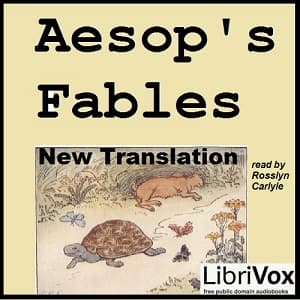
Aesop’s Fables
Aesop · translated by V. S. Vernon Jones · narrated in English by Rosslyn Carlyle for LibriVox
Approximately 4 hr 33 min · 20 chapter markers · about 115 MB
Listen to the 30-second preview
This player contains only the short MP3 sample. Its timer shows the sample length, not the full audiobook’s listening time.
Open the €1 audiobook demo ↗Real one-time checkout · €1 including VAT · No subscription
The paid demo delivers the original M4B after confirmed payment. A compatible audiobook app is needed for full listening.
Recording, cover and credits from the existing PayRequest demo. The recording is also free from LibriVox; check its reuse policy and the rights that apply where you publish.
Give listeners a clear offer before checkout
Show the book, narrator, sample and exact download format. Then share the product link with your audience. A product page does not guarantee listeners or sales.
Explore audiobook selling with PayRequest →Product behavior checked against PayRequest documentation on 17 November 2026. The public demo and its sample were inspected without purchasing the full audiobook. AI assisted with drafting. No sales result, paid download or universal app compatibility is claimed. Read the digital-product documentation.