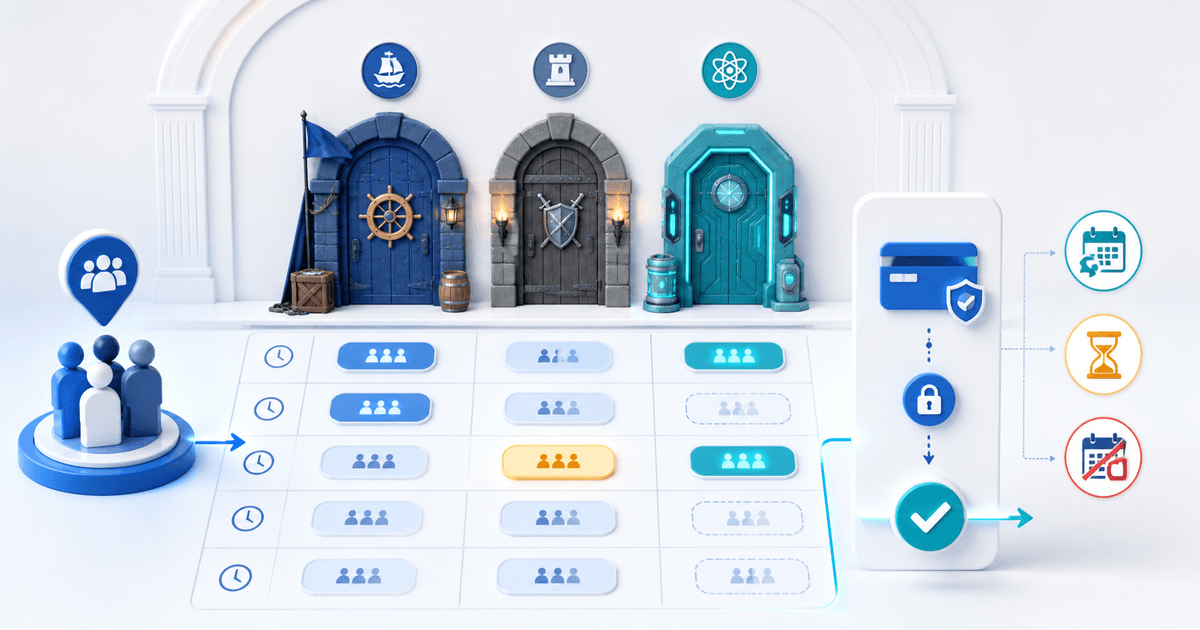
An escape room should take full payment at booking when one private group owns the whole slot and the operator cannot realistically resell a late cancellation. Use a deposit when the remaining balance or final participant count is genuinely settled later. Whichever model you choose, connect the payment to one room, start time, payer and team-size rule.
This guide is for independent escape-room operators. Its original asset is a slot-to-payment ledger that prevents “reserved,” “paid” and “arrived” from collapsing into one unreliable status.
Choose Full Payment or a Deposit
| Booking model | Strong fit | Operational risk |
|---|---|---|
| Full prepayment | Private fixed-price room | Refund and reschedule terms must be explicit |
| Per-person prepayment | Price truly follows final team size | Participant changes require controlled adjustments |
| Fixed deposit plus balance | Corporate or larger group finalized later | Staff must collect and reconcile the balance |
| Card authorization | Only when a supported hold serves a defined purpose | A hold can expire and is not revenue |
Do not call every upfront amount a refundable security deposit. A booking payment reserves capacity; a security deposit protects against a separately defined risk. The label, terms and accounting should match what the money actually does.
Current escape-room terms vary widely: some operators require full prepayment and make late cancellations non-refundable, while others request a deposit only after a previous no-show. Those are business policies, not universal legal rules. Write terms for your market and have qualified advice review cancellation, consumer, tax and refund obligations.
Build the Slot-to-Payment Ledger
Give every playable slot one immutable reference. Record these states separately:
| Field | Example | Why it matters |
|---|---|---|
| Slot | Cipher Room, 28 Aug, 19:00 | Identifies the capacity being sold |
| Payer | Morgan, order 8421 | Separates the organizer from participants |
| Team rule | €144 for up to six players | Defines the booked promise |
| Booking state | Held, confirmed, rescheduled, cancelled, completed | Controls availability |
| Payment state | Unpaid, pending, paid, refunded, partially refunded | Must come from provider confirmation |
| Attendance | Six booked, five arrived | Supports operations without rewriting payment history |
A confirmation email is not a payment state. Reconcile from the provider-confirmed order and keep a unique payment reference on the booking.
Worked Six-Person Booking
Assume a private room costs €144 for up to six players. The operator takes full payment to confirm the 19:00 slot. The organizer later reports five players. Because the price buys the private slot rather than six individual tickets, no price change occurs; the ledger changes expected attendance only.
If the offer instead charges €24 per person, define a cutoff for increasing or reducing the team. Record the original quantity, approved adjustment, new total and any refund or balance payment as separate events. Never edit a paid order into a different amount without preserving the original record.
For a 30% deposit model, the initial payment is €43.20 and the scheduled balance is €100.80. State when the balance becomes due and what happens if the organizer misses it. Do not mark the slot fully paid when only the deposit succeeded.
Design Reschedule and No-Show States
Publish the reschedule window, late-arrival rule, cancellation treatment and no-show outcome before checkout. Distinguish an operator cancellation, customer cancellation, late arrival and complete no-show; they should not all trigger the same message or money action.
Use one controlled reschedule action:
- Confirm the original booking and payment reference.
- Check the new slot's capacity and price.
- Record who approved the change and when.
- Carry, refund or supplement the payment according to the displayed terms.
- Send one updated confirmation that supersedes the old time.
Avoid accepting an informal “we'll come next week” message without changing inventory. That creates two apparent reservations and no reliable audit trail.
Connect the Booking and Payment
Use PayRequest Bookings to present the slot, price and checkout, and invoicing when an approved corporate booking needs a named business document or staged balance. Keep the room, start time and booking reference visible on the order.
Before launch, stage five scenarios: successful booking, failed payment, participant change, approved reschedule and cancellation/no-show. Confirm that availability, provider state, customer email, refund or balance and staff view agree in every case.
The workflow is ready when front-desk staff can answer four questions without reading an email thread: which slot is owned, by whom, how much is confirmed, and what action remains.