To get your first digital product sale with no audience, make one file for a specific buyer, show the file doing its job, and choose one way to reach that buyer. A useful first test is an undated weekly planner for freelancers juggling client deadlines. Put a preview in front of people who already have that problem, then track what they do.
Put one product in front of buyers
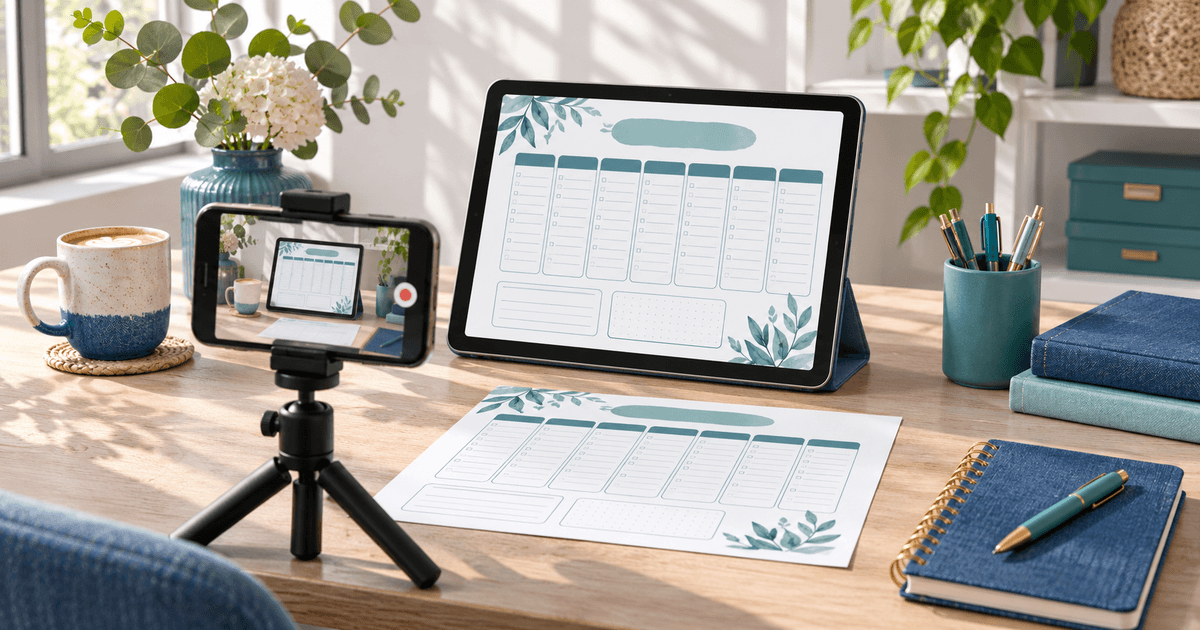
Make a printable weekly page with three priority slots, daily deadline space and a Friday review. Show a filled-in week with fictional projects. Say that the download is an A4 PDF and show what it looks like at actual size. See a sample planner checkout
Use one of these routes for your first test:
| Where buyers come from | What to publish | What to check |
|---|---|---|
| Etsy search | A digital listing aimed at a phrase such as “freelance weekly planner printable” | Search traffic, listing visits and orders in Shop Stats |
| A channel you control | A short demonstration showing how to plan a client week, with a product link on the accompanying page or profile | Clicks to your product page and confirmed orders |
Etsy’s Shop Stats separates traffic sources and can show the search terms that led buyers to your shop. On a direct route, use an independently shared link. Keep an Etsy-originated sale on Etsy. Etsy Shop Stats · Etsy's off-platform rules
Run a small launch test
- Prepare one useful preview. Film yourself filling in three deadlines, or post a readable image with a fictional week. Put the file format and price near the link.
- Start with one source. Pick Etsy search, one Pinterest pin, or a short video on a channel where prospective buyers already look. A small test helps you see which message attracted visitors.
- Test the buyer path. Open the listing on a phone. Verify the price, preview and delivery instructions. For your own checkout, verify file delivery through your payment provider's supported test process before promotion.
- Record the result. Track source, visits, paid orders and recurring questions for a week. A week is a review point, with no expectation that a sale will happen by then.
Use the result to decide what to change
- Few visits. Try a more specific buyer phrase or a clearer reason to click. For example, show how the planner handles three clients in one week.
- Visits without orders. Check that buyers can see the actual pages, what is included and how they receive the file. Test one change to the preview, offer or price at a time.
- An order or a question. Check the delivery and use the buyer's question to clarify the listing. Record which route generated the order.
If you still need a product, compare three ideas. If your file is ready and you will bring the visitors yourself, create a PayRequest digital product to share a checkout with automatic download delivery after payment.
Editorial note. AI assisted with drafting. The planner and launch test are illustrative. No first-sale timing or income is promised.