To sell embroidery files online, offer machine formats your intended buyers can use, stitch-test the advertised sizes, publish exact dimensions and include a thread-color chart. Then package the approved PES, DST or other exports with instructions and a license, and deliver that archive after payment.
This guide is for digitizers selling their own reusable designs. It uses an illustrative botanical motif to show how a single design becomes a documented product. The example sizes and product tiers below are planning examples, not measured stitch-outs or claimed customer results.
What Is the Buyer Actually Purchasing?
A picture of embroidery, an editable digitizing project and a machine stitch file are different products. A buyer wanting to sew a design needs the machine file and enough instructions to reproduce the intended result. A PNG or SVG preview alone is not that deliverable.
Hatch's format guidance distinguishes its editable EMB working format from machine exports such as PES and DST. Keep the working file for your own corrections. Include it in a customer package only when editable source is part of the offer.
| File | Role in the package | What to tell the buyer |
|---|---|---|
| PES | Machine export for a compatible workflow | Exact machine/model compatibility you verified |
| DST | Stitch commands and color-change commands | Use the separate thread chart for actual colors |
| Other machine exports | Additional compatible workflows | List each included extension; do not promise all machines |
| EMB or other editable source | Source for further digitizing work | Included only if explicitly offered |
| PDF and photographs | Instructions, color chart and stitch-out evidence | Reference material, not replacement stitch files |
Check the buyer's machine manual when compatibility is uncertain. A shared brand name or extension is not proof that a particular machine can handle the design size and transfer method.
Why Does My DST File Show the Wrong Colors?
DST stores color-change commands but not the actual thread colors, according to Hatch's DST export documentation. A viewer's substituted palette does not necessarily mean the stitch design is damaged.
Include a numbered chart showing the sewing sequence, your intended colors and the thread brand or references you tested. Place “use the included color chart” in the DST instructions. This resolves a predictable support question before it becomes a disappointed-buyer message.
Choose One Buyer and One Fabric Use
A motif for a stable woven tote is a more specific offer than “a design for every garment.” Describe the intended fabric and use, then document any additional applications separately. A flat sample should not be presented as evidence that a cap or stretch garment has been tested.
For the example botanical motif, plan a small and a larger edition. The finished design dimensions must fit inside the usable embroidery area, not merely match the nominal name of a hoop. Show dimensions in millimeters and, where useful for your audience, inches.
Avoid presenting a large count of exports as a large number of original designs. One motif in two sizes and three formats is still one motif with six machine files.
Copy This Stitch-Out Card for Every Advertised Size
| Field | What you should record | What belongs on the listing |
|---|---|---|
| Identity | Design name, version and exact exported filename | Design and package version |
| Dimensions | Finished width and height; hoop and orientation | Dimensions and required usable hoop area |
| Stitch data | Stitch count, sequence, color stops and trims | Count and number of color changes |
| Setup | Machine model, fabric, stabilizer, needle and thread | Tested setup and any limitations |
| Physical result | Front/back photos, thread breaks, puckering and edge quality | Honest stitch-out photographs |
| Export coverage | Files physically sewn versus only opened or inspected | Accurate test coverage |
Export from the approved working file, transfer through the buyer's expected route and check the dimensions on the machine before sewing. Record adjustments rather than silently correcting the machine setup and leaving the instructions unchanged.
Physically test every size you sell. For additional formats, distinguish an import check from an actual stitch-out; neither should be described as the other. You can limit the advertised machine support while gradually building a better test record.
Do Not Treat Resizing as a Free Extra
Hatch documents limitations when resizing stitch-only files: existing stitches may move closer together or farther apart without the design being redigitized for the new size. That can change the result.
Sell separate sizes you have prepared and tested. For a custom size, quote the digitizing and stitch-out work as a separate job. Avoid encouraging customers to scale files arbitrarily and then promising your sample's density or appearance.
Create a Package Buyers Can Navigate
Use one folder per size, with the corresponding machine exports together. Add a start-here PDF, color chart, license and version history. A filename such as botanical-small-v1-0.pes is useful when the start-here guide gives the exact dimensions for “small.”
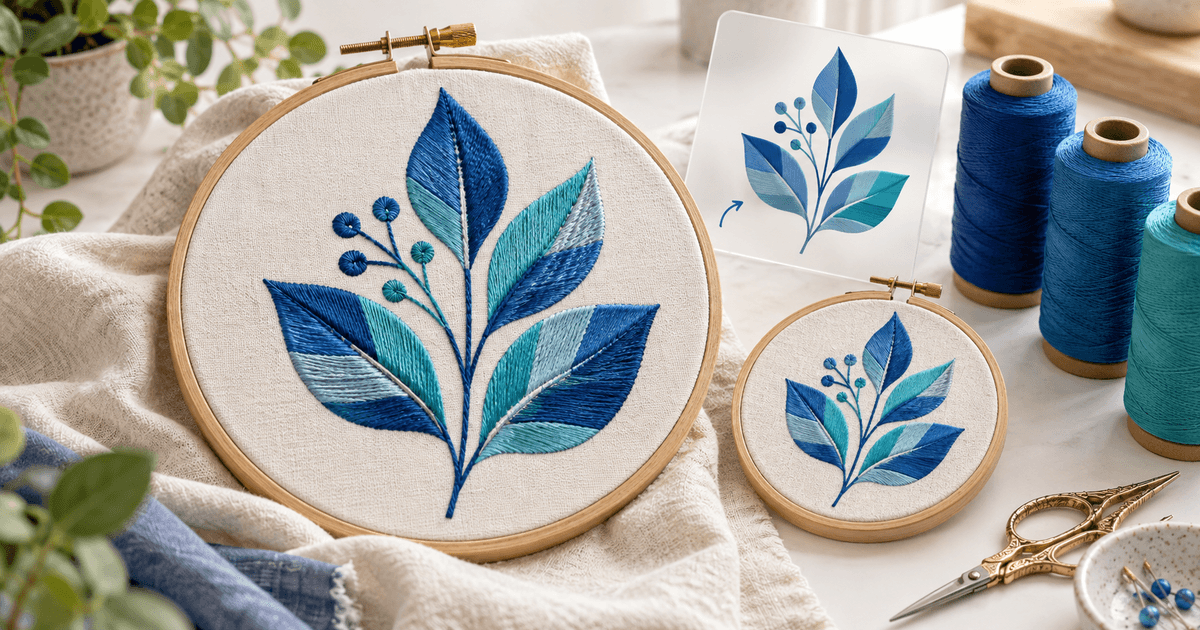
Lead the product page with a photograph of real stitches and add a close-up. Label software previews and mockups. The AI-generated illustration on this article is decorative; a seller should not use it as proof that a retail design has been sewn.
Before payment, make these details visible: digital download only, exact formats, number of original designs, dimensions, tested equipment, required supplies, editable-source inclusion and support contact.
Price the Design, Bundle and Custom Work Separately
An illustrative offer could be €6 for one motif in its tested sizes and €18 for a coordinated four-motif collection. Quote custom digitizing separately because the scope depends on the artwork, size, fabric and revision process. These amounts are examples for planning, not market-price claims.
Include your sample materials, digitizing time, revisions and expected support effort in the decision. A large cheap bundle can be harder to maintain than a small, consistent collection.
Write down whether the buyer may sell finished embroidered items, stitch for clients or send the design to a production partner. State separately whether sharing, reselling or modifying the digital file is allowed. Confirm your rights to any underlying artwork rather than assuming a purchased image includes redistribution rights.
Where Should You Sell PES and DST Designs?
Specialist marketplaces such as EmbHub accept multiple embroidery formats and offer a place to list designs. A direct PayRequest product link fits buyers you reach through your own stitch-out videos, website or community. Marketplace discovery and direct checkout serve different acquisition routes.
For your first promotion, demonstrate one motif being stitched on the declared fabric. Link to the exact size bundle shown. Track whether visitors reach checkout, buy and ask compatibility questions; views alone do not tell you whether the offer is clear.
Set Up Paid Download Delivery
Create a digital design product, upload the approved ZIP and add the price, previews and specifications. Configure the supported payment method you want buyers to use. PayRequest handles payment and digital delivery; it does not digitize artwork or verify that a machine will sew a file correctly.
Rehearse the buyer journey with an authorized test. Confirm the successful payment, download the archive, extract it on the devices your audience uses and compare its version with the approved release. State how to request a correction, and keep earlier releases identifiable when investigating support.
Your first product is ready when a buyer can identify the right file, choose the right hoop and follow the thread sequence without relying on private messages to you.