To sell cross-stitch patterns online, offer an original chart that a buyer can read, size and stitch without guessing. Package the chart, thread key and instructions, show exactly what the download contains, then sell it through a page that delivers the reviewed files after payment. A generated preview alone is not a finished product.
This guide is for designers selling counted cross-stitch charts, not finished embroidery, machine-embroidery files or a physical kit.
Define the chart you can stand behind
Choose a design you own or have permission to distribute in chart form. Owning a photograph, font or illustration file does not automatically settle every right needed to sell a derivative pattern. Keep the permission record with your project. Avoid suggesting that software generation clears third-party rights.
State the design dimensions in stitches, thread references, stitch types and required skill level. Say whether fabric, thread and a hoop are excluded. A customer buying a PDF should never have to infer whether a parcel is coming.
A marketplace can help with discovery; a direct sales page suits an audience you already reach. Either route still needs a useful chart and your own customer support. The steps below work before choosing the checkout provider.
Build a promise-to-proof release sheet
Use this original release sheet for each product. It is a proposed checking procedure, not a claim that we stitched or tested your design.
| Buyer promise | Evidence to check before publishing | If it fails |
|---|---|---|
| Every colour is identifiable | One distinct symbol and consistent thread reference across chart and key | Repair the duplicate or missing mapping |
| Printable pages are readable | Print the actual retail PDF at the intended size; inspect light symbols and page joins | Increase chart size or revise pagination |
| Colour is optional for navigation | Check the symbol-only version without relying on hue | Add distinguishable symbols and clearer lines |
| Finished dimensions are clear | Recalculate from stitch dimensions and specified fabric count | Correct the listing and chart cover together |
| Download matches the preview | Compare the retail package, listing image and version number | Remove outdated exports |
| A stitching app is supported | Import the exact retail chart and check the functions you promise | Remove the claim or fix and retest |
Keep a completed copy internally, with file version and check date. A real stitched sample is stronger evidence than a simulated image. Label simulations honestly; do not label an unstitched chart “test stitched”.
Calculate the stitched size before writing the listing
For a hypothetical chart 84 stitches wide and 112 high on 14-count Aida, stitched over one square:
| Calculation | Design area, excluding fabric margins |
|---|---|
| Width: 84 ÷ 14 | 6 inches / 15.24 cm |
| Height: 112 ÷ 14 | 8 inches / 20.32 cm |
| Same chart on 16-count: 84 ÷ 16 and 112 ÷ 16 | 5.25 × 7 inches / 13.34 × 17.78 cm, rounded |
This is design-area arithmetic, not a cutting size. Add the fabric border required for finishing and framing separately. State the stitch-over assumption; changing fabric and working over multiple threads changes the calculation. Thread usage also needs its own estimate or measurement; finished area alone does not establish skein quantities.
Package one clear retail download
Include a start page, colour-and-symbol chart, symbol-only chart if offered, thread key and concise instructions. Explain page overlap and any backstitch or fractional-stitch notation. If you include several PDFs, give them useful names and identify which one to print first.
Separate a screen-reading edition from a printable edition when their layouts differ. Do not include working files, licensed source art or an entire private project folder by accident.
For app compatibility, use the official Pattern Keeper import guidance. Importing can require grid, overlap or thread information; a PDF that opens is not automatically fully searchable. Only state the exact compatibility you have checked. PayRequest delivers the file; it does not validate chart symbols or app support.
Write a listing that prevents the wrong purchase
Show a useful preview of the finished design and a legible chart excerpt, while protecting the complete paid chart. Include stitch dimensions, fabric-count example, colours, techniques, file contents, language, licence and support contact.
Set a price you can support after editing, illustration, proofing and buyer questions. Do not borrow another designer's price as proof of profitability. If you later add a bundle, list its actual contents and avoid selling the same chart twice without making that overlap visible.
Write your intended usage permission clearly, distinguishing the PDF from finished items. Adapt terms and refund handling to applicable rules; do not assume all digital downloads can universally be sold without cancellation or refund rights.
Publish the reviewed product and deliver it
PayRequest's digital-product route provides a product page and download delivery after confirmed payment. Upload the final supported file or package, add your preview and clear contents, connect a supported provider and check the customer-facing page before sharing it.
Use current pricing to choose access: Premium is €5/month and includes digital products; Business is €20/month and adds its published features. An active paid plan removes the standard platform payment fee, while provider fees and commission exceptions remain separate. Complete the required setup and paid checkout; selecting a plan at registration does not activate it. Do not infer digital-product entitlement from older “start free” marketing.
Share the product with the stitchers who follow your original work. Keep support focused: ask for the purchased version, page and symbol or import step causing trouble. If you correct a chart, version the file, explain the correction and use the available customer-contact route; do not promise an automatic update-notification system you have not verified.
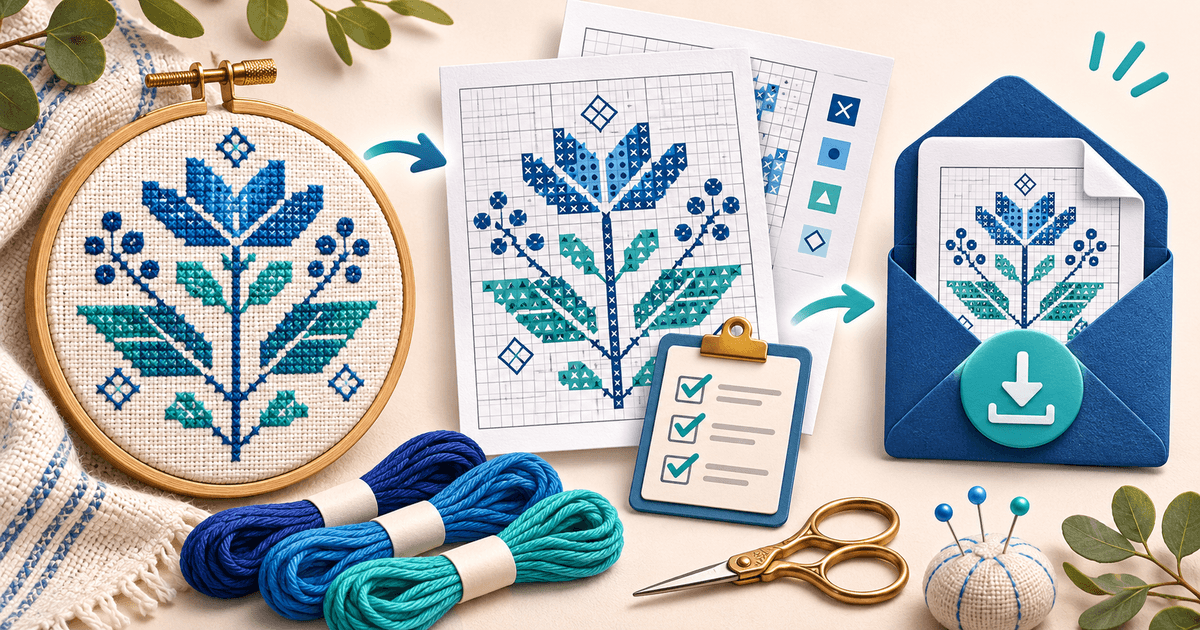
Editorial method: prepared with AI assistance; product, pricing and Pattern Keeper sources reviewed on 7 November 2026. The release sheet and size calculation are original examples. No chart stitch-out, compatibility test, sale or income result is claimed. The hero is an AI-generated conceptual illustration, not a research record, stitched sample or payment screenshot.