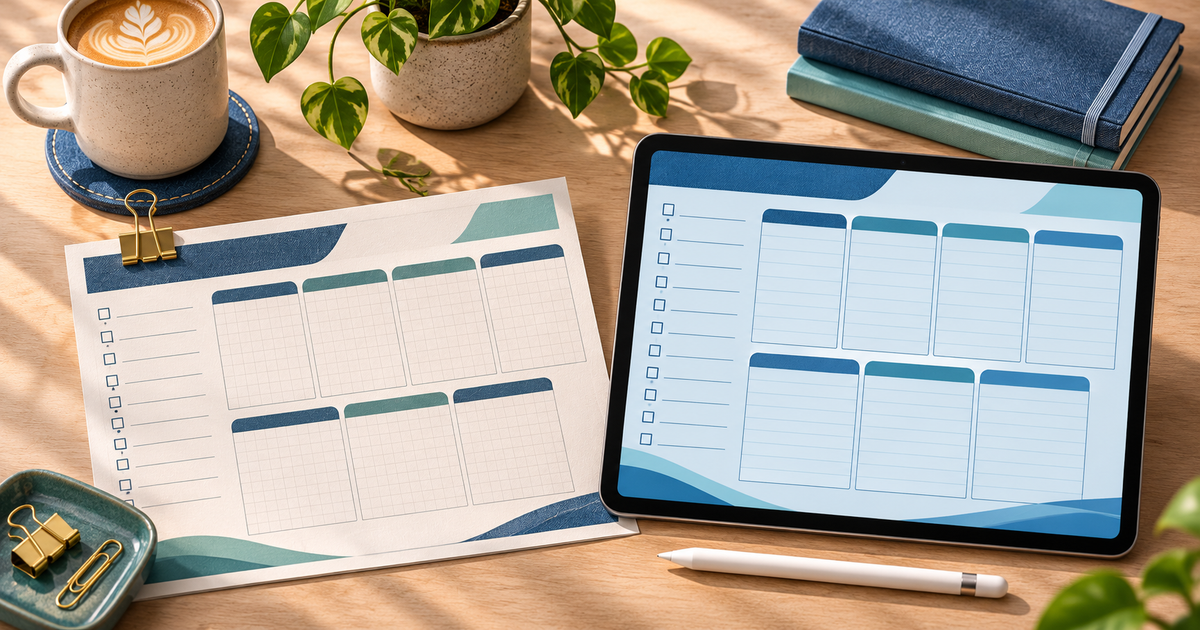
You can sell a digital planner without Etsy by uploading the finished download to a digital product checkout, setting a price and sharing the product link with your audience. PayRequest takes the buyer through payment and automatically delivers the file after payment. You decide where buyers discover the planner, such as your newsletter, website or social profile.
Decide what the buyer will open
A printable A4 PDF and a hyperlinked tablet planner solve different jobs. For print, check paper size and margins. For a tablet edition, put navigation links in the PDF itself and test them on the device and app you name. Goodnotes can open hyperlinks already present in an imported PDF. Goodnotes hyperlink instructions
| Edition | What to deliver | Before selling |
|---|---|---|
| Printable | A4 PDF | Print a week at actual size and check writing space |
| Tablet | Hyperlinked PDF | Import into Goodnotes and tap every tab, including the return to index |
| Both | One ZIP with clearly named files | Unzip on a second device and open each edition |
For an audience looking specifically to list in the Goodnotes marketplace or sell a Goodnotes-compatible planner, see the Goodnotes selling guide.
Package a €12 weekly planner
Here is an illustrative offer you can adapt. Sell an undated weekly planner with a priorities page, seven daily boxes and a weekly review. Offer the two editions at one €12 example price. The bundle contains:
- `weekly-planner-a4.pdf` for printing.
- `weekly-planner-tablet.pdf` with links between the index, week and review.
- `start-here.pdf` with printing and importing instructions.
Create one ZIP for this listing so the buyer gets one download. Show two preview pages on the product page and mention that the tablet version is a PDF that the buyer imports into a compatible app. Say which device and app you actually tested. If you choose only the printable edition, upload the PDF by itself.
Use this product copy as a starting point: “An undated weekly planner for freelancers. Includes an A4 printable PDF and a separate linked tablet PDF, plus a short setup guide. Delivered as one ZIP after payment.”
Create the checkout and test delivery
- In PayRequest, connect an eligible payment provider and create a digital product.
- Set the title, price and currency. Attach the ZIP or single PDF and publish the product.
- Open the public product link in a private browser window. Check the listing, price, currency and available payment methods. View PayRequest’s sample digital-product page.
- Before you promote the link, arrange an authorized test purchase using your provider’s supported workflow. Check that the paid order appears, the buyer receives the download email, and the delivered file opens as expected. Loading the checkout alone only verifies the page.
- Put the product link where buyers already find you. A photo of the actual planner in use and a clear description of the file are more useful than the link on its own.
Digital product delivery starts after payment. Keep your public preview separate from the complete paid download. Digital products are available on Free with a 2% standard PayRequest payment fee capped at €25 per transaction. Provider fees apply separately.
Editorial note. AI assisted with drafting. The planner bundle and €12 price are illustrative. The linked storefront is a PayRequest example. The checklist describes a verification you can run on your own listing.