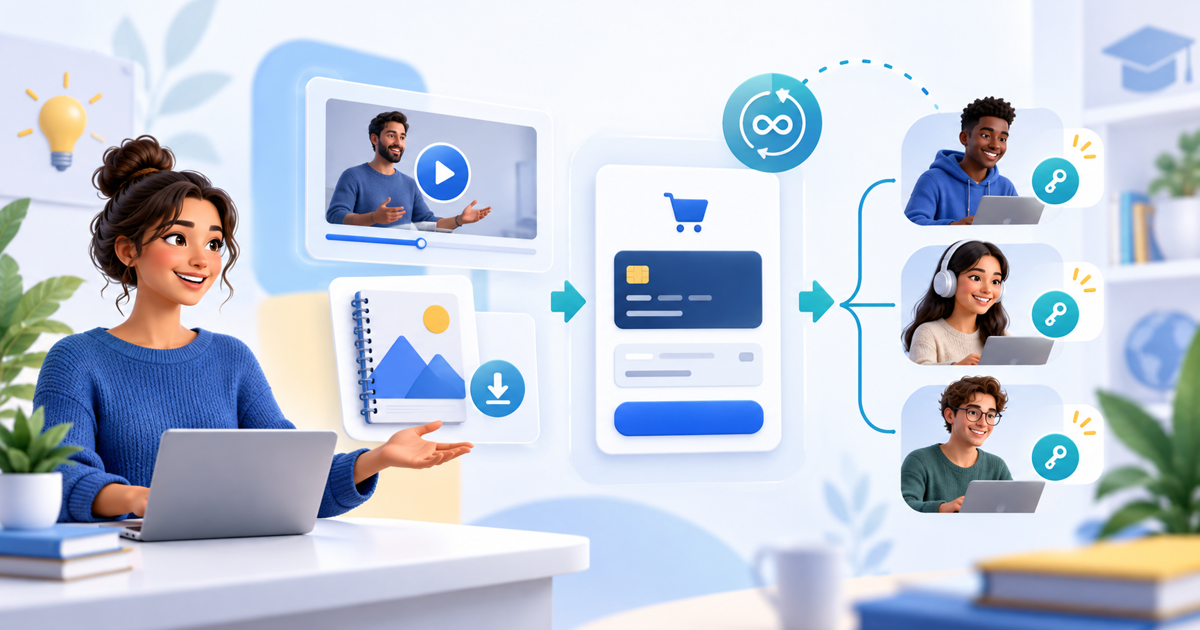
You can sell a small online course without building a learning-management system when the promise is a defined set of lessons or resources and straightforward paid access. Choose the delivery model first: a video series to watch, files to download, or access to a dedicated learning environment. An LMS becomes useful when the learning experience needs assessment, certificates or detailed student progress.
Video Series: a finished lesson sequence on your product page
PayRequest Video Series supports a fixed set of lessons with free opening episodes, one-time season payment and viewing on the same product page. The buyer receives a private Watch season link after confirmed payment. You do not need a separate learning platform just to present that selected video sequence.
The model is specific: 2–50 active video products from one merchant, with MP4 or WebM originals up to 500 MB per episode, one currency, at least one free opening episode and at least one remaining paid. Upload and review the videos before assembling the series. Your payment-provider and merchant-access requirements still apply. See the official setup guide.
Choose between viewing, downloads and an LMS
| Teaching requirement | Practical route |
|---|---|
| A small finished video curriculum | Video Series with free opening lessons and one-time access |
| A workbook, templates or printable exercises | A digital download or an explicitly defined separate resource offer |
| Quizzes, certificates or assessed progress | A dedicated LMS or another tool that actually provides those features |
| Regular new content and community | A separate membership workflow, not automatic recurring Video Series access |
| Scheduled live teaching | A separately described workshop or booking offer |
The right question is what the student needs to do after payment. Avoid selling a generic access link that leaves them to discover which tools, accounts and resources are required.
Start with one outcome and one complete edition
Describe the result, the lesson titles, total duration, language, any prerequisites and the support included. Use a narrow offer such as a six-lesson introduction to product photography rather than promising a complete professional qualification.
Our mini-course with a free first lesson provides an original lesson map and sample offer. Its course and price are illustrative, not customer results. The free lesson should demonstrate the teaching; the product description should say exactly which remaining lessons the buyer purchases.
Configure payment and the student handoff
Create each video as a Pay to Unlock Video product, then create the series and select the viewing order. Choose the number of free opening episodes, set a positive one-time price and review currency and tax. Publish the active series on your Payment Page and inspect the public product URL.
On the page, check the free lesson, the locked lesson, the full episode list and the final checkout amount. After a successful purchase, the order page and digital-delivery email provide the private season link. Test reopening that original link after the browser session ends. These are proposed checks; we did not buy a fictional course as part of this guide.
Anyone with the watch link can use it. It does not sign the buyer into a customer account. Private originals and short-lived playback URLs do not provide DRM or prevent screen recording. Browser playback position is local to that device, not cross-device student progress tracking.
Make updates match the purchased entitlement
The episode IDs and their order are saved with each purchase. Adding lesson seven later does not automatically add it to earlier orders. Replacing an underlying video file may change what an existing buyer watches; deleting it can remove availability. Keep sold products and files available, and create a new season for a different collection.
Do not present a fixed-season purchase as an automatically growing library, a recurring video subscription or a drip course. Describe a separate membership or LMS workflow when that is the actual offer.
Budget for the whole delivery model
Digital products are available on Free with a 2% standard platform fee, capped at €25 per payment. Active Premium (€5/month) and Business (€20/month) remove standard platform fees; provider costs and commission-payment exceptions remain separate. Signup alone does not activate paid access. Check current pricing.
Video originals, covers and previews use storage. Larger audiences and long videos require an appropriate storage and delivery setup. A per-file upload limit is not a promise of unlimited free storage or streaming.
Use Video Series for a finished video curriculum; use an LMS when the teaching requires more than a player, payment and defined access.
Editorial note: AI assisted with this substantive update on 11 November 2026. Product documentation was checked; no learner outcome, course sale or conversion improvement is claimed.