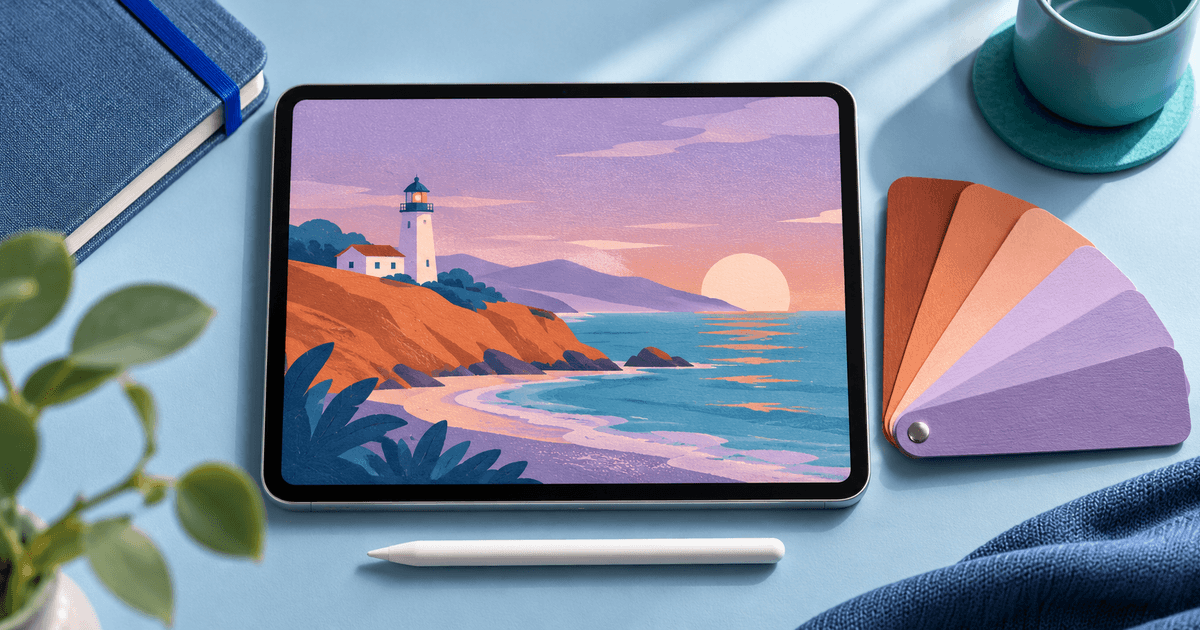
To sell a Procreate color palette online, package the colors as an importable .swatches file and show what the buyer can draw with them. A preview of one finished illustration plus a map of which color does what tells the buyer more than a grid of dozens of unlabeled swatches.
1. Build a palette around a job
Start with a palette for a repeatable task, such as landscapes at dusk or a set of illustrated food labels. Give each hue a role. Before expanding to a bundle, paint one light composition and one dark composition using the same palette. If you keep reaching outside the palette for shadows or accents, fix the set before you sell it.
Here's an illustrative six-color palette map you can adapt. The values are sample design inputs.
| Color | Example HEX | Role in a coastal dusk illustration |
|---|---|---|
| Harbor Ink | #14283C | Foreground silhouettes and the darkest shapes |
| Deep Water | #32647C | Main water mass and moonlit shadow on sand |
| Sea Glass | #529F9E | Reflections and highlights on the near shore |
| Evening Haze | #ADA0C6 | Upper sky and distant headlands |
| Warm Bluff | #C57762 | Mid-tone for the cliff face |
| Lantern Light | #F6CD9D | Small highlights and the warmest point |
Keep the first preview true to the set. For the second, show a small variation, such as a harbor scene with the sky and water taking different amounts of space. Place the chip legend beside both. If you include artwork in the listing, say whether it's a preview or part of the download.
2. Prepare the download someone else will open
Procreate supports importing .swatches, .ase and .aco files. For an iPad Procreate listing, put your .swatches file where the buyer can find it immediately. Use file names that match the names in your preview. For example:
- Coastal-Dusk.swatches — the palette file.
- Start-Here.pdf — what to unzip, how to import the file and the version you checked.
- Color-Map.pdf — chip names, example roles and HEX values.
- License.txt — what buyers may make with the palette and whether they can share or redistribute the file. Include only material you're entitled to distribute.
Before taking orders, unzip the final copy from a fresh folder and import the exact file you plan to sell. Give the imported palette a recognizable name if the app prompts you. Match the count, order and first and last swatches to the preview. Check that names remain distinguishable across variants. List the apps and versions you actually checked. Include a HEX sheet for manual entry outside Procreate if you want buyers to have that option.
3. Publish the offer and check the buyer handoff
On the listing, lead with the drawing task, then state the palette count, file types, compatible app, permitted uses and the price. If you can already reach interested buyers, a direct product link lets you send them to this offer. If you need marketplace discovery, compare seller terms and think about who will handle questions, file updates and support.
In PayRequest digital products, create a digital product, set the price, add the previews and upload the ZIP for delivery after confirmed payment. Verify provider availability for your account. Open the public product link on mobile and check the preview, description and path to checkout. Where a test checkout is available, also check the download handoff before promoting the link.
If a buyer reports that nothing imported, first ask whether they extracted the ZIP and which file they opened. Use that distinction in your instructions. It helps someone diagnose a failed unzip without making them hunt through Procreate's color settings.