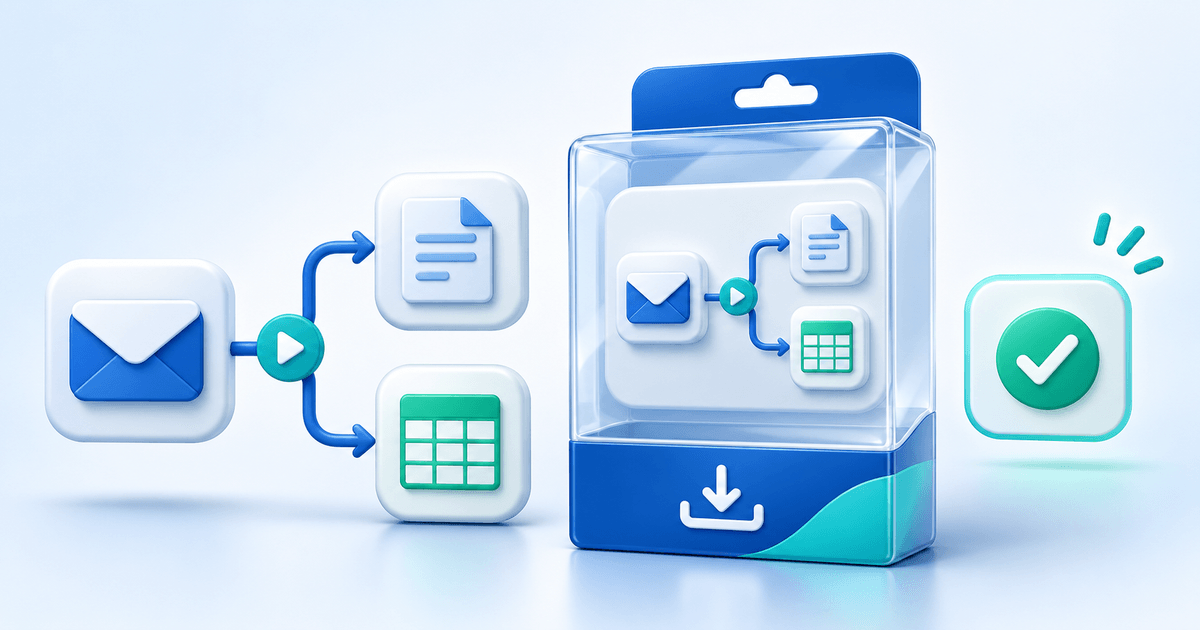
Buy Me a Coffee is a great front door for a first-time supporter: someone likes what you make, clicks a button, and sends you the price of a coffee. It's simple by design, and that simplicity is exactly why it works for tips. The trouble starts once you've built an audience past that first coffee — when you also want to sell an ebook, announce a sale, or tell supporters what's new, and the tip jar has nowhere to put any of that.
This isn't a case against Buy Me a Coffee. It's a look at where a tip-jar platform runs out of road for creators who eventually want to do more than collect tips, and what a platform built around a full creator page — tips, updates, and a real store, together — adds back in.
Key Takeaways
- Buy Me a Coffee charges 5% of every payment on top of payment processing fees; PayRequest charges 2% per successful payment, capped at €25
- Buy Me a Coffee is built around a single tip jar — selling a product, a service, or a commission means bolting on another tool
- PayRequest Posts lets you publish updates, changelogs and sales with one embedded product readers can buy directly from the post
- Coffee Tips recreates the drinks-menu tip jar creators already know, on the same page as your store
- Everything — tips, updates, products, bookings, commissions — lives on one payrequest.me page instead of scattered across separate tools
- Every feature is included free; you only pay when a payment actually succeeds
What Buy Me a Coffee Actually Offers
Buy Me a Coffee earned its popularity by being narrow on purpose. A supporter lands on your page, sees a coffee-cup counter and a short bio, and can send a one-time tip or subscribe to a membership tier in a couple of taps. For a creator whose entire ask is "support what I make," that's close to ideal — there's no friction between showing up and paying.
The core of the product is the button: buy someone a coffee, in any multiple, with an optional message attached. Membership tiers extend that into recurring support, and a basic Posts feature lets creators share text updates with supporters. All of it is built around the same premise — this is a page for receiving support, not a page for running a shop.
That focus becomes a limitation the moment "support what I make" turns into "buy the thing I made." There's no proper catalog for multiple digital products at different prices, no way to embed a live product inside an update so someone can buy without leaving the post, and no invoicing for anyone who wants to bill a client rather than collect a tip. Creators who hit this wall usually end up running two or three tools side by side — Buy Me a Coffee for tips, something else for products, a third thing for invoices — because no single one of them was built to hold all of it.
Where It Runs Out for Growing Creators
The gap isn't a missing feature so much as a missing shape: Buy Me a Coffee was designed around one action (tip me), and every other use case gets forced into that same narrow frame.
A tip jar page can't easily become a store page. If you start selling a preset pack, a template, or a one-off commission, you're either awkwardly repurposing the tip button or sending people off-platform to a separate shop link — which means splitting your audience's attention and your own admin across tools that don't talk to each other.
Posting an update — "new video is live," "here's what changed this month," "flash sale this weekend" — works fine as a text announcement. What it can't do is let a reader act on it in the same breath. A "flash sale" post with no way to buy from inside the post pushes the actual sale to a separate link, adding a step between someone reading about your offer and someone paying for it.
Buy Me a Coffee takes 5% of every transaction, on top of whatever Stripe or PayPal charges to move the money. On a modest €1,000 month, that's €50 to the platform before payment processing is even counted — money that comes straight off what a creator keeps, regardless of whether the transaction was a €3 coffee or a €150 commission.
What PayRequest Adds
PayRequest starts from a different premise: a creator's page should hold everything they do — tips, updates, and sales — without asking them to stitch three tools together.
Coffee Tips recreates the exact interaction Buy Me a Coffee supporters already know — a drinks-menu-style tip selector, GIFs, and an auto-filled profile picture for repeat supporters — so switching doesn't mean re-training your audience on a new interface. It's the same simple ask, just living on a page that can also sell something.
Posts publishes News, Update, Changelog, Sale and Membership updates to a dedicated tab on your page, and — unlike a plain text announcement — a post can embed one live product with its price, image and a button to buy. A "flash sale this weekend" post becomes an actual point of sale, not just an announcement that sends readers somewhere else to check out.
Digital products, commissions, bookings and memberships all live in the same store as your tip jar and your posts. A supporter can tip you, read your latest update, and buy your ebook without leaving payrequest.me/yourhandle — three actions that would otherwise need three different tools.
Buy Me a Coffee vs. PayRequest
| Feature | Buy Me a Coffee | PayRequest |
|---|---|---|
| Platform fee | 5% + processing | 2%, capped at €25 |
| Tip jar | Yes | Yes — Coffee Tips |
| Update feed | Basic text posts | Posts, with embedded products |
| Product embedded in a post | No | Yes — one product per post |
| Full digital product store | Add-on, limited | Built in |
| Commissions & custom work | No | Yes |
| Bookings | No | Yes |
| Custom domain | Paid add-on | Included |
| Payment methods | Cards, PayPal | 20+ methods via Stripe, Mollie, PayPal |
The pattern across the table is consistent: Buy Me a Coffee does the tip jar well and stops there. PayRequest keeps the tip jar and builds the rest of the page around it.
How It Plays Out for a Real Creator
Picture a digital artist who currently uses Buy Me a Coffee for tips and a separate marketplace listing for finished prints. On PayRequest, the same creator's page carries all three jobs at once: a Coffee Tips button for one-off support, a Posts feed announcing a new print drop with the product embedded directly in that post, and a store listing for the full catalog of past work. A supporter who taps through from social media can tip, read about the new drop, and buy a print in the same visit — no second link, no separate checkout to find.
Frequently Asked Questions
PayRequest works as a tip jar (Coffee Tips), an update feed (Posts) and a full store for digital products, commissions and bookings — all on one branded page, at 2% per payment capped at €25 versus Buy Me a Coffee's 5%.
Yes. Buy Me a Coffee takes 5% of every payment, plus whatever Stripe or PayPal charges to process it. PayRequest charges 2% per successful payment, capped at €25, on top of the provider's own rate.
With PayRequest Posts, yes — attach one product to a News, Update, Sale or Membership post and readers can view it and buy directly from the update. Buy Me a Coffee's posts aren't built around a live store the same way.
No. PayRequest combines Coffee Tips, Posts and a full store (digital products, commissions, bookings, memberships) on the same payrequest.me page, so supporters can tip, read updates and buy without leaving your profile.
Yes. Every feature is included on PayRequest's Free plan — Coffee Tips, Posts and the full store. You only pay 2% per successful payment, capped at €25, with no monthly subscription.
Bottom Line
Buy Me a Coffee is still a fine way to collect a first tip. The point where it runs out is the same point most growing creators eventually hit: wanting to sell something, announce it properly, and keep all of it — tips included — on one page instead of three. PayRequest keeps the part of Buy Me a Coffee that works and builds a real store and update feed around it, for less of a cut on every payment.
Set up your payrequest.me page free, or see the full Buy Me a Coffee comparison for the complete fee and feature breakdown.