Om 3MF-bestanden online te verkopen, verpak je een duidelijk beschreven model, voeg je waar nodig STL-exports toe, documenteer je de software- en printerinstellingen die je hebt getest, en lever je de download na betaling. Kopers moeten weten of ze uitwisselbare geometrie krijgen of een slicerproject dat is voorbereid voor specifieke apparatuur.
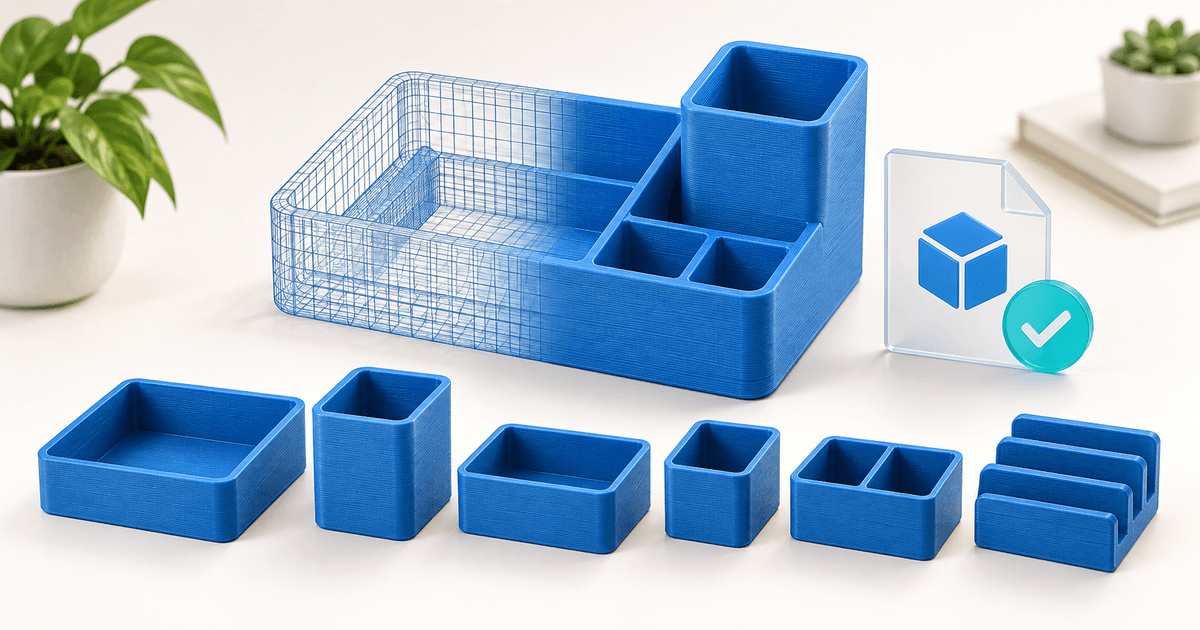
Een goed product bespaart een maker tijd: een op maat gemaakte organizer, een origineel miniatuurtje of een set onderdelen die je precies volgens de beschrijving in elkaar kunt zetten. Deze gids behandelt een illustratief pakket voor een bureau-organizer, inclusief een checklist voor de release die je kunt kopiëren. Het voorbeeld is een oefening, geen PayRequest resultaat voor een klant of een getest fysiek product.
Wat moet je verkopen: STL, 3MF of allebei?
Gebruik het formaat om de koper te helpen bij zijn klus. Bied een standaard modelexport aan als kopers hun eigen afdrukinstellingen willen kiezen. Voeg een duidelijk gelabeld slicerproject toe als jouw voorbereide lay-out of instellingen deel uitmaken van de meerwaarde.
De 3MF-specificatie definieert een pakket voor modelgegevens met expliciete eenheden en ondersteunt uitgebreidere informatie via zijn specificaties en uitbreidingen. Dat betekent niet dat elk programma elke functie kan lezen. De projectdocumentatie van Prusa legt uit dat een PrusaSlicer 3MF-project objecten en printinstellingen kan behouden. Vermeld de naam en versie van de applicatie waarmee het project is gemaakt naast elk project dat je verkoopt.
| Te leveren product | Voordeel voor de koper | Wat je moet vermelden |
|---|---|---|
| Individuele STL-exports | Een geometrie-fallback voor de eigen slicer van de koper | Beoogde eenheden, afmetingen en aantal onderdelen |
| Modelgerichte 3MF | Georganiseerde modelgegevens in één pakket | Exportsoftware en geverifieerd importgedrag |
| Slicer-project 3MF | Een kant-en-klaar uitgangspunt | Exacte aannames over de slicer-versie, printer, nozzle en materiaal |
| Afdruk- en montagehandleiding | Minder vallen en opstaan | Oriëntatie, steunen, pasvormen en wat je daadwerkelijk hebt getest |
Geef een bestand niet het label ‘werkt op elke printer’. Een project dat opent, kan nog steeds ongeschikte temperaturen, bouwvolumes of materiaalveronderstellingen bevatten. Laat kopers zelf slicen voor hun eigen machine. Voor een uitgebreidere uitleg over de formaten, zie 3MF versus STL.
Maak eerst één samenhangend product voordat je een grote catalogus samenstelt
Definieer voor de voorbeeld-organizer een bakje, twee inlegvelformaten en een verwijderbare scheidingswand. Noteer de buitenafmetingen en hoeveel exemplaren van elk onderdeel de afgebeelde set vormen. Maak een foto van een daadwerkelijke montage voordat je beweert dat het printbaar is of past; een render kan het ontwerp uitleggen, maar kan geen van beide bewijzen.
Vermeld één nuttig resultaat in de titel, zoals „Modulaire bureau-organizer: lade, inzetstukken en scheidingswand.“ Vermeld vervolgens „alleen digitale bestanden; er wordt geen fysiek artikel verzonden.“ Tel dezelfde geometrie in drie bestandsformaten niet mee als drie verschillende modellen.
Test bij mechanische passing eerst de moeilijke verbinding. Een kort teststukje kan een spelingprobleem aan het licht brengen voordat je een heel bakje print. Noteer het daadwerkelijk gebruikte materiaal en de instellingen, en beschrijf de waargenomen passing zonder hetzelfde resultaat te beloven op niet-geteste machines.
Kopieer deze checklist voor STL- en 3MF-bestanden
Voer de controle uit vanuit het definitieve klantarchief, niet vanuit je werkmap. Vervang de voorbeeldbeschrijvingen door je eigen opmerkingen. Geef niet-geteste combinaties expliciet aan als ‘niet getest’.
| Controleer | Bewijs dat je moet vastleggen | Beslissing over de release |
|---|---|---|
| Inhoud | Lade, zowel inzetstukken als verdelers aanwezig; bestandsnamen komen overeen met de handleiding | Stop als een afgebeeld onderdeel ontbreekt |
| Schaal | Afmetingen na het importeren van zowel de STL- als de 3MF-exports | Corrigeer eventuele verschillen voordat je het publiceert |
| Projectinstellingen | Gebruikte slicer/versie, printerprofiel, nozzle en filament | Geef deze opzet een naam in de advertentie |
| Fysiek resultaat | Foto’s, oriëntatie, het verwijderen van steunconstructies en opmerkingen over de pasvorm | Los fouten in de geadverteerde configuratie op |
| Onafhankelijke import | Resultaat voor elke extra toepassing die je zegt te ondersteunen | Verwijder ongefundeerde compatibiliteitsclaims |
| Download voor kopers | De gedownloade archiefversie komt overeen met het goedgekeurde pakket | Vervang een verouderde of onvolledige upload |
Houd bestandsversies bij elkaar. Als een verdeler verandert, werk dan de STL-export, model-3MF, het voorbereide project en de montagehandleiding bij, indien van toepassing. Anders kan een koper twee incompatibele versies van hetzelfde onderdeel downloaden.
Pakketbestanden zodat kopers weten waar ze moeten beginnen
Een eenvoudig archief is voldoende: een map ‘Models’ voor 3MF, een map STL voor losse onderdelen, een optionele map ‘Projects’ en een ‘start-here’ PDF. Noem projectbestanden naar de daadwerkelijk gebruikte software. Voeg een licentie en een kort changelog toe.
De ‘begin hier’-gids moet afmetingen, meegeleverde onderdelen, geteste software en apparatuur, printoriëntatie, steunen, montagestappen en contactgegevens vermelden. Geef bij de printtijd en het materiaalverbruik aan dat het om schattingen gaat voor de beschreven opstelling. Presenteer ze niet als garanties voor alle printers.
Bewaar een kopie van elk vrijgegeven archief. Een ondersteuningsverzoek met de melding „het inzetstuk past niet“ is makkelijker te onderzoeken als je de release, het bestand, de printer, het materiaal en de schaalinstelling kunt achterhalen.
Stel een prijs en een duidelijke licentie vast
Bepaal de prijs op basis van het bruikbare eindresultaat en de omvang van de ondersteuning. Een enkel decoratief model, een gedocumenteerd bouwpakket met meerdere onderdelen en een licentie voor commerciële 3D-prints zijn geschikt voor verschillende doeleinden. De bestandsgrootte geeft dat verschil niet weer.
Als illustratieve starttest kun je bijvoorbeeld één model aanbieden voor € 8, een bijpassende bundel voor € 24 en een apart abonnement voor fysieke afdrukrechten voor € 59. Dit zijn voorbeeldprijzen, geen marktgemiddelden of omzetprognoses. Vergelijk de feedback van kopers en de benodigde ondersteuning voordat je de catalogus uitbreidt.
Geef aan of kopers fysieke prints mogen verkopen, het model mogen aanpassen, bestanden mogen delen met een productiepartner of het digitale pakket mogen herverspreiden. Neem alleen werk en materiaal van derden op waarvan je het recht hebt om het te verspreiden. Formuleer de door jou gekozen toestemmingen duidelijk, in plaats van alleen te vertrouwen op ‘commercieel gebruik’.
Het gratis abonnement van PayRequest omvat alle functies, met 2% kosten per geslaagde betaling, met een maximum van € 25 per transactie; kosten van de betalingsprovider komen hier nog bij. Bij een betaling van € 24 bedragen de kosten van PayRequest € 0,48. De resterende € 23,52 is vóór kosten van de betalingsprovider, belastingen, terugbetalingen en je eigen kosten. Dit is een berekening van de kosten, geen winstschatting.
Kies hoe kopers het product zullen vinden
Een gespecialiseerde marktplaats kan helpen om mensen te bereiken die door modellen bladeren. Een directe productlink is geschikt voor kopers die via je eigen tutorials, portfolio, e-maillijst of community komen. Vergelijk die wervingskanalen los van de betalingskosten; een goedkope afrekenprocedure zorgt niet voor een publiek.
Begin met één demonstratie: het probleem, de daadwerkelijke print en de voltooide montage. Laat de inhoud en compatibiliteitsopmerkingen zien vóór de aankooplink. Als je verkoopkanalen wilt vergelijken, gebruik dan de aparte gids voor 3D-printplatforms.
Verkoop de goedgekeurde bundel met PayRequest
- Maak een 3MF digitaal product aan en upload het geteste archief via ZIP om het model, de documentatie en de licentie bij elkaar te houden.
- Voeg de prijs, echte voorbeelden, de exacte bestandslijst en een compatibiliteitsverklaring toe.
- Stel een ondersteunde betalingsprovider in en controleer de betalingsopties voor kopers.
- Controleer de volledige aankoop- en digitale leverings workflow met een geautoriseerde test voordat je de link promoot.
- Open het geleverde archief en controleer of de versie, inhoud en documentatie overeenkomen met de advertentie.
Vertel kopers welke ondersteuning en updates je aanbiedt. Houd voor een gecorrigeerd model een wijzigingsnotitie bij en zorg voor een praktische manier om contact op te nemen met de betrokken klanten; beloof geen levenslange updates tenzij je van plan bent deze ook daadwerkelijk te onderhouden.
Begin met één goed geteste bundel. De eerste verkooppagina moet drie dingen duidelijk maken: wat kan ik ermee maken, passen deze bestanden in mijn workflow en wat mag ik met het resultaat doen?
Opmerking van de redactie: de omslag is een door AI gegenereerde illustratie, geen bewijs van een geslaagde print.