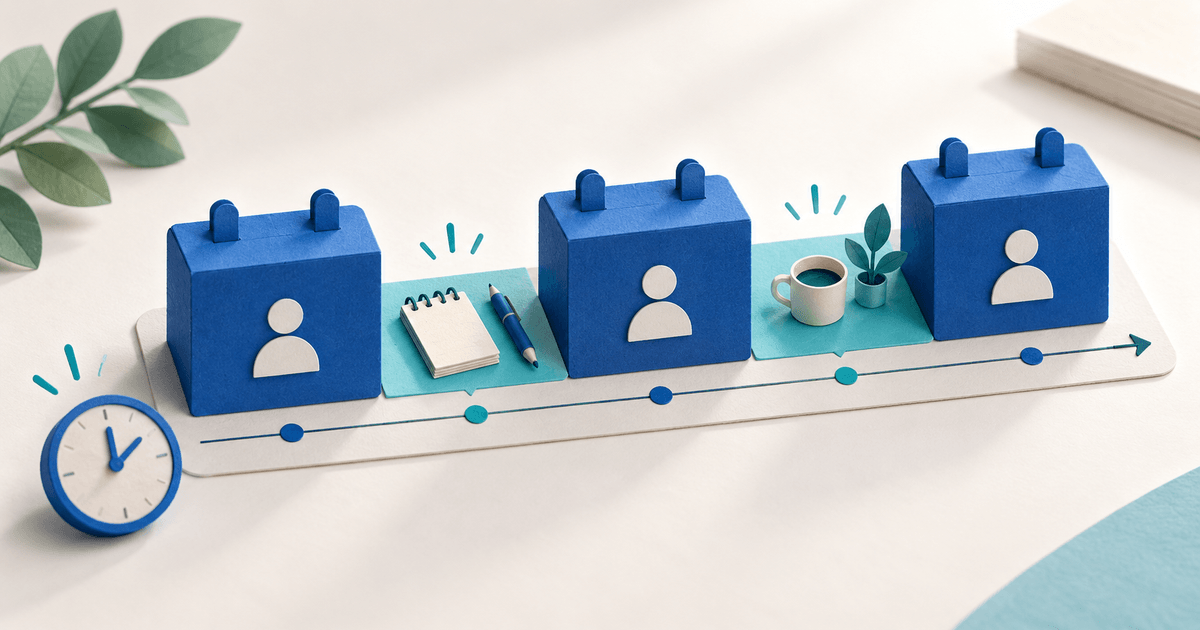
Booking buffer time is the gap between appointments; lead time is the minimum notice before a customer can book. A solo consultant needs both: preparation and notes between paid sessions, plus enough advance notice to prepare for the first one. Neither setting confirms that a booking has been paid.
Use this guide when your appointment calendar looks available but the working day leaves no time to deliver the service properly.
Set four rules for four different constraints
The PayRequest Booking Calendar documentation describes Slot Duration, Buffer Time, Lead Time, Max Advance and Max Concurrent. Give each setting its own purpose.
Slot Duration covers the appointment itself. Buffer Time reserves a break between bookings. Lead Time controls how soon a new booking can start. Max Advance limits how far ahead dates are available. Max Concurrent is the number of overlapping bookings permitted; for a single consultant delivering one session at a time, begin with one.
Do not treat a 24-hour lead time as a 24-hour gap between clients. Do not increase concurrency merely because several clients want the same hour: capacity means you can deliver those sessions together.
Calculate a three-hour consultation window
Here is an original planning example, not a claim about tested calendar output. Assume availability from 09:00 to 12:00, 45-minute consultations and a 15-minute gap between sessions, with one consultant and no overlapping appointments.
| Item | Start | End | Minutes |
|---|---|---|---|
| Consultation 1 | 09:00 | 09:45 | 45 |
| Preparation and notes | 09:45 | 10:00 | 15 |
| Consultation 2 | 10:00 | 10:45 | 45 |
| Preparation and notes | 10:45 | 11:00 | 15 |
| Consultation 3 | 11:00 | 11:45 | 45 |
| Remaining window | 11:45 | 12:00 | 15 |
Three consultations provide 135 billable appointment minutes. The two between-session gaps use 30 minutes, leaving 15 minutes in the window. Without gaps, four 45-minute appointments would fill all 180 minutes. That extra appointment consumes the time previously available for notes and transitions; it is not automatically deliverable capacity.
The remaining 15 minutes is not a fourth session. If your workflow also needs cleanup after the final client, account for it explicitly. If the actual booking engine reserves buffer at a window boundary, inspect the last offered slot rather than assuming this planning table predicts the interface exactly.
Configure the product and inspect the offered slots
Create or edit a Booking product. Set available days and time ranges, then configure duration, buffer, lead time, maximum advance and concurrency. PayRequest supports separate time ranges, so lunch or a fixed administrative block can stay outside appointment availability.
Choose lead time from your preparation needs. If you need an intake review before a consultation, decide how much notice you require and what happens when the client has not supplied the information. A booking rule does not review an intake form for you.
Check the business timezone and the customer-visible date and time. Inspect the first and last slots, lunch boundaries and a date near the lead-time cutoff. Do not import another scheduling product’s business-hours calculation or promise a timezone conversion you have not checked.
Verify payment and confirmation separately
The documentation distinguishes Pending bookings awaiting payment confirmation from Confirmed bookings with payment received. PayRequest booking products can require payment before confirmation; review the booking and order record rather than relying on a customer’s checkout screenshot.
A selected slot, an order record and a confirmed payment are different pieces of evidence. If the booking is not created after payment, inspect the order’s booking data and payment processing instead of selling the slot a second time without checking.
Adjust buffers from work you actually observe
After several real sessions, compare appointment end times, preparation needs and late starts. Increase the gap or reduce availability if delivery regularly consumes it. For travel, use a realistic separate availability window rather than assuming one fixed buffer solves every route.
For the overall purchase flow, see accepting bookings and payments online. The schedule here focuses on preparation capacity.
Use PayRequest Bookings to configure one consultation product. The Consulting product page helps connect the appointment to what the client buys. Share the product only after the offered times, payment policy and session scope agree.
Editorial note: AI assisted with this article and cover. Published documentation was checked on 5 October 2026. The schedule is an original arithmetic example, not an account test or a guarantee of booking availability.