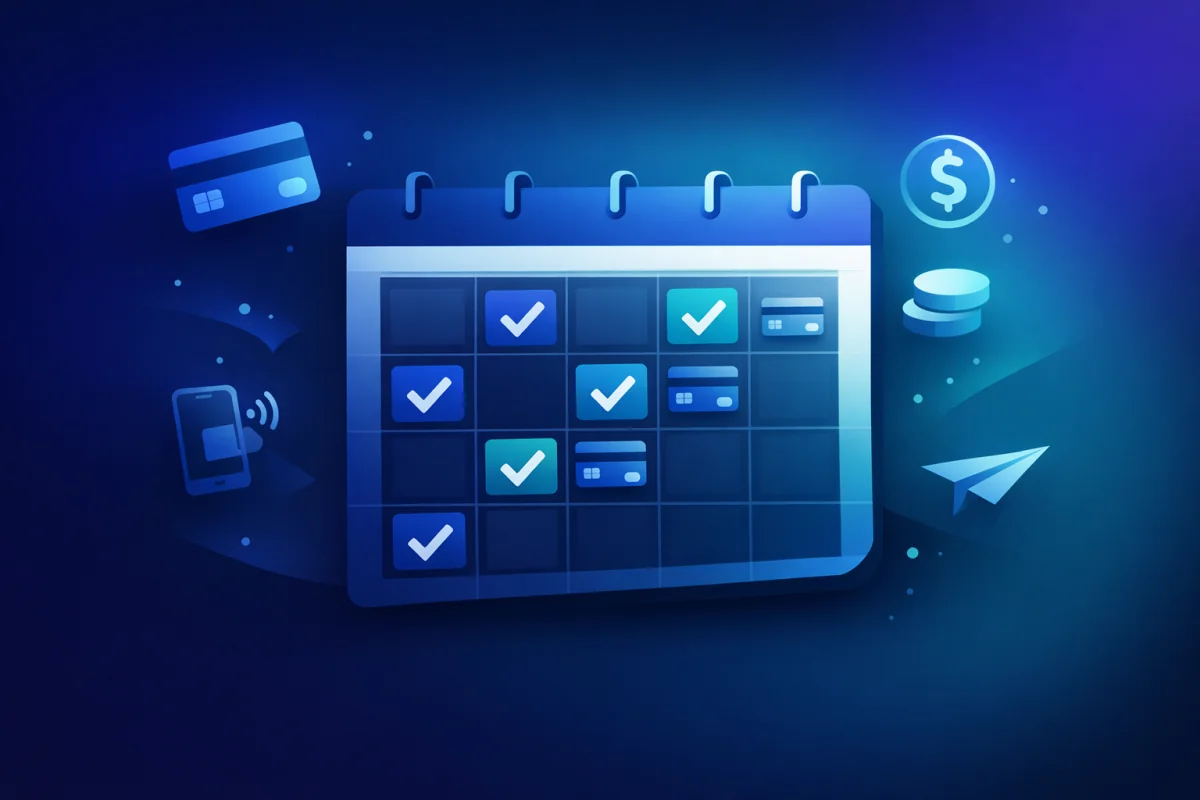
Accepting bookings used to mean phone calls, paper calendars, and chasing clients for payment. Today, the entire process can be automated—from the moment a client picks a time slot to the instant their payment clears.
Whether you're a personal trainer, therapist, consultant, or service provider, online booking systems have become essential. But not all solutions are created equal. This guide covers everything you need to know about accepting bookings and payments together, seamlessly.
Why Combine Bookings with Payments?
The traditional approach separates booking and payment into two steps: first the client books, then you invoice or collect payment later. This creates friction, no-shows, and cash flow problems.
No-shows cost service businesses thousands annually. Industry data suggests that appointment-based businesses experience 10-30% no-show rates when bookings don't require payment upfront.
When clients pay at the time of booking, no-show rates drop dramatically—often to under 5%. The psychology is simple: people value what they pay for. A free booking is easy to forget or cancel; a paid booking represents a commitment.
Collecting payment at booking means you're paid before you deliver the service. For freelancers and small businesses, this transforms cash flow. Instead of completing work and waiting 30 days for payment, you start each appointment already paid.
This model particularly benefits high-value services. A consultant charging €200/hour who collects payment upfront never worries about unpaid invoices for consultation time.
Separating booking from payment creates double the administrative work. You manage a calendar system AND an invoicing system, reconciling the two manually.
Integrated booking-payment systems eliminate this overhead. One tool handles scheduling, payment collection, confirmation emails, and reminders. What used to take hours happens automatically.
Setting Up Online Booking with Payments
The key to successful online booking is making it effortless for clients while protecting your time and revenue.
Different services require different booking approaches. Understanding which model fits your business prevents headaches later.
Fixed-duration appointments work for standardized services: 60-minute consultations, 30-minute coaching calls, 90-minute therapy sessions. Clients select from available time slots, and each slot has the same duration and price.
Variable-duration bookings suit services where scope varies. A photographer might offer 2-hour, 4-hour, or full-day packages. Each option has different pricing and calendar blocking requirements.
Recurring bookings serve ongoing relationships. A personal trainer seeing the same client weekly needs booking logic that handles recurring schedules, not just one-off appointments.
PayRequest's bookings feature supports all three models, letting you configure exactly what your business needs.
Your booking system should reflect when you're actually available—not just your working hours, but accounting for buffer time, lunch breaks, and preparation needs.
Build in buffer time between appointments. Back-to-back bookings might seem efficient, but they leave no room for appointments running long, bathroom breaks, or note-taking. A 15-minute buffer between 60-minute sessions keeps your day manageable.
Block time for non-client work. If you need mornings for deep work or Fridays for administrative tasks, don't make those times bookable. Your calendar should protect your productivity, not just maximize bookings.
Consider timezone handling if you serve international clients. A booking system that shows availability in the client's local time prevents confusion and missed appointments.
While requiring payment at booking has clear advantages, it's not always the right choice.
- You have high no-show rates
- Services are standardized with fixed pricing
- Clients are new or unestablished
- The service requires significant preparation
- You're building relationships with enterprise clients
- Final pricing depends on consultation
- Your industry norms expect invoicing
- You have long-standing trusted clients
Many businesses use a hybrid approach: new clients pay upfront, established clients can book with payment on completion.
Reducing No-Shows Further
Even with payment at booking, some no-shows still occur. Smart reminder systems reduce them to near zero.
A single reminder isn't enough. Effective no-show prevention uses a sequence:
One week before: For appointments booked far in advance, a week-out reminder confirms the booking is still relevant. Life changes; a client who booked a month ago might have forgotten or had circumstances change.
One day before: The 24-hour reminder is critical. It prompts clients to prepare, travel, or clear their schedule. Include practical details: address, parking information, what to bring.
One hour before: A final reminder catches clients who might be running late or forgot despite earlier reminders. For virtual appointments, include the meeting link prominently.
Counter-intuitively, making cancellation easy can reduce no-shows. When clients face friction to cancel, some simply don't show up instead—you lose the time AND don't know they're not coming.
Clear cancellation policies and easy cancellation processes mean you learn about cancellations sooner. A 24-hour cancellation window gives you time to fill the slot.
Consider cancellation fees for late cancellations rather than blocking cancellation entirely. A 50% fee for cancellations under 24 hours compensates you while still allowing legitimate schedule changes.
When cancellations happen, a waitlist system automatically offers the slot to interested clients. This turns potential lost revenue into filled appointments.
The key is speed. Automated waitlist notifications that go out within minutes of cancellation have far higher fill rates than manual processes that happen hours later.
Handling Different Appointment Types
Most service businesses offer multiple appointment types with different requirements.
First appointments often need more time and information. A therapist's intake session might be 90 minutes; follow-ups are 50 minutes. A consultant's discovery call differs from implementation sessions.
Configure your booking system to distinguish these types:
- Different durations
- Different pricing
- Different preparation requirements
- Different intake forms
Initial consultations might require more client information upfront—health history for therapists, business background for consultants. Your booking system should collect this information at the point of booking.
Post-pandemic, most service businesses offer both in-person and virtual appointments. Your booking system needs to handle both seamlessly.
Virtual appointments should auto-generate meeting links. Clients shouldn't need to coordinate separately about how to connect—the confirmation email includes everything needed.
In-person appointments should clearly communicate location details, especially if you work from multiple locations or visit clients at their sites.
Some businesses offer both individual and group services: group fitness classes, workshop sessions, or group coaching programs.
Group bookings have different logic:
- Multiple clients per time slot (with capacity limits)
- Minimum participant requirements
- Different pricing models (per person vs. total)
- Waitlists when sessions fill up
PayRequest's system handles both models, letting you offer individual consultations alongside group workshops.
Integrating with Your Workflow
A booking system that doesn't connect to your other tools creates extra work instead of saving it.
Two-way calendar sync is essential. When a client books, it should appear on your Google Calendar, Outlook, or Apple Calendar automatically. When you block time on your calendar, it should remove that availability from booking.
Without this sync, you risk double-bookings or manually maintaining two calendars—defeating the purpose of automation.
Your booking payments should flow into the same system as your other payments. PayRequest connects bookings to your payment providers, whether that's Stripe, Mollie, or PayPal.
This integration means:
- Unified financial reporting
- Single dashboard for all payments
- Consistent payout timing
- Integrated refund handling
Bookings create client relationships. Your booking system should feed into customer management, building profiles that show:
- Appointment history
- Payment history
- Notes and preferences
- Communication log
This client context makes every interaction more personal and informed.
Pricing Your Booking Services
How you price appointments affects both revenue and booking behavior.
Hourly pricing is simple but often undervalues expertise. A consultant who solves a problem in 30 minutes might deliver more value than one who takes 3 hours.
Consider value-based packages:
- "Strategy Session" instead of "2-hour meeting"
- "Website Audit" instead of "3 hours of review"
- "Coaching Package" instead of "4 x 1-hour calls"
Package pricing justifies higher rates and shifts focus from time spent to outcomes delivered.
For high-value appointments, requiring full payment upfront might deter clients. A deposit model balances commitment with accessibility.
Common approaches:
- 50% deposit at booking, 50% at appointment
- Fixed deposit (e.g., €50) with balance later
- Full payment for appointments under €100, deposits for higher
PayRequest's security deposits feature handles deposit collection seamlessly.
If you have predictable demand patterns—busy evenings, quiet mornings—consider time-based pricing. Lower rates during off-peak times can fill your schedule more evenly.
This approach works particularly well for:
- Personal trainers (early morning discounts)
- Therapists (midday rates)
- Consultants (Friday afternoon specials)
Getting Started with PayRequest Bookings
PayRequest's bookings feature combines scheduling with payment in one seamless flow. Clients pick their time, pay instantly, and receive automatic confirmations.
Set up your availability, configure appointment types, and share your booking link. Clients book themselves, you get paid, and everyone receives reminders—without manual coordination.
Combined with smart payment links and customer management, PayRequest gives you complete control over your appointment-based business.
Start accepting bookings with payment today at payrequest.app/register.