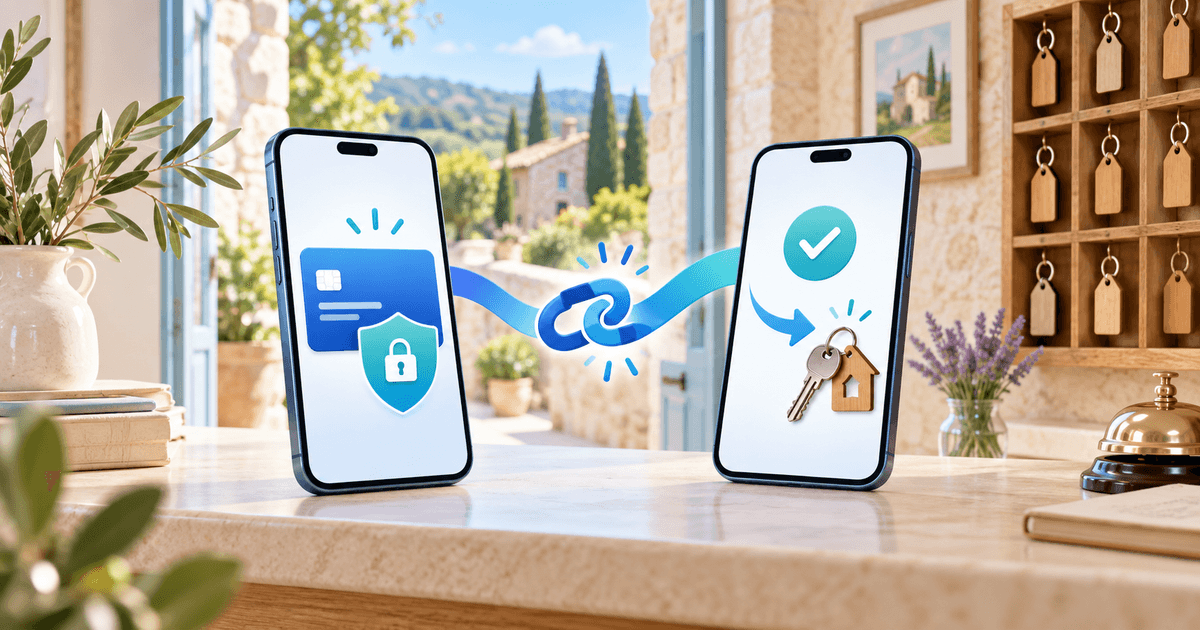
To request a security deposit without a physical card terminal, send a card preauthorization link. The guest completes secure checkout remotely, you verify funds reserved, and after inspection you release the hold or capture a justified amount before expiry. The Stripe workflow here requires your connected Stripe account and a compatible card.
This guide is for guesthouses and small rental businesses taking direct bookings. The Stripe no-code guide covers account configuration; this article covers the first request from amount to settlement.
A hold is different from a payment
| Method | Guest experience | Your responsibility |
|---|---|---|
| Card preauthorization | Funds or card capacity temporarily reserved | Deadline, release or capture |
| Collected deposit | Money charged immediately | Refund unused money and track fees |
| Booking payment | Pays part of the rental price | Balance and cancellation terms |
An ordinary payment link charges the guest; choose the deposit type to reserve funds. SEPA transfers and iDEAL do not create a card hold. Gîtes de France Calvados explains card holds for stays; this is an example, not a universal rule or claimed PayRequest customer.
Prepare a €350 request
Disclose amount, currency, covered costs and inspection process before booking. €350 and reference G-208 are illustrative, not recommended rates. Check that the booking channel permits an external deposit request.
- Connect Stripe to the correct PayRequest business account.
- Create a deposit link with €350 and a recognizable reference. Choose deposit, not an ordinary payment.
- Send the link by email or WhatsApp with property or rental item and dates.
- The guest completes the secure authorization and any bank authentication. Never ask for card details in a message.
- Open Security Deposits, select the guest name or View Deposit and verify status and actual deadline.
Authorized / Funds reserved confirms the hold; Pending / Waiting for customer does not. A sent link or guest screenshot does not replace the provider-confirmed record.
Screenshots from the public demo
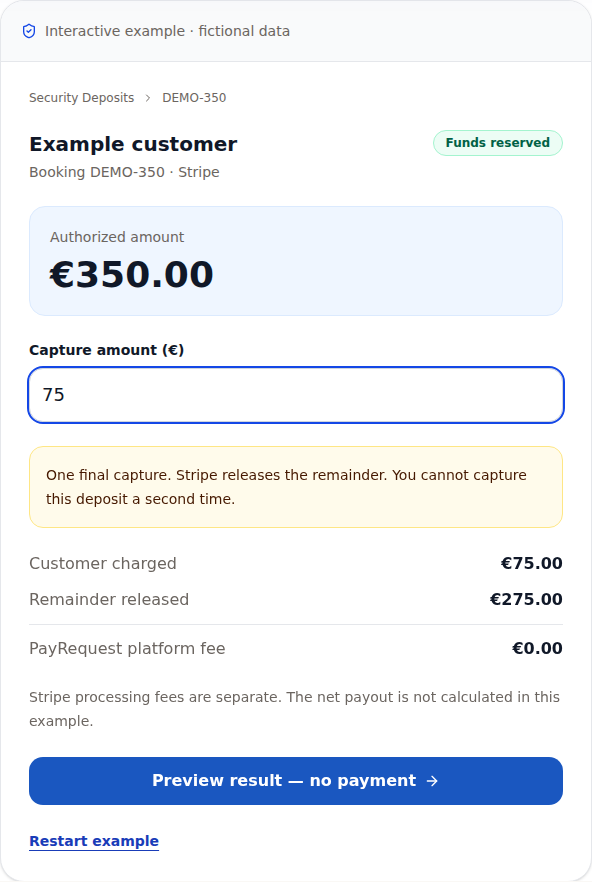
These screenshots show PayRequest’s public demonstration, using fictional DEMO-350 data. They are not a customer account or real checkout. Demo timing does not guarantee authorization duration.
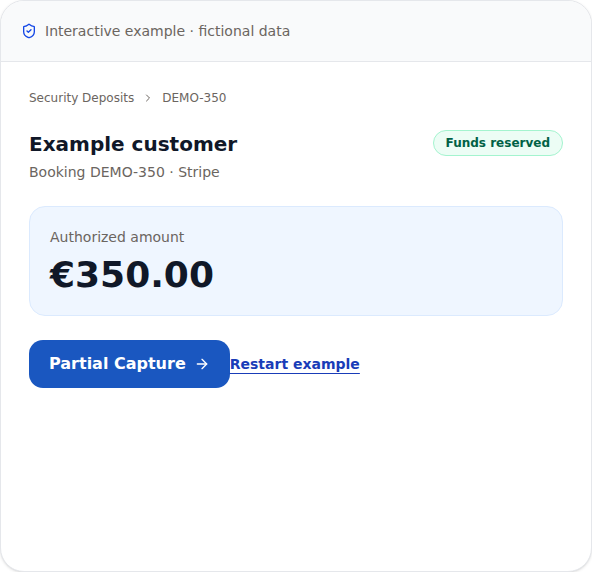
The next screenshot illustrates a €75 capture and €275 release. The demo confirmation makes no payment; confirming Capture in the application makes a real charge.
Guest message template
Replace every field and verify that you can meet the commitments. The love room deposit guide gives a €200 romantic-suite example.
Inspect, then decide
With no justified claim, release €350 and notify the guest. Release cancels a hold; it is not a refund of a captured payment. Bank display timing varies.
For €75 of documented costs covered by the accepted agreement, finish the inspection, explain the amount and choose Partial Capture. Verify €75 captured and €275 released before confirmation. PayRequest’s current Stripe workflow makes one final capture and releases the remainder; you cannot capture that remainder later from the same authorization. See the partial-capture guide.
Deadline, failure and account limits
Stripe documents authorization windows. The granted deadline must cover rental, inspection and decision; never promise a fixed duration. Plan stays with the before-arrival guide.
If authorization fails, check existing requests before agreeing another attempt or compatible method. Processing authorization still needs confirmation. Released or Expired cannot be captured; agree on a new request if money remains due.
Free currently includes 1 active deposit and 3 new deposits monthly. Check quotas and Business/Growth eligibility for more volume. Current Stripe deposit capture has €0 PayRequest platform fees; Stripe processing fees and any subscription are separate. Ordinary payments have their own pricing. Check fees and limits.
Send your first deposit request
Start with one direct booking, disclosed terms and a planned inspection. Send your first deposit request. A successfully authorized and released hold can produce €0 revenue.
Editorial note: sources and public demo checked October 2, 2026. AI assisted writing and generated the cover. Screenshots use fictional public-demo data; no real transaction or customer outcome is claimed.