Back to Blog
Billing

Collect Rental Deposits Without Stripe API: No-Code Solution

Skip weeks of Stripe API development. Collect rental security deposits with payment links, QR codes, and a visual dashboard. No coding, no webhooks, no maintenance.

February 25, 20269 min read
P
PayRequest Team
Billing Experts

You searched for "rental deposit without Stripe API" — which means you've probably already looked at Stripe's documentation for manual capture and thought: "This is way more complex than it should be."

You're right. Collecting a security deposit for a rental should be as simple as sending a link. Instead, Stripe's approach requires creating PaymentIntents with specific parameters, building webhook handlers, developing a custom capture interface, and maintaining everything as Stripe's API evolves.

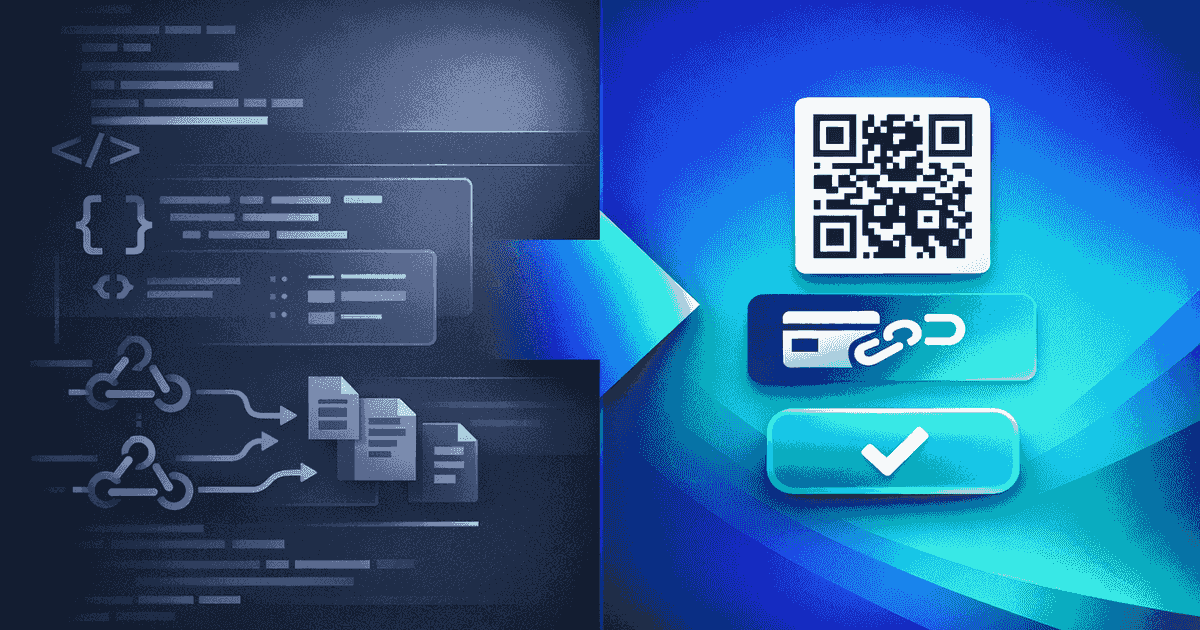
There's a better way. This guide compares the Stripe API approach with a no-code alternative that gets you collecting deposits in minutes, not weeks.

The Stripe API Approach: What's Actually Required

To understand why no-code matters, let's walk through what building a deposit collection system with Stripe's API actually involves.

Creating Pre-Authorized Payments

In Stripe, you create a PaymentIntent with `capture_method: 'manual'`. This tells Stripe to authorize the card but not capture immediately. You need to:

  • Set up a Stripe account with API keys
  • Install the Stripe SDK in your application
  • Create a server-side endpoint to generate PaymentIntents
  • Build a frontend payment form (or use Stripe Elements)
  • Handle the authorization response and store the PaymentIntent ID

That's just the authorization step. You haven't captured, released, or notified anyone yet.

Building the Capture System

After authorization, you need a way to capture funds when the rental period ends:

  • Build a dashboard listing active holds with customer details
  • Create a capture endpoint that calls `stripe.paymentIntents.capture()`
  • Support partial captures (different amount than the hold)
  • Handle hold expirations (Stripe allows up to 7 days for standard merchants)
  • Build release functionality for holds that don't need capturing
Webhook Infrastructure

Stripe communicates through webhooks — HTTP callbacks that notify your server of payment events:

  • Set up a webhook endpoint on your server
  • Verify webhook signatures for security
  • Handle events like `payment_intent.amount_capturable_updated`, `payment_intent.succeeded`, and `charge.expired`
  • Build retry logic for failed webhook deliveries
  • Manage webhook versioning as Stripe updates their API
Customer Communication

Your customers need to know what's happening with their deposit:

  • Build email notification templates for authorization, capture, and release
  • Create a customer-facing status page (optional but expected)
  • Handle edge cases like expired holds and failed captures
Ongoing Maintenance

Once built, the system needs continuous attention:

  • Stripe SDK updates (breaking changes require code updates)
  • API version migrations (Stripe deprecates older versions)
  • Security patches and dependency updates
  • Bug fixes when edge cases appear in production
  • Server uptime and monitoring
Total Development Effort

A realistic estimate for a competent developer:

ComponentTime
Authorization flow1–2 days
Capture/release dashboard2–3 days
Webhook infrastructure1–2 days
Customer notifications1 day
Status page1–2 days
Testing and edge cases2–3 days
Total8–13 days

At typical developer rates (€80–150/hour), that's €5,000–€15,000 for the initial build. Plus ongoing maintenance costs.

The No-Code Alternative: PayRequest + Mollie

PayRequest provides everything Stripe's API builds as a pre-built platform. Instead of writing code, you create a Smart Link — a shareable URL that handles the entire deposit flow.

How It Works
  1. Create a Smart Link: Set it to "Security Deposit" mode. Enter the amount and hold duration (1–28 days). Done — your link is ready.
  1. Share the link: Send via email, SMS, WhatsApp, or print a QR code for your rental counter. One link handles unlimited customers.
  1. Customer authorizes: They click the link, see a branded payment page, enter their credit card, and authorize the hold. Takes 30 seconds.
  1. You manage from the dashboard: See all active holds, time remaining, customer details. Click to capture (full or partial) or release. No API calls needed.
  1. Automatic notifications: Customers get confirmation emails and a status page showing their hold details, countdown timer, and capture history.
Setup Time: Under 5 Minutes

Where Stripe requires 8–13 developer days, PayRequest requires:

StepTime
Create account2 minutes
Connect Mollie3 minutes
Create Smart Link2 minutes
TotalUnder 10 minutes

No developer needed. No code to write. No webhooks to manage.

Feature Comparison

Here's how the two approaches compare across key requirements:

Authorization Hold Duration

Stripe API: Up to 7 days for standard merchants. Hotels get up to 31 days with the right merchant category code. Extending this requires contacting Stripe support and proving your business category.

PayRequest + Mollie: Configurable from 1 to 28 days for any business type. No need to negotiate merchant categories. A boat rental company gets the same hold duration options as a hotel chain.

Partial Capture

Stripe API: Supported via `stripe.paymentIntents.capture({ amount_to_capture: partialAmount })`. You build the interface for selecting the amount.

PayRequest: Built-in. Enter the capture amount in the dashboard. Multiple partial captures are supported — each one reduces the remaining hold balance.

QR Codes

Stripe API: Not included. You'd need to generate QR codes separately and link them to your custom payment flow.

PayRequest: Every Smart Link automatically generates a downloadable QR code. Print it for reception desks, rental counters, check-in areas, or rental agreements.

Customer Status Page

Stripe API: Not included. Building a customer-facing status page is an additional development project.

PayRequest: Every deposit gets a branded status page showing hold status, remaining time (with visual progress bar), capture history, and automatic updates. Customers check their own deposit status without contacting you.

Analytics

Stripe API: Stripe's dashboard shows basic payment data. Custom analytics for deposit-specific metrics (authorization rate, average capture ratio, release rate) require building your own reporting.

PayRequest: Smart Link analytics show opens, authorizations, capture rates, and amounts — all built in.

Why Not Stripe?

This isn't anti-Stripe. Stripe is excellent payment infrastructure. But infrastructure is the keyword — Stripe provides the building blocks, not the finished product. If you have developers and need custom control over every aspect of the payment flow, Stripe's API is powerful.

But most rental businesses don't need custom control. They need a link that collects a deposit, a dashboard to manage it, and notifications for customers. Building this from scratch with Stripe's API is like building a house when you need an apartment.

When Stripe's API Makes Sense
  • You're building a platform where deposits are one of many features
  • You have in-house developers with Stripe experience
  • You need custom logic that no SaaS tool provides
  • You're processing thousands of deposits daily and need full API control
When PayRequest Makes More Sense
  • You want to collect deposits today, not in two weeks
  • You don't have developers (or don't want to spend developer time on this)
  • You need a complete solution: links, QR codes, status pages, notifications
  • You want to iterate quickly (change deposit amounts, hold durations, branding)

How Mollie Compares to Stripe for Holds

PayRequest uses Mollie (not Stripe) for pre-authorization holds. Here's why.

European Focus

Mollie is built for European businesses. If you're based in the Netherlands, Belgium, Germany, or elsewhere in Europe, Mollie integrates smoothly with local banks and card processors. Pricing is transparent and competitive.

Manual Capture Support

Mollie's manual capture mode is robust and well-documented. It supports holds up to 28 days, partial capture, and multi-capture (multiple partial captures on a single authorization). These are the building blocks PayRequest uses to provide the deposit management interface.

Pricing

Mollie charges standard credit card rates (typically 1.8% + €0.25 per transaction) with no monthly platform fees for the processing itself. PayRequest adds no platform fees on top — you pay €20/month for the PayRequest Business plan and Mollie's processing fees. Total cost: €20/month + per-transaction fees.

Getting Started

If you've been looking at Stripe's API documentation and thinking "this is too complex for what I need," PayRequest is the answer.

Create an account, connect Mollie, and build your first deposit Smart Link in under 10 minutes. No code, no webhooks, no maintenance. Start your free trial or explore the security deposits feature.

Frequently Asked Questions

Can I collect rental deposits without using Stripe's API?

Yes. PayRequest provides a no-code interface for collecting rental deposits. You create a deposit link with your amount and hold duration, share it with tenants or renters, and manage captures and releases from a visual dashboard. No API integration needed.

Why is Stripe's API complex for deposit collection?

Stripe requires writing code to create payment intents with manual capture, handling webhooks for status updates, building capture/release interfaces, and managing hold expiration. This takes weeks of developer time and ongoing maintenance.

What alternatives exist to Stripe for rental deposits?

PayRequest uses Mollie (not Stripe) for pre-authorization holds. You get a complete deposit management system — Smart Links, QR codes, customer status pages, capture/release dashboard — without writing a single line of code. Holds last 1–28 days.

How much does it cost to collect deposits without Stripe API?

PayRequest costs €20/month with all features included and 0% platform fees. You only pay Mollie's credit card processing fees (typically 1.8% + €0.25 per transaction). There are no per-deposit fees or hidden charges.

Can I switch from Stripe to Mollie for deposit collection?

Yes. PayRequest works with Mollie's manual capture mode. If you're currently using Stripe's API for deposits, you can switch to PayRequest + Mollie for a no-code solution. Setup takes under 30 minutes with no migration needed.

Share this article

Ready to get started?

Join thousands of businesses using PayRequest to get paid faster.

Get Started