Sending an online payment request is one of the most efficient ways to get paid in 2026. Instead of waiting weeks for a check to arrive or chasing clients for a bank transfer, you send a digital link — the recipient clicks it, chooses their payment method, and the money arrives in your account within days.
The concept is simple, but the execution matters. A well-crafted online payment request can reduce your collection time from 23 days to under 3. A poorly executed one gets ignored alongside the dozens of other emails your clients receive every day.
This guide covers everything you need to know about online payment requests in 2026: what they are, how they work, when to use them, how to send one professionally, and which tools offer the best combination of features and affordability. Whether you are a freelancer, agency owner, coach, or small business operator, you will find actionable advice you can apply immediately.
Key Takeaways
- An online payment request is a digital link or form that lets customers pay you with one click — no website or coding required
- Payment requests get paid in an average of 3 days compared to 23 days for traditional invoices
- The best platforms offer free plans with no monthly fees — you only pay when you get paid
- Include clear descriptions, the exact amount, and a due date to maximise conversion rates
- Automated payment reminders can recover 30 to 40 percent of overdue requests without any manual effort
What Is an Online Payment Request?
An online payment request is a digital message that asks someone to pay you via the internet. Unlike a traditional invoice — which is a static document listing amounts and bank details — an online payment request includes a clickable link that takes the recipient directly to a secure checkout page where they complete the transaction within seconds.
The key components of every online payment request are:
A secure payment link. This is the URL the recipient clicks. It leads to a hosted checkout page provided by the payment platform. The page handles all payment processing, security, and confirmation. The link is unique per transaction and can be branded with your logo and colours.
Amount and description. The request specifies exactly how much is owed and what it covers. This eliminates confusion and reduces the back-and-forth messages that delay payment. Most platforms let you set fixed amounts or allow the customer to enter their own amount for donations or tips.
Customer information. The best payment requests are personalised with the recipient's name, company, and the service or product being paid for. Personalisation increases trust and conversion rates because the customer sees familiar context rather than a generic payment URL.
Payment method options. The checkout page offers multiple payment methods — credit cards, debit cards, PayPal, iDEAL, SEPA, Apple Pay, Google Pay, and local options like Bancontact or Klarna. The more methods you offer, the higher your conversion rate.
The difference between an online payment request and a traditional invoice is not just digital versus paper. It is a fundamentally different approach to getting paid:
| Aspect | Online Payment Request | Traditional Invoice |
|---|---|---|
| Delivery | Instant via link | Email attachment or post |
| Payment action | One click to checkout | Manual bank transfer |
| Average time to pay | 3 days | 23 days |
| Follow-up | Automated reminders | Manual chasing |
| Tracking | Real-time status | Manual reconciliation |
| Payment methods | Cards, PayPal, iDEAL, SEPA, Apple Pay | Bank transfer only |
The traditional invoice requires the customer to open the document, manually enter your bank details, log into their banking app, and initiate a transfer. Each step introduces friction and the possibility of abandonment. An online payment request removes every step between deciding to pay and having paid.
How Online Payment Requests Work
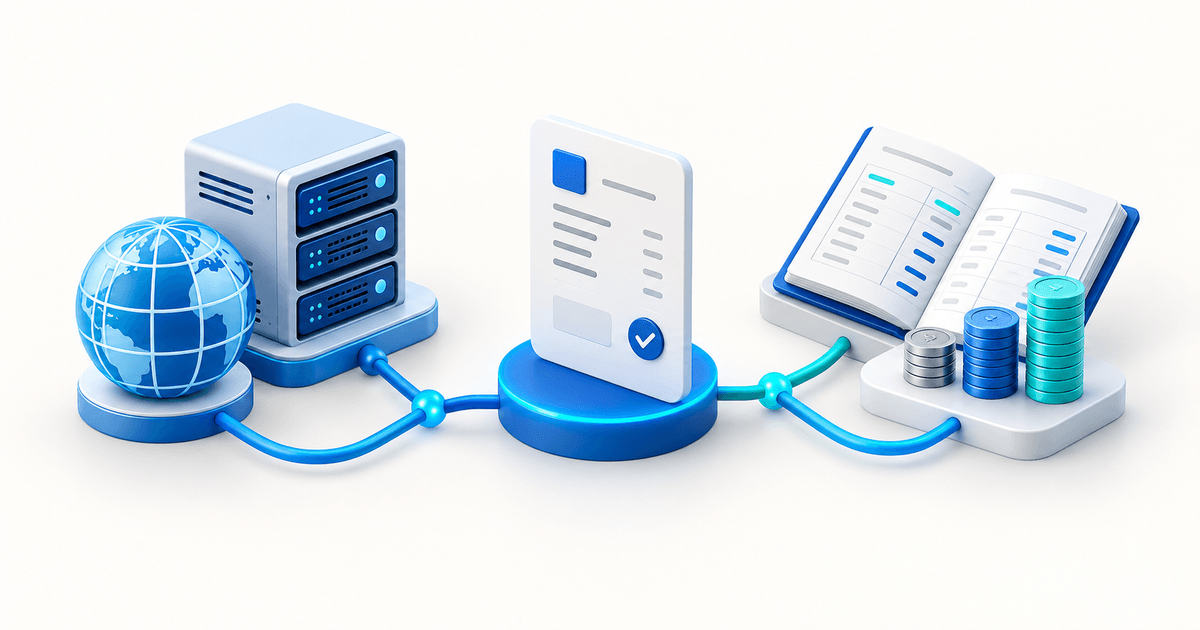
Understanding the mechanics behind an online payment request helps you choose the right platform and use it effectively. The process involves four stages: creation, delivery, payment, and confirmation.
You log into your payment platform (like PayRequest), enter the amount, a description of what the payment is for, and the customer's details. The platform generates a unique checkout URL linked to this specific transaction. You can customise the checkout page with your branding — logo, colours, and even your own domain name.
Most platforms let you create a payment request in under 60 seconds. The fields are minimal: who is paying, how much, and what it is for. Everything else — payment processing, security, receipt generation — happens automatically.
You share the payment link with your customer through any channel you already use. Email is the most common, but SMS, WhatsApp, and messaging apps often produce faster results. The platform can send the request on your behalf with a professional template, or you can copy the link and share it manually.
Multi-channel delivery is a key advantage of modern payment request platforms. You send the initial request by email for formality, follow up with SMS or WhatsApp for urgency, and everything stays tracked in one dashboard regardless of how the customer received the link.
The customer clicks the link and lands on a secure checkout page. They see the amount, description, and their name or company. They choose their preferred payment method — card, PayPal, iDEAL, SEPA, or another local option — and complete the transaction. The entire process takes less than 60 seconds.
Behind the scenes, the platform routes the payment through PCI-DSS Level 1 infrastructure. Card details are tokenised and never touch the merchant's server. 3D Secure authentication is enforced by default. The customer receives an immediate confirmation, and the funds begin their journey to your account.
You receive a notification the moment payment is confirmed. The platform updates the transaction status automatically, logs it in your activity history, and generates a receipt for both parties. If the customer does not pay within your chosen timeframe, the platform sends automated reminders — a gentle nudge before the due date, a polite reminder on the due date, and escalating follow-ups after.
This automated follow-up is the feature that separates professional payment platforms from basic link generators. Instead of manually checking which clients have paid and sending individual reminders, the platform handles the entire sequence. Businesses using automated reminders recover 30 to 40 percent of overdue payments without lifting a finger.
For a deeper explanation of the different methods available, see our guide on how to request a payment online.
Types of Online Payment Requests
Not all online payment requests are the same. Different scenarios call for different formats. Understanding the options helps you choose the right approach for each customer and situation.
A payment link is a simple URL that anyone can use to pay. You create it, share it, and whoever clicks it can complete a payment. No customer association, no tracking per recipient — just a straightforward way to collect money.
Payment links are ideal for standard-priced products, services with fixed rates, and one-off transactions where you do not need to track who paid and who did not. A coach selling a €297 program creates one link and reuses it for every client. A musician accepting donations at a gig shares the same link from their phone.
A payment request is a payment link tied to a specific customer, amount, and due date. The recipient sees their name on the checkout page, the exact amount they owe, and a clear description. The platform tracks whether this specific customer has paid and sends reminders if they have not.
Payment requests are the right choice for B2B client billing, freelance project fees, and any scenario where you know exactly who owes you and how much. Our payment requests feature lets you create these in seconds and track them through to settlement.
Digital invoices combine the formality of a traditional invoice with the speed of a payment link. The customer receives a professional PDF for their records and a prominent "Pay Now" button that leads to the checkout page. They get the documentation they need for accounting, but the payment experience is as fast as a link.
Invoices are essential for B2B transactions where compliance, tax records, and numbered documentation are required. PayRequest's invoicing system generates both the PDF and the payment link automatically from a single entry.
A QR code payment request converts your payment link into a scannable code. Display it on a printed card, poster, or screen, and customers pay by scanning with their phone camera. No typing, no searching, no friction.
QR codes are perfect for in-person transactions — retail counters, market stalls, event booths, trade shows, and service calls. They eliminate the need for card terminals and cash handling while still processing payments through your preferred provider.
How to Send an Online Payment Request (Step by Step)
Sending your first online payment request takes less than two minutes. Here is exactly how to do it on PayRequest, though the steps are similar on most platforms:
- Sign up for a free account. Go to PayRequest and create your account. The Free plan includes every feature with no monthly fee — you only pay 2% per successful transaction capped at €25.
- Connect your payment provider. Link your Stripe, Mollie, or PayPal account. This takes about 30 seconds. You can connect multiple providers so your customers can choose their preferred payment method at checkout.
- Create a new payment request. Enter the customer's name, email address, the amount, and a description of what the payment is for. Optionally set a due date and choose whether to send automated reminders.
- Choose your delivery method. Send the request directly from PayRequest via email, or copy the generated link to share via SMS, WhatsApp, or any other channel. The platform provides a professional email template by default.
- Track and follow up. Monitor the status from your dashboard. If the request remains unpaid, PayRequest sends automated reminders at your chosen intervals. You receive a notification the moment payment is confirmed.
That is it. Your first payment request can be live and on its way to a customer within 60 seconds of signing up.
Online Payment Request Best Practices
Getting paid faster is not just about using the right tool — it is about using it the right way. These best practices will improve your payment request conversion rates:
Generic payment requests get ignored. Personalised requests get paid. Include the customer's name, the specific service or product they are paying for, and any relevant context like a project name or invoice number. The checkout page should feel like a natural extension of your business relationship, not an anonymous payment form.
Ambiguity is the enemy of prompt payment. Every payment request should include a clear due date. People procrastinate on tasks without deadlines. A specific date — "Due: 15 June 2026" — creates urgency and a clear expectation. Most platforms let you set automated reminders that align with the due date.
Conversion rates drop when a customer's preferred payment method is not available. If your client wants to pay with iDEAL but you only accept credit cards, they may abandon the payment entirely. Platforms like PayRequest let you offer cards, PayPal, iDEAL, SEPA, Apple Pay, Google Pay, and Klarna on a single checkout page — covering every major payment preference in Europe.
Manual follow-up is inconsistent and uncomfortable. Automated reminders are consistent and effective. Configure your platform to send a gentle reminder before the due date, a polite nudge on the due date, and escalating follow-ups after. PayRequest's payment requests include configurable reminder sequences that recover 30 to 40 percent of overdue payments.
Choose your delivery channel based on urgency and your relationship with the customer. Email is professional and expected for B2B. SMS and WhatsApp deliver 98% open rates within minutes — ideal for overdue requests and time-sensitive collections. QR codes work best for in-person transactions at retail counters and events.
For a complete breakdown of all five collection methods with templates and timing recommendations, read our guide on the best ways to send payment links.
Online Payment Request Templates
Writing an effective payment request message is just as important as the request itself. Here are three templates you can adapt:
Subject: Payment Request — {Project Name} — {Amount}
Hi {Customer Name},
I hope you are happy with the {service/product} we delivered. This is a quick note to let you know that the payment of {amount} is ready for processing.
Pay securely here: {payment link}
The checkout page accepts all major credit cards, PayPal, iDEAL, and SEPA transfers. Payment is due by {due date}.
Let me know if you have any questions.
Best regards, {Your Name}
Hi {Name}, your payment of {amount} for {service/product} is ready. Pay here: {payment link}. Thanks! — {Your Name}
Subject: Friendly Reminder: Payment for {Project Name}
Hi {Customer Name},
Just a gentle reminder that the payment of {amount} for {service/product} is now overdue.
You can complete the payment here: {payment link}
If you have already paid, please disregard this message. If there is an issue with the invoice or you need more time, just reply and let me know.
Thanks, {Your Name}
Online Payment Request vs Invoice: Which Should You Use?
One of the most common questions businesses ask is whether to send an online payment request or an invoice. The answer depends on three factors: formality, speed, and compliance requirements.
Use an online payment request when: speed matters, the relationship is informal, no complex tax breakdown is needed, and you want to minimise friction. Payment requests are ideal for freelancers, service providers, coaches, and consultants billing for project work.
Use an invoice when: formal documentation is required, your customer's accounting team needs numbered records, VAT or sales tax must be itemised, or the transaction value is high enough that both parties want a paper trail.
Many businesses use both. Send a formal invoice for compliance and records, then include a "Pay Now" button that converts the invoice into a one-click payment experience. PayRequest's invoicing feature handles this automatically — the invoice serves as the formal document while the payment link provides the speed.
For a detailed comparison, visit our guide on what is a payment request.
How to Choose the Right Online Payment Request Tool
The market for online payment request tools has grown significantly in 2026. Here is what to look for when choosing a platform:
Free plan availability. The best tools offer a genuine free plan with no monthly fees. PayRequest's Free plan includes every feature — unlimited payment requests, invoices, payment links, customer management, and automated reminders. You only pay 2% per successful transaction, capped at €25.
Payment method coverage. Your tool should support the payment methods your customers actually use. For European businesses, that means cards, PayPal, iDEAL, SEPA, Bancontact, Klarna, and Apple Pay. PayRequest covers all of these through Stripe, Mollie, and PayPal integrations on a single platform.
Branding and customization. Your customers should see your brand, not the platform's brand, when they click to pay. Look for tools that let you customise the checkout page with your logo, colours, and domain.
Automated reminders. Manual chasing is the biggest time waste in payment collection. Choose a platform that sends automated payment reminders at configurable intervals.
Multi-channel delivery. The best platforms let you send requests via email, copy links for SMS and WhatsApp, and generate QR codes — all from the same dashboard.
Customer portal. A self-service portal where customers can view their payment history, download receipts, and update their payment details reduces support requests and improves the payment experience.
Reporting and analytics. You need visibility into who has paid, who has not, and what your collection rate looks like over time.
PayRequest meets all of these criteria on its Free plan. Explore the payment requests feature to see how it works.
Frequently Asked Questions
An online payment request is a digital method of asking someone to pay you via the internet. Instead of sending a PDF invoice and waiting for a bank transfer, you send a link or digital request that the recipient clicks and pays on a secure checkout page. Payment can be completed in under 60 seconds with cards, PayPal, iDEAL, SEPA, or Apple Pay.
Use a platform like PayRequest to generate a payment link or request, then share it via email, SMS, or WhatsApp. The client receives a secure checkout link with the exact amount, description, and their name. They click, choose a payment method, and complete the transaction. The platform tracks payment status and sends automatic reminders for unpaid requests.
Yes. PayRequest offers a free plan with every feature included — no monthly fee. You create unlimited payment requests, invoices, and payment links. You pay 2% per successful transaction capped at €25, with no costs for sending or tracking requests. PayPal.Me also offers basic free payment requests with PayPal-only checkout.
A payment request is a lightweight digital ask with a one-click checkout link, ideal for speed and informal transactions. An invoice is a formal document with numbered records, tax details, and legal standing. Payment requests get paid faster (average 3 days vs 23 days for invoices), while invoices are better for compliance, high-value B2B, and accounting records.
Yes. Payment request platforms like PayRequest work entirely without a website, coding skills, or technical setup. You create a payment request from your dashboard, share the generated link via any channel (email, SMS, WhatsApp, social media), and the recipient pays on a hosted checkout page. No website required at any step.
Start Sending Online Payment Requests Today
The gap between completing work and receiving payment does not need to be weeks. Online payment requests reduce collection time from days to hours, eliminate the friction of manual bank transfers, and automate the follow-up process that consumes so much of your time.
PayRequest makes it simple: create a free account, connect your payment provider, and start sending branded payment requests with automated reminders, multi-currency support, and a customer portal. Every feature is included on the Free plan — no monthly fees, no hidden costs, just 2% per successful transaction capped at €25.
Create your free account and send your first online payment request in under 60 seconds.