Waiting for payment is one of the most frustrating parts of running a business. You deliver the work, the customer is happy, and then nothing happens for weeks. Traditional invoicing averages 23 days to payment, creating cash flow gaps that strain operations and delay growth.
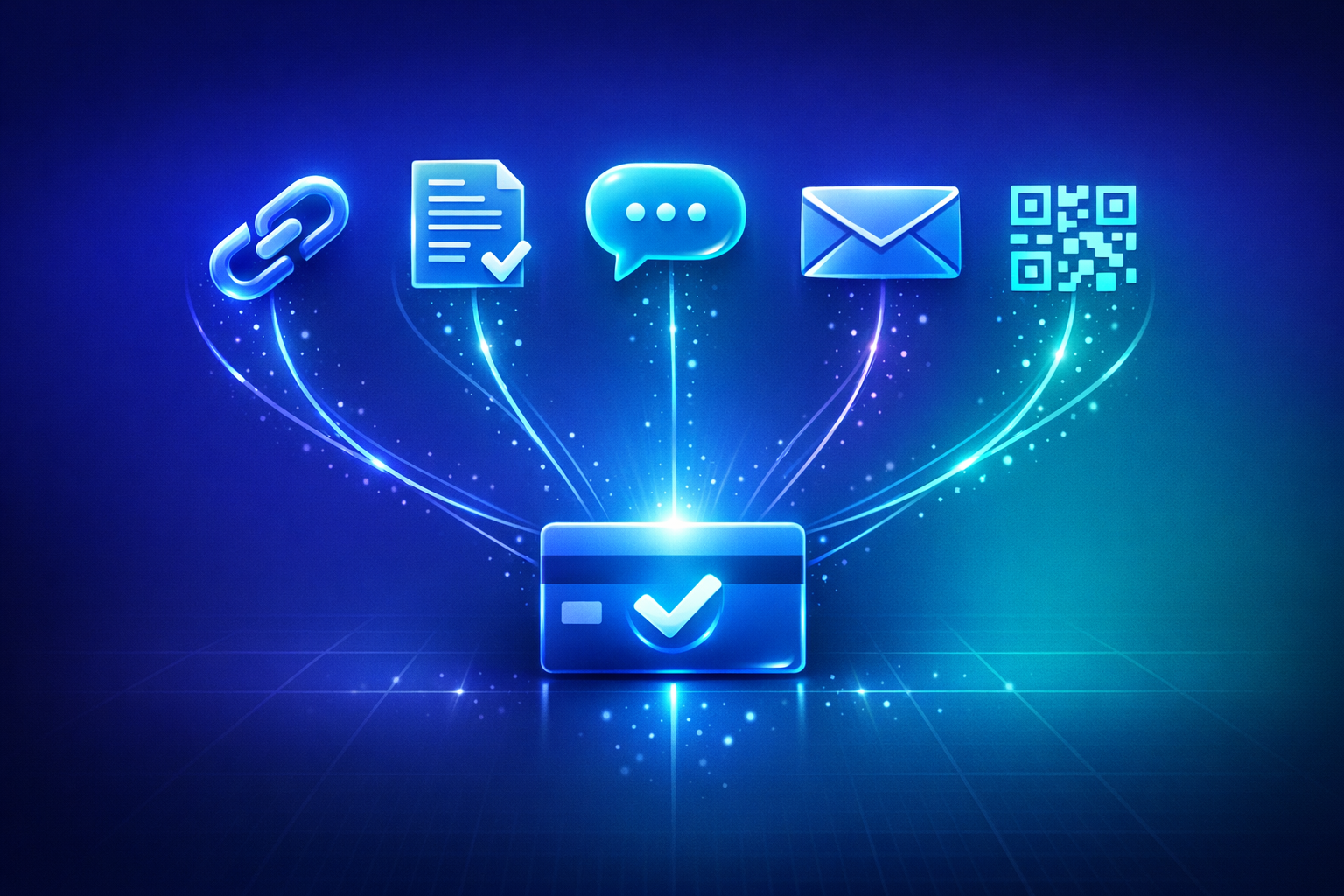
The good news is that 2026 offers more ways to request payment online than ever. Five methods stand out for their speed, convenience, and conversion rates: payment links, targeted payment requests, professional invoices with instant payment, SMS and WhatsApp messaging, and QR codes for in-person transactions. Each serves a different purpose, and knowing which to use in which situation can compress your collection time from weeks to hours.
This guide breaks down each method with real examples, explains when each one excels, and shows how PayRequest unifies all five into a single dashboard so you can stop juggling tools and start getting paid faster.
Key Takeaways
- Payment links are the fastest general-purpose method — create one in seconds, send it anywhere, and get paid in an average of 3 days
- Payment requests combine the speed of a link with formal targeting, making them ideal for B2B client billing and service-based businesses
- Professional invoices remain essential for formal transactions, compliance, and automated payment reminders that recover overdue revenue
- SMS and WhatsApp deliver a 98% open rate within 3 minutes, making them the best choice for overdue follow-ups and time-sensitive collections
- QR codes bridge the physical-to-digital gap, turning any counter, booth, or printed material into a payment touchpoint
Method 1: Payment Links — The Fastest Way to Get Paid
A payment link is a URL that takes the recipient directly to a checkout page where they complete the transaction. No account creation, no app download, no PDF invoice to open. One click and they are done.
The simplicity is what makes payment links so effective. Unlike traditional invoices that require the customer to find bank details and initiate a transfer manually, a payment link removes every step between wanting to pay and having paid. The recipient clicks, picks their payment method, and completes the transaction in under 60 seconds.
Payment links excel in any scenario where speed matters more than formality. A freelance designer finishing a €2,400 logo project can generate a payment link in PayRequest, paste it into an email, and have the money in their account within hours. A photographer selling print packages at a wedding fair creates a link on the spot and sends it via text message to interested couples.
They are also the ideal solution for businesses selling standard-priced products or services. A coaching practice offering a €297 six-week program creates one payment link and reuses it for every new client. A SaaS company uses a payment link for annual plan upgrades without building a custom checkout flow.
Using PayRequest's payment links feature, you can generate branded URLs with dynamic pricing, letting customers choose from preset amounts or enter their own. This makes payment links suitable for everything from fixed-price products to pay-what-you-want donations.
The main advantage is speed: create in seconds, share in seconds, paid in days. Payment links work on any device, require no technical setup, and support cards, iDEAL, SEPA, PayPal, Apple Pay, and Google Pay out of the box.
The trade-off is that a generic payment link does not target a specific customer. Anyone with the URL can pay, which means separate tracking is needed when billing multiple clients. For that use case, a payment request is a better fit.
Method 2: Payment Requests — For Specific Customers
A payment request link takes the speed of a payment link and adds targeting. Instead of a generic URL that anyone can use, a payment request ties to a specific customer, a specific amount, and a specific due date. The recipient sees their name on the checkout page, the exact amount they owe, and a clear description of what the payment covers.
This distinction matters for businesses that bill individual clients. A web agency sending a €5,200 retainer cannot use a generic payment link — they need the payment tied to the customer record so the system tracks who paid and who did not. A payment request solves this by generating a unique URL per invoice linked to the customer profile.
A standard payment link is created, shared, and forgotten — you hope the recipient pays. A payment request is part of a billing cycle: you create it, send it, the platform sends automatic reminders if payment is not received, and the status updates from pending to paid the moment the transaction completes.
For B2B businesses, this automated follow-up is the killer feature. Instead of manually checking whether clients have paid and sending polite nudges, the platform handles the entire sequence. PayRequest sends reminders at your chosen intervals — three days before the due date, on the due date, and escalating after that — until the invoice is settled.
Payment requests are the right choice whenever you know exactly who owes you and how much. Freelancers use them for project fees, agencies for monthly retainers, consultants for strategy session payments, and landlords for rent collection.
A real estate agent collecting a €1,500 holding deposit from a prospective tenant creates a payment request and sends it via WhatsApp. The tenant sees the property address, the deposit amount, and their name on the checkout page — no confusion about what they are paying for. For a deeper comparison with standard payment links, see our payment request link guide.
Method 3: Professional Invoices — For Formal Billing
Invoices remain the backbone of B2B transactions for good reason. They provide a formal record, include tax information, and satisfy compliance requirements. The problem is not the invoice itself — it is the way most businesses deliver them.
The traditional approach of attaching a PDF to an email and asking the customer to initiate a bank transfer introduces enormous friction. The customer must open the attachment, open their banking app, enter the IBAN, type the reference, and confirm the transfer. Each step is a point where abandonment happens.
Modern platforms like PayRequest have transformed the invoice from a static document into an interactive payment tool. When you send an invoice through PayRequest's invoicing system, the customer receives an email with a prominent "Pay Now" button. Clicking it opens a secure checkout page where they complete payment in seconds.
The PDF is still generated for record-keeping and tax compliance. But the payment experience is identical to a payment link — one click, instant confirmation. The customer gets their PDF receipt, and you receive the funds without any manual reconciliation.
The real power of digital invoicing is the automated follow-up sequence. PayRequest's dunning system handles the entire process: the initial invoice by email, a friendly reminder before the due date, an overdue notice on day one, and escalating follow-ups at day seven, fourteen, and thirty.
Each reminder includes a fresh payment button. This automated sequence recovers 30 to 40 percent of overdue invoices without any manual effort. For businesses sending dozens of invoices per month, the time savings alone justify the switch.
Choose invoices over payment links when formal documentation is required, when your customer's accounting department needs PDF records, or when the transaction value is high enough that both parties want a paper trail. Invoices are also the standard for recurring billing where each cycle needs its own numbered document.
If you are unsure whether to send an invoice or a payment link, our guide to sending a pay request covers the decision framework in detail.
Method 4: SMS and WhatsApp — For Speed
Email works, but it waits. SMS and WhatsApp do not wait. Text messages have a 98% open rate, and 90% are read within three minutes of delivery. For payment requests where every hour counts, these channels are unmatched.
An email sits in an inbox competing with dozens of other messages. A text message arrives with a notification, demanding an immediate decision. Even if the recipient does not pay instantly, they have seen the message and know payment is expected.
SMS is particularly effective for overdue invoices and same-day payment requirements. A personal trainer with a client who missed their monthly session payment sends a brief text: "Hi Mark, your €150 March coaching session is ready for payment: [link]. Thanks! — FitStudio"
The message is short, personal, and contains a single action. The client taps the link, sees their name and amount on the checkout page, and pays in under a minute. No portal login, no searching for the original email, no friction.
WhatsApp takes the speed of SMS and adds conversation context. For businesses that already communicate through WhatsApp — agencies, consultants, coaches, service providers — sending a payment link within an existing chat thread feels natural rather than transactional.
A marketing agency finishing a monthly retainer sends: "Hi Sarah, here is the June retainer for €3,800. The monthly report is attached too. Payment link: [link]. Let me know if you have questions!" The client pays from the same app they use for strategy discussions, without switching contexts.
The most effective collection strategies combine channels. Send the initial invoice by email for formality. Follow up with SMS or WhatsApp as the due date approaches. For overdue payments, escalate to WhatsApp with a conversational tone.
Our best ways to send payment links guide goes deeper into multi-channel strategy, including timing recommendations and templates for each channel.
Method 5: QR Codes — For In-Person Payments
QR codes solve a problem that digital-only methods cannot touch: how to accept payment when the customer is standing right in front of you. Instead of pulling out a card terminal or asking someone to type a URL, you display a QR code and they scan, pay, and go.
The customer points their phone camera at the code, taps the notification, and the pre-filled checkout page loads. The entire interaction takes less than ten seconds of their time.
QR codes are ideal for retail counters, market stalls, event booths, trade shows, and service locations. A potter at a weekend market attaches a printed QR code to their display table. Customers scan and pay for items without the potter needing a card terminal or handling cash.
Service businesses use them too. A plumber completing a repair prints a QR code on their invoice and says: "Scan that to pay." The homeowner pays from their phone while the plumber packs up. No waiting for a payment terminal to boot up.
Static QR codes work for fixed-price items, but dynamic QR codes — generated from PayRequest's dynamic payment links — let customers enter their own amount. This is perfect for donations, tips, or pay-what-you-want pricing.
A musician at a venue sets up a QR code on a stand at the edge of the stage. Fans scan, enter a donation, and pay with Apple Pay. The musician checks their dashboard during the break and sees payments arriving in real time.
Which Method Should You Use?
The right payment method depends on three factors: who your customer is, how urgently you need the money, and the level of formality required.
Use a payment link when speed matters above all else and you are selling to consumers or informal clients. Payment links are the default for most transactions under €1,000.
Use a payment request when you know exactly who owes you and want the platform to track payment status and send reminders. This is the go-to for B2B billing and freelance client work.
Use an invoice when formal documentation is required, when your customer needs a PDF for accounting, or when compliance demands it. Invoices remain the standard for high-value B2B transactions.
Use SMS or WhatsApp when every hour counts. Overdue invoices, same-day payments, and deposits for bookings are the scenarios where a text message outperforms every other channel.
Use a QR code when the customer is physically present. Retail, events, markets, service calls — anywhere the customer can see you, a QR code eliminates the need for payment hardware.
The most effective businesses do not choose one method. They use all five, selecting the right tool for each customer and each situation.
How PayRequest Combines All 5 Methods
The challenge with using multiple payment methods is managing them across different platforms. A payment link from one tool, invoices from another, QR codes from a third — the fragmentation creates administrative overhead and makes it difficult to track who has paid.
PayRequest solves this by unifying all five methods in a single dashboard. Create a payment request, and the platform generates a payment link, produces a professional invoice PDF, sends the request via email or SMS, provides a QR code for the transaction, and tracks the payment status automatically. One creation, five delivery options, zero extra work.
The platform handles the full payment lifecycle. Automated reminders chase overdue invoices. Payment notifications confirm receipts. The customer portal gives clients a self-service view of their history. And the activity log provides a complete audit trail.
Pricing is transparent: the Free plan includes every feature with no monthly fee. You pay 2% per successful transaction, capped at €25 per payment. No setup costs, no hidden fees, and the first payment link can be live within sixty seconds.
Frequently Asked Questions
A payment link sent via SMS or WhatsApp is the fastest method. Recipients receive the message instantly, open it within minutes, and pay with one click. Payment links sent this way average under 24 hours compared to 23 days for traditional invoices.
Yes. Payment links and payment requests let you collect money without a formal invoice. Send a link via email, SMS, or WhatsApp with the amount and description — the customer pays with one click. PayRequest automatically generates a receipt for record-keeping.
A multi-currency payment link is best for international clients. Platforms like PayRequest let you create links that accept multiple currencies and payment methods — cards, PayPal, iDEAL, SEPA — so international customers can pay in their preferred way.
Generate a payment link, convert it to a QR code using any QR generator, and display the code at your checkout counter, event booth, or on printed materials. Customers scan with their phone camera and complete payment in seconds.
Yes. Payment requests from reputable platforms route payments through PCI-DSS Level 1 providers including Stripe, Mollie, and PayPal. The payer enters details on a secure checkout page, and the payee never sees or stores card information. 3D Secure is enforced by default.
Start Getting Paid Faster
The gap between delivering work and receiving payment does not need to be weeks. With the right method for each situation — payment links for speed, payment requests for targeting, invoices for formality, SMS and WhatsApp for urgency, QR codes for in-person — you can compress collection time from days to hours.
PayRequest brings all five methods together in one platform with automated reminders, multi-currency support, and a customer portal that lets clients manage their own payments. Create your first payment request in under a minute — the Free plan includes everything, and you only pay 2% per successful transaction capped at €25.