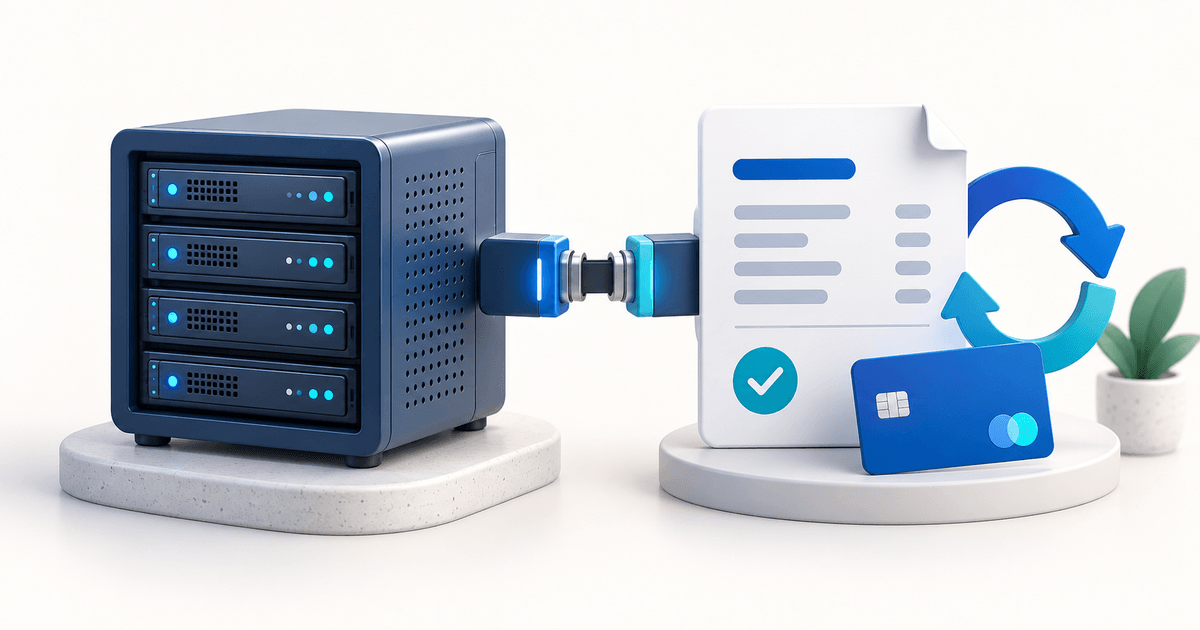
A short-stay rental host hands the keys over on a Friday evening. On Sunday night, she finds a wine stain on the linen sofa and a broken lamp in the living room. The only way to recover the €180 repair bill is to call the guest, argue about whether it was there before, wait two weeks for a bank transfer that may never arrive, then swallow the loss. Meanwhile, a neighboring host sent a security deposit payment link at check-in. She captures €180 from the held deposit in two clicks. The guest sees the exact damage charge, the remaining €320 is released back, and the whole thing is settled by Monday morning.
The difference isn't the damage. It's how the deposit was collected.
Collecting a security deposit online used to mean building a custom card-on-file system, signing a separate merchant agreement with a payment gateway, or asking customers to wire money they'd never get back easily. In 2026, you send a link. This guide explains exactly how to collect a security deposit online, how long you can hold the funds, what happens when damage occurs, and how to set the whole flow up in under ten minutes without a payment gateway account of your own.
Key Takeaways
- A security deposit online is a pre-authorization hold on a credit card — the funds are reserved but not charged until you decide
- Visa and Mastercard let you hold deposits for up to 28 days, then the hold expires automatically
- You capture only what you need (damage, fees, no-shows); the rest is released back to the customer with no effort
- Works for vacation rentals, car rentals, equipment rental, hotels, event venues, boats, party rentals, and photography studios
- PayRequest handles the card pre-authorization via Mollie or Stripe manual capture — no gateway setup required on your side
What Does It Mean to Collect a Security Deposit Online?
Collecting a security deposit online means placing a pre-authorization hold on the customer's credit card through a secure payment link, rather than physically collecting cash or a check. The funds are reserved on the card — invisible to the customer's available balance — but no money actually moves until you capture it. If the rental or stay ends without issues, you release the hold and the customer never sees a charge.
Think of it as the digital version of the old "imprint the card and keep it in a drawer." The card number never touches your device, the hold is enforced by the card network itself, and you get a dashboard where you capture, release, or let the authorization expire.
A security deposit is a business concept — the amount of money you're protecting yourself with. A pre-authorization hold is the payment-network mechanism that makes it possible online. When you collect a security deposit online, you're almost always using a pre-authorization hold under the hood.
The distinction matters because different payment methods support holds differently. Credit cards (Visa, Mastercard, American Express) support holds natively. SEPA direct debit does not — once money moves via SEPA, it has moved. iDEAL and Bancontact settle immediately, so they can't hold. This is why online security deposits are effectively always card-based, and why PayRequest's security deposit feature works only with card payment methods.
Online deposits work best when the amount to cover is predictable, the customer has access to a credit card, and the risk window is under 28 days. For a deeper dive on the host-specific workflow (Airbnb/Vrbo/Booking rules, how much to charge, hold-vs-capture by stay length), see our short term rentals security deposit guide. Common scenarios include:
- Vacation rentals and Airbnb — replace the old "security deposit" field with a real hold that actually protects you
- Car rental and RV rental — cover excess fuel, cleaning fees, smoking fines, minor damage
- Equipment rental — tools, cameras, drones, AV equipment, musical instruments
- Hotels and boutique accommodation — incidentals, minibar, room damage, lost key cards
- Event venues and party rentals — cleanup fees, damage to furniture or decor, overtime
- Boats, yachts, and jet skis — replace cash deposits that are slow and hard to return
- Photography and film studios — equipment rental add-ons, overtime, post-production fees
For anything longer than 28 days or for recurring rentals, a subscription with dunning is a better fit than a hold.
How to Collect a Security Deposit Online in 5 Steps
Collecting a deposit online used to require a custom integration and a developer. Today it's a five-step process inside a single dashboard, and the customer's experience is a one-page checkout.
Open PayRequest and create a new payment request. Set the deposit amount — typically between €100 and €2,000 depending on the item and its replacement cost — and give it a clear description like "Cabin Amsterdam - Security Deposit." Enable the "pre-authorization hold" toggle, which tells PayRequest to place an authorization on the card instead of charging it.
The link you get back looks something like `pay.payrequest.io/cabin/deposit`. It opens a branded checkout page where the customer enters their card details, passes 3D Secure if required, and sees the exact amount being held along with a clear note that nothing is being charged yet.
Send the link however you normally communicate — email, SMS, WhatsApp, a booking-confirmation page, or printed as a QR code on arrival paperwork. Most hosts and rental businesses paste it into their booking-confirmation template so the deposit is authorized before the customer even arrives.
Because the page is mobile-first and doesn't require the customer to create an account, completion rates are high. In PayRequest's data, over 85% of customers complete the pre-authorization within 24 hours of receiving the link.
Once the customer submits the payment page, the hold is placed instantly and you get an email notification plus a dashboard entry. The deposit appears in your "Open deposits" list with the customer's name, the amount, the hold expiry date (28 days from authorization by default), and the last four digits of the card.
From this point on, the customer's card shows the deposit as a pending transaction. It doesn't affect their statement total and no interest is charged, but their available credit is reduced by the deposit amount. Most customers never notice unless their card is already near its limit.
This is the decision point. When the stay, rental, or booking ends, you do one of three things:
- Capture nothing and release the full amount. The customer sees the hold disappear within 1–5 working days. This is what happens in the vast majority of bookings.
- Capture part of the deposit. You specify exactly how much — say €85 for a cleaning fee or €250 for a broken TV — and the rest is automatically released. The customer receives an email with a line-item breakdown explaining the capture.
- Capture the full amount. For total write-offs like missing items or major damage, capture the whole hold. The funds settle in 2–5 working days.
You can only capture once per authorization. After that, the remainder of the hold is released automatically. Plan your capture to include everything you need.
Two edge cases come up regularly and are worth anticipating. First, the 28-day limit: if a rental is longer than 28 days (long-term stays, extended equipment leases), split the booking into two authorizations. PayRequest can automate this as a re-authorization workflow. Second, disputes: if the customer disputes your capture reason, PayRequest provides the authorization record, the capture reason, and the hold timeline as evidence — the dispute rate for properly documented captures is below 1%.
For extended stays or high-value rentals, consider combining the deposit with automated invoicing and recurring subscription billing for a complete billing workflow.
What You Can't Do with an Online Security Deposit
Online deposits are powerful but not unlimited. Before you commit to the workflow, understand the three constraints.
As noted above, iDEAL, Bancontact, SEPA, and most bank-based methods settle funds immediately and don't support holds. If your customer base in Europe expects to pay with iDEAL or Bancontact, you'll need to either require a credit card for the deposit portion only, or switch to an invoicing model where the full amount is paid upfront and refunded after the stay.
This is a hard card-network limit, not a PayRequest limit. Visa enforces 28 days for most merchants; Mastercard is similar but varies by category. After the window expires, the hold automatically releases and you can't capture anymore. For long bookings, plan a re-authorization partway through.
Most banks cap hold amounts in the €1,000–€10,000 range per transaction, and customers can call their bank to request higher limits but this is friction you don't want to introduce. For very high-value rentals, split the deposit across multiple cards or combine with an invoicing model.
Real-World Examples and Pricing
The best way to understand how online security deposits work in practice is to see the amounts real businesses use.
A Dutch vacation rental owner holds €300 as a damage deposit using a vacation rental deposit link. Over a typical season, she captures from roughly 8% of bookings — usually for cleaning fees, broken dishes, or missing items. The capture amounts average €60–€120. The remaining 92% of holds are released automatically with zero manual work.
A small independent car-rental outfit uses car rental security deposits at €500 per rental. Captures cover fuel top-ups, smoking fines, minor scratches, or late returns. The rental agreement is signed digitally with the deposit link attached, so the customer agrees to the capture terms before taking the keys.
A camera-rental studio pre-authorizes €1,500 per lens or camera body via equipment rental deposit links. Captures are rare but high-value when they happen — typically replacement cost for a dropped lens or a scratched filter. The deposit size means customers self-select for professional use, which keeps damage rates low.
In each case, PayRequest charges 0% for the deposit workflow itself — fees are determined by the underlying payment provider (Stripe or Mollie), and holds that are released generate no fees at all because no payment was captured.
Frequently Asked Questions
Yes, in every jurisdiction that allows credit-card pre-authorizations, which is essentially every country with Visa and Mastercard acceptance. Some jurisdictions have specific disclosure requirements — for vacation rentals in several US states, for example, you must disclose the deposit amount and capture conditions upfront. PayRequest's deposit page shows all of this to the customer before they authorize.
You can use your own, or sign up through PayRequest and let us handle the provider setup. Either way, the customer sees a PayRequest checkout — your branding, your terms — and the card pre-authorization is processed through whichever provider supports manual capture on your account. See pricing for the single €20/month plan that includes the full security-deposits feature.
The deposit link remains active. The customer can retry with a different card or contact their bank to authorize the amount. You get notified of the failure and can follow up automatically through PayRequest's dunning workflow — the same system that recovers failed subscription payments. In most cases, failed deposits succeed on the second attempt.
Bank-transfer deposits are a refund nightmare. You receive €500 up front, then have to initiate a €500 refund at the end, your accounting has to reconcile both movements, and if there's damage you still need a second invoice for the repair. A pre-authorization hold does all of this in one lifecycle — one authorization, one optional capture, no separate refund.
Yes. A common pattern is a subscription billing setup for the recurring stay fee plus a one-time deposit authorization per booking. Invoicing workflows can include the deposit capture as a line item on the final invoice for tax-compliance purposes.
Ready to Collect Your First Online Security Deposit?
If you're still relying on cash, bank transfers, or "trust" to protect yourself against damage and non-payment, every booking you take carries unnecessary risk. An online security deposit via a PayRequest deposit payment link takes less than ten minutes to set up and protects every rental, stay, event, or piece of equipment you send out the door.
Start collecting security deposits online — €20/month gets you deposits, invoicing, subscriptions, dunning, and the full billing platform. No per-transaction fees from PayRequest, no gateway account required.