A failed payment is not a lost customer — unless you treat it like one. Between 20% and 40% of subscription churn is involuntary, caused by expired cards, insufficient funds, or bank processing errors rather than a conscious decision to cancel. The difference between businesses that recover these payments and those that silently lose them comes down to one thing: what happens in the inbox after the payment fails.
Most businesses either do nothing (hoping the retry works) or send a single generic "your payment failed" email that reads like a debt notice. Neither approach works. What does work is a carefully sequenced series of emails that treats the customer as someone who wants to keep paying — because in most cases, they do.
This guide gives you a complete 5-email dunning sequence with templates, timing, and best practices drawn from B2B billing patterns that consistently recover 40–70% of failed payments.
Key Takeaways
- Failed payments cause 20–40% of subscription churn — most of it recoverable with the right emails.
- A 5-email sequence over 30 days recovers significantly more than a single notification.
- Tone matters: early emails should be helpful, not threatening. Escalate gradually.
- Always include a one-click payment link in every dunning email.
- Pair email with SMS for 15–20% higher recovery rates.
- PayRequest automates the entire sequence with configurable timing and smart dunning.
Why Most Dunning Emails Fail
Before looking at templates that work, it helps to understand why the standard approach fails so consistently.
The most common dunning email reads something like: "Your payment has failed. Update your payment method immediately or your account will be suspended." This message treats the customer as if they intentionally stopped paying. It creates defensiveness, not action.
For B2B clients especially, this tone is counterproductive. The person receiving the email is often not the person who manages the company credit card. They need a helpful nudge, not a threat. A hostile first email trains your customers to associate your brand with stress — even when the failure was their bank's fault.
Businesses with recovery rates above 50% share three patterns. First, they send multiple emails rather than one. A single email has a 15–20% recovery rate; a well-timed sequence of four to five emails pushes that to 40–70%.
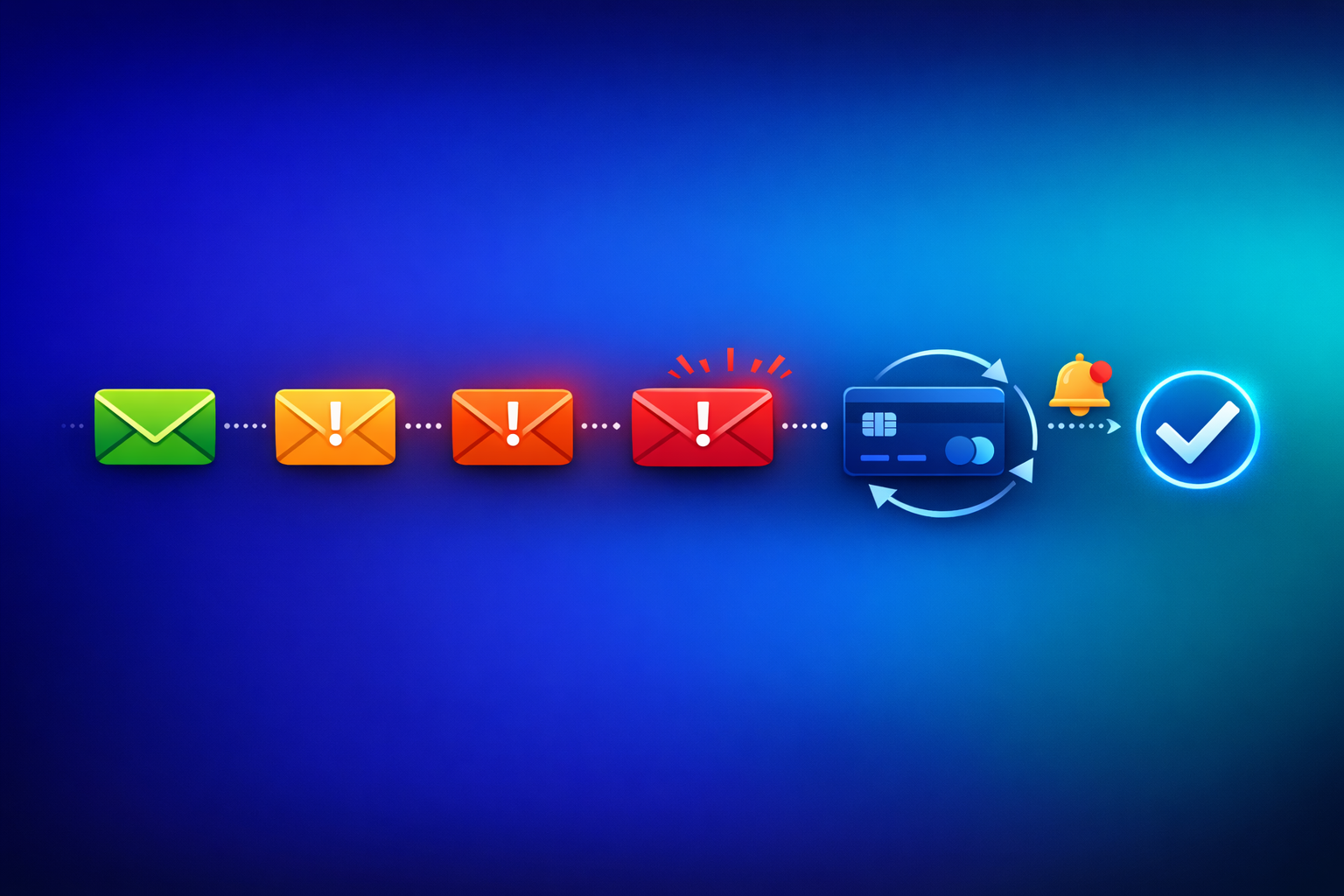
Second, they escalate tone gradually. The first email is casual and helpful. Urgency only appears after two or three friendly reminders have gone unanswered. This respects the customer relationship while still creating motivation to act.
Third, they remove friction. Every email includes a direct link to update payment or pay the outstanding amount — no login required, no navigation needed. The fewer clicks between reading the email and completing payment, the higher the recovery rate.
The 5-Email Dunning Sequence
The following sequence is designed for B2B subscription businesses. It works for any payment method — card, SEPA Direct Debit, or bank transfer — with minor adjustments to the language.
Send this immediately when the payment fails. The goal is to inform without alarming.
Subject line: "Quick heads-up: your payment for [Product] didn't go through"
> Hi [First Name], > > We tried to process your [Plan Name] payment of [Amount] today, but it didn't go through. This usually happens because of an expired card or a temporary bank issue — nothing to worry about. > > You can update your payment method or pay the outstanding balance here: > > [Pay Now →] > > We'll retry the payment automatically in 3 days. If you've already updated your details, you can ignore this email. > > Cheers, > [Company Name]
Why it works: The tone is conversational and non-blaming. "Nothing to worry about" immediately reduces anxiety. The one-click payment link removes all friction. Mentioning the automatic retry gives the customer a safety net without requiring immediate action.
If the automatic retry also fails, send a second email that offers more context and help.
Subject line: "Still having trouble with your payment? Here's how to fix it"
> Hi [First Name], > > We retried your [Plan Name] payment of [Amount] today, and it still didn't go through. Here are the most common fixes: > > - Expired card? Update your card details here: [Update Payment Method →] > - New bank account? Switch to a different payment method: [Change Method →] > - Need help? Reply to this email and we'll sort it out together. > > Your [Product] access is still active. We want to keep it that way. > > Best, > [Company Name]
Why it works: It offers specific solutions rather than repeating the problem. The bullet format makes it scannable. "Reply to this email" signals that a real person is on the other end, which builds trust and often prompts action.
A week has passed. Time to introduce gentle urgency while staying professional.
Subject line: "Action needed: your [Product] payment is 7 days overdue"
> Hi [First Name], > > Your [Plan Name] payment of [Amount] is now 7 days past due. We've attempted to process it twice without success. > > To keep your account active and avoid any interruption to your service, please update your payment method: > > [Update Payment & Pay Now →] > > If there's a problem on our end or you need to discuss your billing, just reply to this email. We're here to help. > > Thanks, > [Company Name]
Why it works: "Action needed" in the subject line creates urgency without panic. The email acknowledges the timeline (7 days) which subtly communicates that this is being tracked. The offer to help via reply keeps the door open for clients who have a legitimate issue.
Two weeks overdue. This email should be clear about consequences while leaving room for resolution.
Subject line: "Your [Product] access will be paused in 3 days"
> Hi [First Name], > > We've been trying to reach you about your [Plan Name] payment of [Amount], which is now 14 days overdue. > > If we don't receive payment by [Date — Day 17], we'll need to pause your account. Your data will be saved and you can reactivate at any time, but you'll lose access to [key features/portal/reports]. > > [Pay Now to Keep Your Account Active →] > > If your company's payment process requires a formal invoice, we can send one directly: [Request Invoice →]. If you need to discuss your subscription, reply to this email. > > Best regards, > [Company Name]
Why it works: The 3-day window creates a deadline without being immediately punitive. Specifying what the client loses makes the consequence tangible. The invoice option acknowledges B2B procurement realities — sometimes the card failed because the client's finance team wants to switch to bank transfer.
If the account was paused or cancelled, send one final email after 30 days. This targets customers who churned involuntarily and may want to come back.
Subject line: "We miss you — reactivate your [Product] account in one click"
> Hi [First Name], > > Your [Plan Name] subscription was cancelled 30 days ago due to a payment issue. We saved everything — your settings, data, and history are all waiting for you. > > If you'd like to pick up where you left off, reactivate here: > > [Reactivate My Account →] > > If you've moved on, no hard feelings. But if the payment failure was unintentional, we'd love to have you back. > > Thanks for being a customer, > [Company Name]
Why it works: The tone is warm, not desperate. "We saved everything" removes the fear of starting over. "No hard feelings" gives the customer permission to ignore the email without guilt — which paradoxically makes them more likely to re-engage. This single email typically recovers 5–8% of otherwise-lost subscribers.
Timing Your Dunning Sequence
The schedule above — days 0, 3, 7, 14, 30 — is effective for most businesses, but the optimal timing depends on your payment method.
The best-written dunning email sent at the wrong time underperforms a mediocre email sent at the right time. This is because failed payments have a resolution window. Card declines caused by insufficient funds often resolve within 2–3 days when the customer's next deposit clears. SEPA returns take 2 business days to finalise. Sending your first reminder before the retry window has closed wastes the email.
| Stage | Card Payments | SEPA Direct Debit | Bank Transfer (Invoice) |
|---|---|---|---|
| First email | Day 0 (immediately) | Day 2 (after return processed) | Day 1 after due date |
| Auto retry | Day 3 | Day 5 | N/A (client initiates) |
| Second email | Day 3 (after retry) | Day 5 (after retry) | Day 7 |
| Urgency email | Day 7 | Day 10 | Day 14 |
| Final warning | Day 14 | Day 17 | Day 21 |
| Account action | Day 17 | Day 20 | Day 28 |
| Win-back | Day 30 | Day 30 | Day 45 |
SEPA timings are slightly longer because direct debit returns involve bank processing days. Invoice-based billing allows even more time because B2B clients often have 14–30 day payment terms built into their procurement processes.
5 Dunning Email Best Practices
Beyond the templates themselves, these practices consistently improve recovery rates.
Every dunning email must contain a direct link that takes the customer straight to a payment page — no login, no navigation. PayRequest's smart payment links are pre-filled with the exact amount owed, making it possible to pay in under 30 seconds.
The link should be visually prominent. Use a button-style link, not a text hyperlink buried in a paragraph. Place it after the first explanation of the problem, not at the bottom of the email.
HTML-heavy emails with images, logos, and complex layouts are more likely to land in spam or the Promotions tab. For dunning emails, use plain text or minimal HTML. The email should look like it came from a person, not a marketing system.
Plain text dunning emails see 10–15% higher open rates than their HTML counterparts. They also load instantly on mobile, where over 60% of email is read.
Email is not always reliable for time-sensitive notifications. If the first email gets no response, send a brief SMS on day 3 or 4. Keep it short: "Hi [Name], your [Product] payment of [Amount] didn't go through. Pay here: [Link]."
Businesses that use SMS alongside email see 15–20% higher recovery rates. The combination ensures the message reaches the customer even if the email sits unread.
Dynamic personalisation improves engagement. Include the specific plan name, the exact amount, and the date of the failed payment. For B2B clients, reference the company name. The more specific the email, the more legitimate it feels — and the less likely it is to be dismissed as spam.
If the customer has a portal account, include a link to their billing dashboard where they can see their complete payment history and manage their subscription.
Subject lines determine whether the email is opened at all. Test variations of your most important emails (particularly emails 1 and 3). Test elements like:
- "Payment failed" vs "Quick heads-up about your payment"
- Including the amount in the subject vs leaving it out
- Using the product name vs the company name
Small improvements in open rate compound across your entire subscriber base. A 5% improvement in email 1 open rate directly translates to recovered revenue.
How PayRequest Automates Dunning
Building and managing a dunning sequence manually — writing emails, tracking retry schedules, monitoring which customers responded — is work that grows linearly with your subscriber count. At 50 subscriptions it is manageable. At 500 it becomes a full-time job.
PayRequest's dunning feature automates the entire process. Configure your retry schedule and email timing once, and the system handles every failed payment automatically. Each customer receives personalised emails with one-click payment links, SMS notifications for additional reach, and access to the customer portal where they can update their payment method at any time.
The system also integrates with your subscription billing so recovered payments automatically reactivate the subscription — no manual intervention required. Combined with automatic payment matching for bank transfers, even clients who pay overdue invoices via SEPA transfer are reconciled instantly.
FAQ
Send 4–5 emails over 30 days. The majority of recoveries happen in emails 1 and 2, but each subsequent email recovers an incremental 5–10% of remaining failed payments. After 30 days, switch to a single win-back email. Cancelling after just one email leaves 30–50% of recoverable revenue on the table.
Subject lines that are specific, short, and non-threatening perform best. "Action needed: update your payment for [Product]" consistently outperforms vague or aggressive alternatives. Include the product name for recognition and avoid words like "URGENT" or "FINAL NOTICE" in early emails — save escalation language for email 3 or 4.
No. Dunning emails address involuntary churn — people who want to keep paying but have a payment issue. Offering a discount signals that your pricing is negotiable and trains customers to let payments fail intentionally. Focus on removing payment friction instead. Save discounts for win-back campaigns targeting customers who cancelled deliberately.
SEPA failures require patience. Returns take 2 business days to process, so wait before sending the first notification. The most common cause is insufficient funds — suggest the customer ensure sufficient balance and mention the next retry date. Offer iDEAL as an instant alternative payment method. If mandates are revoked, the customer needs to re-authorise through a new checkout session.
A well-structured 5-email sequence recovers 40–70% of failed payments. The industry average for SaaS and subscription businesses is approximately 50%. Factors that improve recovery: including one-click payment links (essential), adding SMS as a second channel (+15–20%), offering the customer portal for self-service (+10%), and personalising beyond first name (+5–8%).
Stop Losing Revenue to Failed Payments
Every failed payment without follow-up is revenue you earned and then gave away. A structured dunning sequence recovers the majority of involuntary churn — and the templates above give you everything you need to get started.
PayRequest automates this entire process. Configure your dunning sequence once, and every failed payment triggers the right emails at the right time with one-click payment links. Start your free trial and set up automated dunning in minutes — included in the Business plan at €20/month.