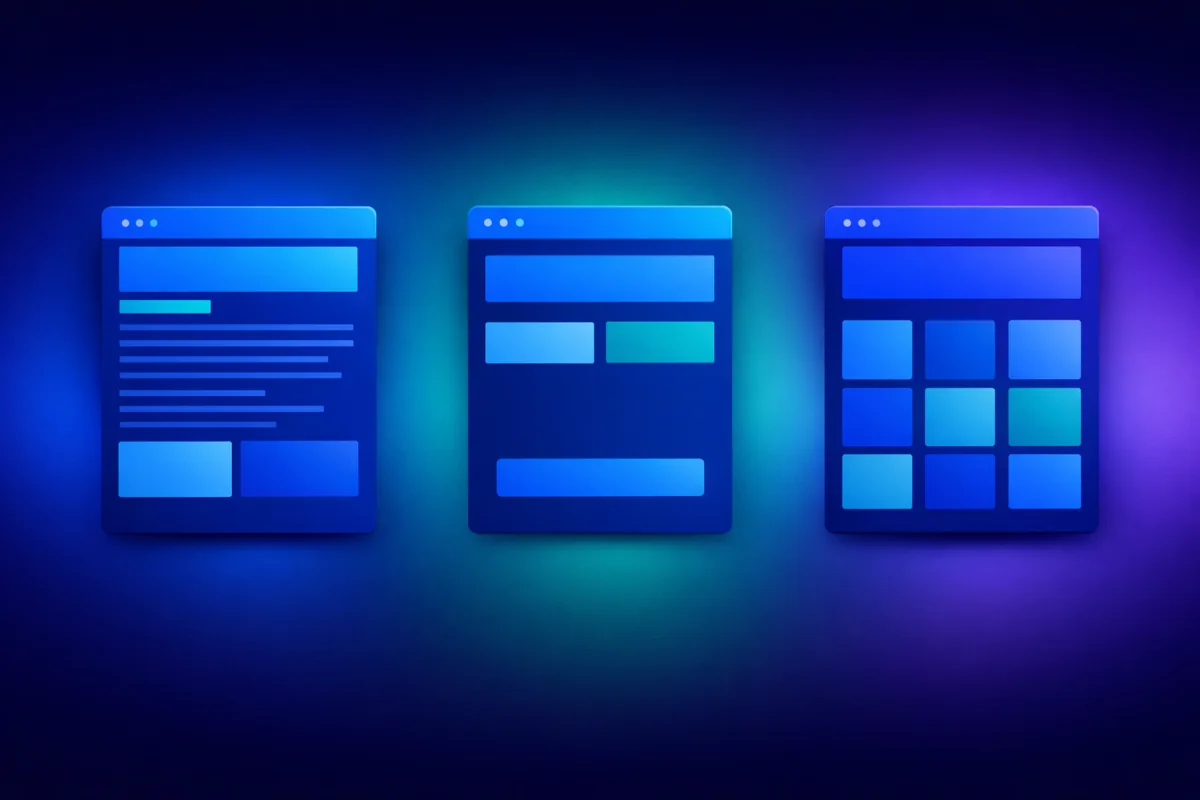
When you're ready to sell online, you'll encounter three common options: sales pages, landing pages, and online stores. Each serves different purposes, and choosing the wrong one can cost you sales.
This guide explains what each option does, when to use it, and how to decide which fits your business. By the end, you'll know exactly which approach—or combination—works for your situation.
Quick Definitions
Before diving deep, let's establish what we're comparing.
A sales page is a single, long-form page designed to sell one specific product or service. It tells a complete story: the problem, the solution, the benefits, the proof, and the offer. Visitors either buy or leave—there's no browsing.
Best for: High-consideration purchases, courses, consulting packages, premium products.
A landing page is a focused page designed to achieve one specific action—but that action isn't always a purchase. Landing pages might collect email addresses, promote webinars, or drive trial signups. They're short, focused, and remove all distractions.
Best for: Lead generation, ad campaigns, email signups, free offers.
An online store is a multi-page website where customers browse multiple products, add items to a cart, and check out. Stores work like traditional retail—customers explore, compare, and shop.
Best for: Multiple products, physical goods, inventory management, shopping experiences.
Detailed Comparison
Let's examine how these three options differ across key dimensions.
Sales Page: One product or offer. The entire page focuses on convincing visitors to buy this specific thing.
Landing Page: One action (which might relate to a product, or might be a lead magnet, signup, or registration).
Online Store: Multiple products. The structure supports browsing, categories, and comparison shopping.
Decision guide: If you sell one thing (or want to sell one thing at a time), use a sales page. If you have a catalog, use a store.
Sales Page: Long and comprehensive. Sales pages often run 2,000-5,000+ words because they need to tell the complete story—problem, solution, benefits, proof, objections, and offer.
Landing Page: Short and focused. Landing pages typically fit on one screen or require minimal scrolling. Every element drives toward one action.
Online Store: Variable. Product pages are typically short (specifications and add-to-cart), but category pages, home pages, and about pages add breadth.
Decision guide: Complex, high-priced offers need longer pages to build conviction. Simple, low-risk actions need shorter pages to reduce friction.
Sales Page: Linear journey. Visitors scroll down, consuming the story in order. They reach the end convinced (or not) and make a decision.
Landing Page: Minimal journey. Visitors arrive, understand the offer quickly, and take action or leave.
Online Store: Exploratory journey. Visitors browse categories, compare products, read reviews, add to cart, continue shopping, and eventually check out.
Decision guide: Consider how your customers buy. Do they need convincing (sales page), quick action (landing page), or exploration (store)?
Sales Page: No navigation—or minimal navigation that doesn't distract from the offer. The goal is keeping visitors on the page until they buy.
Landing Page: No navigation. Landing pages strip away menus, links, and anything that might pull attention from the primary action.
Online Store: Full navigation. Customers need to move between products, categories, cart, and checkout.
Decision guide: Less navigation means more focus but less exploration. Match navigation to customer behavior.
Sales Page: Direct purchase of a specific product or service.
Landing Page: Varies—email signup, webinar registration, free trial, consultation booking, or sometimes purchase.
Online Store: Add-to-cart and checkout, but also browsing, comparison, and return visits.
Decision guide: Be clear about what action you want. Different goals need different page types.
When to Use Each Option
Now let's get practical. Here's when each option makes sense.
You're selling one primary offer. Consultants, coaches, and course creators often have one signature program. A dedicated sales page focuses all attention on that offer.
The purchase requires consideration. High-priced items (€500+), long-term commitments (annual memberships), or complex services need space to explain value and overcome objections.
You're running a launch. Product launches benefit from focused sales pages that create urgency and tell the launch story.
You want to control the narrative. Sales pages let you present information in exactly the order you choose, building the case step by step.
- Online course launch
- Coaching package
- Consulting services
- Software product (single tier)
- Premium digital product
PayRequest's sales page feature lets you create professional sales pages without design or coding skills.
You're running paid advertising. Ads need focused landing pages that match ad messaging and drive specific actions. Sending ad traffic to your homepage wastes money.
You're building an email list. Lead magnets, newsletters, and content upgrades convert better with dedicated landing pages than with sidebar forms.
You're promoting an event. Webinars, workshops, and launches need registration pages focused on getting signups.
The action is free or low-commitment. When you're asking for an email (not money), you don't need 3,000 words of persuasion.
- Webinar registration
- Ebook download
- Newsletter signup
- Free trial
- Consultation booking
You sell multiple products. If customers might want to browse, compare, or buy multiple items, they need a store experience.
You have physical inventory. Products with sizes, colors, variants, and shipping needs require store infrastructure.
Customers shop, not just buy. Some businesses benefit from the browsing experience. Customers discover products they didn't know they wanted.
You want repeat purchases. Stores support customer accounts, order history, and reordering—features that encourage return visits.
- E-commerce (clothing, accessories, home goods)
- Digital product catalog (templates, presets, graphics)
- Merchandise sales
- Multi-product software company
PayRequest's store feature handles the e-commerce infrastructure while you focus on products.
Combining Approaches
The three options aren't mutually exclusive. Many successful businesses use combinations.
How it works: Your store contains your product catalog. Individual high-value products get dedicated sales pages that tell a deeper story.
Example: A template designer has a store with 50 templates. Their premium template bundle (€199) gets a dedicated sales page with testimonials, before/after examples, and detailed benefits. Regular templates (€19) live in the store with shorter product descriptions.
When to use: When some products need more selling than others.
How it works: Landing pages capture leads (email, webinar registration). Email sequences then drive traffic to sales pages for conversion.
Example: A course creator offers a free workshop (landing page for registration). Workshop attendees receive emails pointing to the full course sales page.
When to use: When your audience needs warming before they're ready to buy.
How it works: Landing pages drive specific campaigns (seasonal sales, new product launches, partnerships). They send traffic to relevant store sections.
Example: A jewelry store runs Facebook ads for a Valentine's Day collection. The ad goes to a landing page featuring the collection, which then links to the store category.
When to use: When you're running campaigns for specific product segments.
How it works: Store for general browsing, sales pages for flagship products, landing pages for campaigns and lead generation.
Example: A software company has a store with multiple tools. Each tool has a sales page. Specific campaigns (webinars, free trials, partner promotions) get dedicated landing pages.
When to use: Larger businesses with diverse products and marketing activities.
Choosing Based on Your Business Type
Different business models have different typical needs.
Recommended: Sales page (primary) + landing page (lead generation)
You typically sell one or few services. A sales page for your main offer plus landing pages for discovery calls, lead magnets, or workshops works well.
Recommended: Sales page (for courses) + landing page (for free content)
Courses need long-form sales pages to justify the investment. Free workshops, challenges, and lead magnets need landing pages.
Recommended: Store (for catalog) + sales pages (for premium products)
If you have multiple products, a store lets customers browse. High-ticket items (bundles, premium products) benefit from dedicated sales pages.
Recommended: Store (primary) + landing pages (for campaigns)
Physical product businesses need store infrastructure. Landing pages support specific campaigns, launches, or promotions.
Recommended: Sales page or landing page (for signups) + pricing page
Simple SaaS products can use a landing page focused on trial signup. Complex products need longer sales pages explaining the value.
Technical Considerations
Beyond strategy, practical factors influence your choice.
Sales Page: Low complexity. One page, one focus. Can often be created with page builders or tools like PayRequest.
Landing Page: Low complexity. Even simpler than sales pages—just a form and minimal content.
Online Store: Higher complexity. Requires product management, inventory, payment processing, shipping integration.
Sales Page: Low maintenance. Update when your offer changes.
Landing Page: Low maintenance. Update for new campaigns.
Online Store: Higher maintenance. Regular product updates, inventory management, category organization.
Sales Page: Low cost. Often included in website builders or available through tools like PayRequest.
Landing Page: Low cost. Many free and low-cost landing page tools exist.
Online Store: Variable cost. Platform fees, payment processing, and potentially inventory management add up.
Making Your Decision
Here's a simple framework for choosing:
- How many products do you sell?
- One product → Sales page
- 2-5 products → Sales pages or simple store
- 5+ products → Store
- How much convincing do customers need?
- High consideration → Sales page
- Low consideration → Landing page or store
- Mixed → Combination approach
- What action do you want?
- Immediate purchase → Sales page or store
- Lead capture → Landing page
- Both → Landing pages feeding to sales pages
- What's your marketing approach?
- Organic/referral → Sales page or store
- Paid advertising → Landing pages + sales pages
- Email marketing → Landing pages for capture, sales pages for conversion
Getting Started with PayRequest
Whatever approach you choose, PayRequest provides the tools:
[Sales Page](/features/sales-page): Create professional sales pages for your offers with built-in payment processing.
[Store](/features/store): Set up a complete online store with products, categories, and checkout.
[Smart Payment Links](/features/payment-links): Generate payment links for any approach—embed in landing pages, share directly, or add to stores.
[Digital Products](/features/digital-products): Sell digital downloads with automatic delivery.
Start selling online today at payrequest.app/register.