Late payments cost businesses billions annually. Yet most companies approach invoice reminders haphazardly—sending vague follow-ups when they remember, using inconsistent tone, and hoping for the best. A strategic reminder system changes everything.
The difference between businesses that get paid on time and those constantly chasing invoices isn't luck. It's having a systematic approach to payment reminders that respects customer relationships while ensuring bills get paid. This guide covers the complete strategy, from timing to tone to automation.
Why Invoice Reminders Matter More Than You Think
Before diving into tactics, let's understand the stakes. Invoice reminders aren't just administrative tasks—they directly impact your cash flow, customer relationships, and business sustainability.
Late payments create a cascade of problems beyond the obvious cash flow squeeze. When customers pay late, you may need to delay your own payments to suppliers, damaging those relationships. You spend time on follow-up that could go toward revenue-generating activities. And the stress of uncertain cash flow affects every business decision.
Research shows that small businesses spend an average of 15 hours per month chasing late payments. At €50 per hour of owner time, that's €750 monthly—€9,000 annually—spent on collection activities instead of growth.
Most late payments aren't malicious. Customers genuinely intend to pay but face competing priorities. Your invoice sits in an inbox alongside hundreds of other messages. Without prompts, it gets buried and forgotten.
Understanding this psychology shapes effective reminder strategy. You're not battling ill will—you're competing for attention. Friendly, timely reminders that make payment easy consistently outperform aggressive demands.
The Perfect Invoice Reminder Timeline
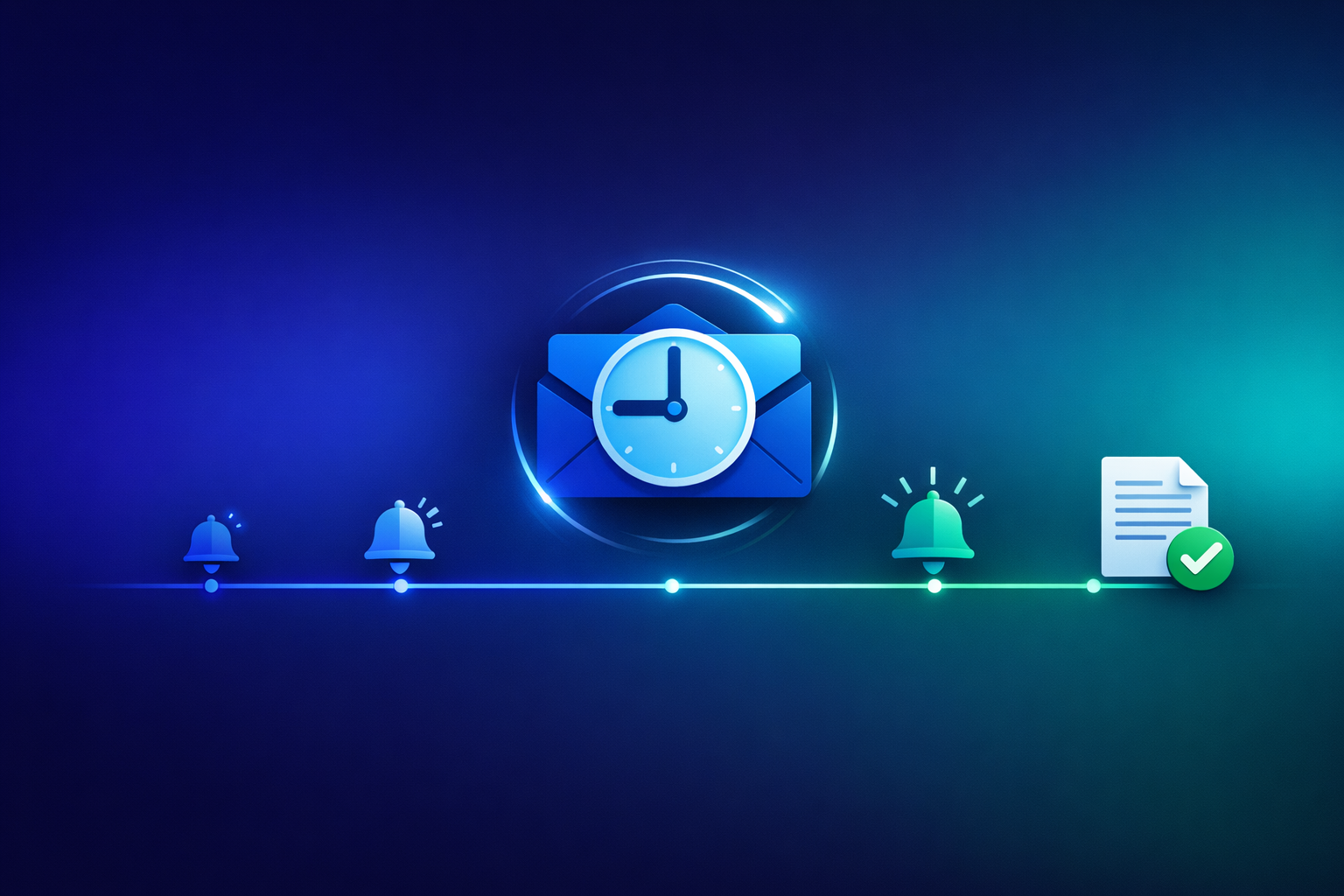
Timing determines whether your reminders feel helpful or annoying. Too early feels pushy; too late signals you don't care about getting paid. Here's the optimal sequence that balances professionalism with effectiveness.
Send your first reminder 3-5 days before the invoice due date. This isn't about assuming the customer will forget—it's about being helpful. A brief note confirming the upcoming due date and providing easy payment options shows professionalism.
This pre-due reminder serves multiple purposes. It catches customers who intended to pay but haven't yet scheduled it. It surfaces any questions or issues while there's still time to resolve them before the due date. And it demonstrates that your business tracks payments professionally.
The tone here should be purely informational, not collection-focused. Something like: "This is a friendly reminder that Invoice #1234 for €2,500 is due on January 25th. Click here to pay now." No pressure, just helpful information.
On the actual due date, send a simple reminder if payment hasn't arrived. Keep this message short and assume positive intent—perhaps they planned to pay today and your email is simply a helpful prompt.
This message should include the payment link prominently. Make it as easy as possible to act immediately upon reading. Every click required reduces the likelihood of immediate payment.
If payment hasn't arrived within three days of the due date, it's time for a warmer follow-up. This message should acknowledge the missed due date while maintaining friendliness. Ask if everything is okay with the invoice and if they need any clarification.
At this stage, introduce the possibility that something went wrong: "I wanted to make sure this invoice didn't get lost in your inbox." This gives the customer an easy face-saving explanation while prompting action.
A week overdue calls for a more direct approach. The tone shifts from purely friendly to professionally concerned. You're still not threatening, but you're clearly communicating that this payment is now a priority.
Mention the specific overdue period and the original due date. State clearly that you'd appreciate prompt payment. This is also the right time to mention late fees if your terms include them—not as a threat, but as a factual reminder of the agreement.
Two weeks overdue is serious. Your reminder should reflect this while still maintaining professionalism. Express genuine concern about the delayed payment and ask if there's a problem you should know about.
This message should mention potential consequences without being aggressive. For example: "To avoid any disruption to our working relationship, I'd appreciate hearing from you about when we can expect payment." The subtext is clear without explicit threats.
At this point, you've been patient. Your final notice before escalation should clearly state that this is the last reminder before further action. Be specific about what "further action" means for your business—whether that's engaging a collection agency, suspending services, or taking legal steps.
Even here, leave a door open for conversation. Some customers face genuine hardship and will respond better to a payment plan than pressure. Your final notice can mention this option while being clear about the urgency.
Crafting the Perfect Reminder Email
Beyond timing, the content and structure of your reminders significantly impact response rates. Here's how to write reminders that get opened, read, and acted upon.
Your reminder is worthless if it never gets opened. Subject lines should be clear about the content without being alarming for pre-due reminders or buried easily.
For pre-due and on-time reminders, use informational subjects like "Invoice #1234 Due January 25th" or "Upcoming Payment Reminder." For overdue reminders, add urgency: "Invoice #1234 Now 7 Days Overdue" or "Action Required: Overdue Invoice."
Avoid subjects that sound like spam or trigger email filters. "URGENT" in all caps, excessive punctuation, or vague subjects like "Please Read" often get filtered or ignored.
Every reminder email should include a direct payment link—not a link to your website, not instructions on how to pay, but a button or link that takes the customer directly to payment.
This single factor can improve payment rates by 30% or more. When payment requires effort—logging into a portal, finding the right invoice, entering payment details—customers delay. When they can click once and pay in 60 seconds, they act immediately.
PayRequest's smart payment links are designed exactly for this purpose. Each invoice has a unique payment link that customers can click from any device to pay instantly.
Busy customers scan emails quickly. Structure your reminders for easy scanning:
- Put the most important information first (amount, due date, payment link)
- Use bold text for key figures
- Keep paragraphs short—2-3 sentences maximum
- Include a clear call-to-action button
- End with contact information for questions
The goal is to communicate the essential information in the first 3 seconds of scanning.
Tone Progression: From Friendly to Firm
How you say things matters as much as when you say them. Your tone should progress naturally through the reminder sequence, becoming more serious as payment becomes more overdue.
Early reminders should read like helpful notes from a colleague, not demands from a creditor. Use warm language: "friendly reminder," "just checking in," "wanted to make sure." Assume the customer intends to pay and simply needs a prompt.
Avoid any language that suggests blame or frustration. Even phrases like "we noticed you haven't paid yet" can feel accusatory. Instead, frame things positively: "we're looking forward to receiving your payment."
As payments become more overdue, shift to professional concern without aggression. The tone should convey that this matters while still respecting the relationship.
Use direct language: "Your payment is now overdue" rather than soft language like "It seems payment might be overdue." Be clear about expectations: "Please arrange payment within the next 48 hours." But avoid threatening language or ultimatums at this stage.
Late-stage reminders should be formal and documented. Use clear, factual language that would be appropriate if the correspondence ever became part of a legal record.
State facts without emotion: dates, amounts, terms agreed, actions you've taken. Outline consequences clearly and specifically. Express willingness to discuss payment arrangements while being firm about the need for resolution.
Automating Your Reminder System
Manual reminders are time-consuming and inconsistent. When you're busy with actual work, following up on invoices gets deprioritized. Automation ensures every invoice gets the attention it deserves.
Modern invoicing tools like PayRequest allow you to configure automatic reminder sequences. You set the timing and message templates once, and the system handles execution consistently.
Configure your automation to match the timeline discussed above: pre-due reminder, due-date reminder, and escalating overdue reminders. The system sends these automatically, stopping only when payment is received.
Automation shouldn't mean generic messages. Good automation tools support personalization that makes each reminder feel individual:
- Customer name and company
- Specific invoice number and amount
- Actual due date and days overdue
- Direct payment link for that specific invoice
- Your contact information
The customer should never feel like they received a mass email. Every reminder should feel like a personal message—because effectively, it is.
While early reminders work well automated, seriously overdue invoices often need human intervention. Configure your system to alert you when invoices reach a certain overdue threshold—say, 14 or 21 days.
At this point, a personal phone call or personalized email often succeeds where automated messages haven't. The customer knows the difference between an automated system and a real human reaching out.
Handling Common Situations
Real-world payment situations don't always fit neat categories. Here's how to handle common challenges that arise during the reminder process.
This happens frequently and is often true. Emails get filtered, attachments get blocked, invoices get sent to the wrong contact.
When a customer claims non-receipt, don't argue—simply resend immediately with a fresh payment link. Use a direct email address if available (not a general inbox), and consider sending via a different method: a second email address, or even postal mail for important invoices.
Going forward, confirm invoice receipt for new customers. A simple "Did you receive Invoice #1234? Let me know if you have any questions" after sending confirms delivery and opens communication.
Disputes require immediate attention regardless of where you are in the reminder sequence. Stop automated reminders until the dispute is resolved—continuing to send payment demands while a legitimate dispute is pending damages the relationship.
Address the specific concerns raised. If the dispute has merit, correct the invoice and apologize for any confusion. If it doesn't, explain clearly but non-defensively why the invoice is accurate, providing supporting documentation.
Only resume payment reminders once the dispute is genuinely resolved to both parties' satisfaction.
Sometimes customers want to pay but genuinely can't. Rather than continuing to send increasingly aggressive reminders, recognize the situation and adapt.
Offering a payment plan often recovers more than aggressive collection. A customer who pays €500/month for four months is better than one who pays nothing while you spend money on collection efforts.
If you offer payment plans, formalize them. Send a written agreement specifying amounts and dates. You can even set up subscription payments in PayRequest to collect agreed installments automatically.
Measuring and Improving Your Process
Like any business process, invoice reminders should be measured and optimized. Track key metrics to understand what's working and what needs improvement.
Days Sales Outstanding (DSO) measures the average number of days it takes to collect payment. Lower is better. Track this monthly to see if your reminder process is improving collection speed.
Payment timing distribution shows what percentage of invoices are paid before due, on time, 1-7 days overdue, 8-14 days overdue, and beyond. A well-optimized process shifts the distribution toward earlier payment.
Response rate to reminders indicates whether your messages are being opened and acted upon. If you send a reminder and see immediate payment, it's working. If payments only come after 3+ reminders, something in your early messaging needs work.
Different customers respond to different approaches. Consider testing variations:
- Subject line styles (informational vs. action-oriented)
- Tone (warmer vs. more direct)
- Timing (3 days pre-due vs. 5 days pre-due)
- Payment link prominence
Make one change at a time so you can attribute any improvement to the specific change. Over time, you'll develop an optimized approach tuned to your specific customer base.
How PayRequest Automates Invoice Reminders
PayRequest handles the entire invoice reminder process automatically, so you can focus on serving customers rather than chasing payments.
Configure your preferred reminder schedule once, and PayRequest sends reminders automatically. Set pre-due reminders, due-date reminders, and escalating overdue sequences. Every invoice follows the same professional process consistently.
When payment is received, reminders stop automatically. You never send an embarrassing "please pay" email to someone who already paid.
Every reminder includes a unique payment link that takes customers directly to a secure payment page. They can pay with cards, bank transfers, iDEAL, and 20+ other payment methods—whatever's most convenient.
The payment link remembers the invoice details, so customers see exactly what they're paying for and can complete payment in seconds.
Track all outstanding invoices, reminder status, and payment history from a single dashboard. See at a glance which invoices are approaching due dates, which are overdue, and which have active reminder sequences running.
When an invoice needs personal attention, you'll know immediately rather than discovering it weeks later.
Get started with automated invoice reminders today. Create your free PayRequest account and set up your reminder sequence in minutes. Your cash flow will thank you.