PayPal payment links — primarily PayPal.Me URLs — are the most widely known payment link format in the world. Type paypal.me/yourname into any browser and you have a shareable checkout URL that anyone can use to send you money. It is the reason 400 million active PayPal accounts exist and why PayPal.Me is the go-to reference when someone says "send me a payment link."
But PayPal.Me is also the most limited payment link format on the market. It was designed for peer-to-peer transfers — splitting a dinner bill, collecting birthday gifts, reimbursing a friend. When businesses adopted PayPal.Me for commercial invoicing, service payments, and client billing, the gaps became immediately visible. PayPal responds to some of these gaps with separate products (PayPal Checkout, PayPal Invoicing, PayPal Subscriptions), but the PayPal.Me link itself — the URL you share — remains frozen in its 2015 feature set.
This post catalogues the seven most painful PayPal payment link limitations we hear from customers who switched to PayRequest. For each one, we explain the practical impact and the workaround that actually works in production.
Key Takeaways
- PayPal.Me is PayPal-only. Customers without a PayPal account must create one to pay — a 30%+ abandonment drag for non-PayPal users
- No recurring billing, no subscriptions, no dunning. A PayPal.Me link is a one-time transaction with no follow-up automation
- Zero checkout customization — your brand, logo, colors, and custom messaging don't appear on the payment page
- No analytics or abandonment tracking. You cannot see who clicked, who paid, or who dropped off
- Fees are uncapped. PayPal's 2.99% + €0.49 applies to every transaction with no ceiling
- Links never expire and cannot be deactivated. Once your PayPal.Me URL is public, anyone can use it — forever
- PayRequest fills every PayPal.Me gap while keeping PayPal as a payment method on checkout
Why PayPal Payment Links Are So Limited
PayPal.Me launched in 2015 as a social payments experiment. The product brief was simple: "Give everyone a personal URL where people can send them money." It was built for the same use case as Venmo — friends, family, casual transfers — but at global scale. The URL was designed to be memorable (paypal.me/yourname), shareable anywhere, and zero-setup.
Commercial use emerged organically. Freelancers started putting PayPal.Me links on invoices. Artists added them to Instagram bios. Service providers shared them in proposal emails. PayPal never built commercial features into the product because the product wasn't designed for commerce — and eight years later, it still isn't.
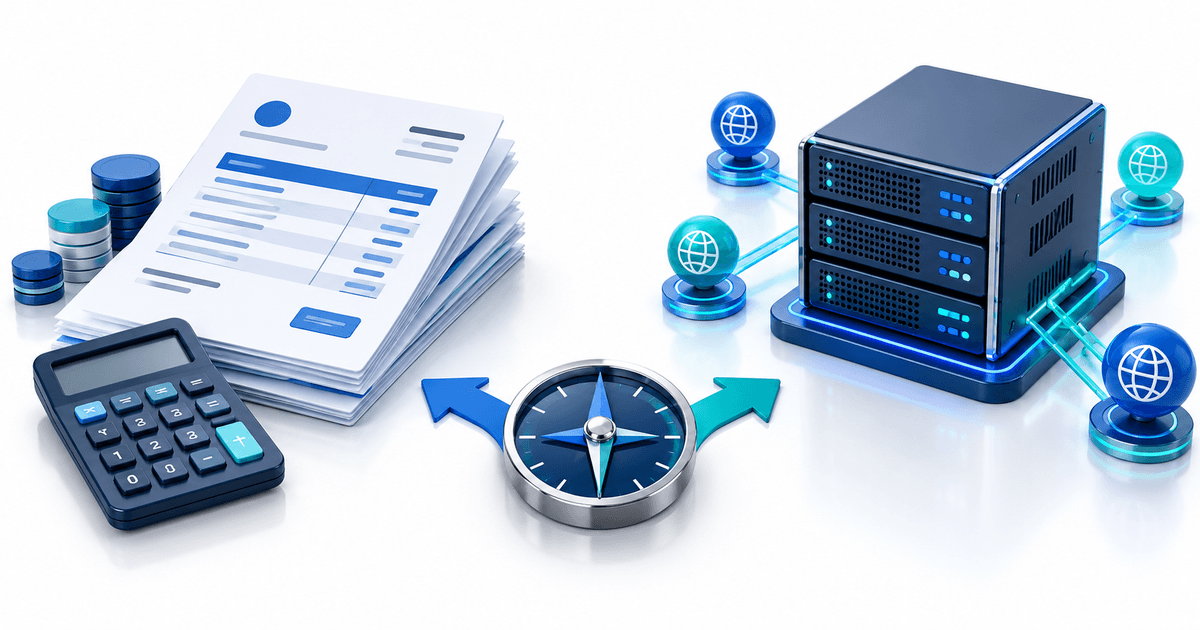
PayPal's commercial products — PayPal Payments Standard (buy buttons), PayPal Checkout (embedded payment page), PayPal Invoicing (invoice creation and tracking) — each exist as separate products with separate setups. PayPal.Me remains separate from all of them: a standalone URL generator with no integration hooks, no API, no analytics dashboard, and no commercial feature roadmap.
The 7 Most Common PayPal Payment Link Limitations
The single biggest limitation: a PayPal.Me link only accepts payments from PayPal accounts. Customers without a PayPal account see a login wall. They can pay with a credit card inside PayPal's guest checkout flow, but only after going through the PayPal registration screen — which converts at roughly 60% according to industry benchmarks.
For European customers who prefer iDEAL, Bancontact, SEPA Direct Debit, Sofort, or any local method, PayPal.Me offers none of these. A Dutch customer clicking a PayPal.Me link cannot pay with iDEAL — they must pay via PayPal balance or a card, both of which carry extra fees and friction.
Workaround: Embed a PayPal Checkout button on your own website, which supports guest card payments more fluidly. Or use a multi-provider platform like PayRequest that shows PayPal, cards, iDEAL, SEPA, and other methods on the same checkout — the customer picks their preference, the funds settle in the right provider account.
PayPal.Me links are one-shot URLs. You cannot set a monthly amount, create a subscription plan, or enable recurring billing through the link itself. If you need to bill a client €500/month for retainer services, you either send a new PayPal.Me link every month (manual) or use PayPal Subscriptions (separate product, requires a Subscription button on a website).
This limitation is especially painful for agencies, SaaS providers, and membership sites where recurring revenue is the business model. Sending a manual payment link every month introduces collection risk — the client might forget, lose the link, or decide not to pay. Automated recurring billing exists in PayPal but not through the link product.
Workaround: Set up PayPal Subscription buttons through the PayPal dashboard and embed them on a hosted page. For variable-amount retainers (different each month), PayRequest's subscription feature handles custom-amount recurring billing with automatic card-on-file charging and dunning.
A PayPal.Me payment page shows: the PayPal logo, the amount, a message field (optional), and the recipient's name. That is the entire customization surface. You cannot add your company logo, brand colors, a custom success message, terms of service links, or any other brand element.
For B2B service providers sending €5,000+ invoices, the unbranded PayPal checkout erodes trust. The customer sees a generic PayPal page with no indication they're paying a legitimate business. For agencies, freelancers, and consultants who invest in professional branding, this is a real problem.
Workaround: Use PayPal Checkout (embedded on your site) which allows more brand control, or use a hosted checkout platform that renders your brand across the entire payment flow — from the link preview to the receipt email.
PayPal.Me provides exactly one data point: completed payments, visible in your PayPal Transaction History. You cannot see how many people viewed the link, how many clicked through, what the conversion rate was, where customers dropped off, or which channels performed best.
For businesses that send payment links as their primary collection method (agencies sending 50+ links/month, coaches sending intake payment links, event organizers collecting ticket fees), the lack of analytics is a blind spot. You cannot optimize what you cannot measure.
Workaround: Use UTM parameters on your PayPal.Me link and track clicks in Google Analytics or a URL shortener with analytics (Bitly, Rebrandly). For built-in analytics, PayRequest's payment links show view count, click count, payment conversion rate, and average time-to-pay for every link.
PayPal's commercial transaction rate is 2.99% + €0.49 per transaction within Europe. For cross-border payments involving currency conversion, the effective rate can reach 4–6% with PayPal's conversion margin. There is no fee cap — a €10,000 invoice incurs €299 in PayPal fees.
For B2B invoicing at higher values, percentage-based fees become disproportionately expensive. A €50,000 annual retainer paid in monthly €4,166 installments costs €124.58 per payment in PayPal fees — over €1,494 per year just in processing costs.
Workaround: For high-value B2B invoices, switch to SEPA Direct Debit or bank transfer (€0.20–€1.00 flat fee). PayRequest's payment links aggregate Stripe/Mollie/PayPal on one checkout — you can offer PayPal as an option while routing high-value payments through lower-fee methods. PayRequest's own 2% fee is capped at €25 per transaction, so a €10,000 invoice never exceeds €25 in platform fees regardless of payment method.
PayPal.Me links are permanent. Once you claim a PayPal.Me username, the URL exists forever and anyone who knows it can send money to your account. You cannot set a link to expire after a certain date, limit the number of payments a link can receive, restrict the maximum payment amount, or deactivate a specific link without deleting your entire PayPal.Me profile.
This creates a security and accounting problem: old links shared in proposals, invoices, or social media bios remain active indefinitely. A past-due invoice from 2022 could still receive payments that arrive without context, making reconciliation difficult.
Workaround: Create unique PayRequest payment links for each transaction with optional expiration dates, single-use mode (link deactivates after first payment), and maximum amount limits. Deactivated links show a polite "This payment link has expired" page instead of a payment form.
A customer who pays via PayPal.Me has no way to later access their payment history, download a receipt, update their payment method, or view outstanding invoices. Their only record is the PayPal transaction email and whatever internal system you use to track payments.
For B2B clients who expect professional billing — "I need a copy of all my invoices from Q1" — the lack of self-service creates administrative overhead. You become the customer support team for your own billing system. Every receipt request, every "did my payment go through?" email is your time.
Workaround: PayRequest ships a customer portal with every account — customers log in, see their full invoice history, download PDF receipts, update their payment methods, and submit support requests without emailing you. Included on the Free plan.
When PayPal.Me Is Still the Right Answer
To be fair: PayPal.Me is genuinely the right tool for peer-to-peer transfers, casual tipping, small personal transactions under €50, and any scenario where both parties already have PayPal accounts and the transaction is informal. For these use cases, PayPal.Me's simplicity is a feature, not a bug.
The crossover point is roughly: once you're sending more than 5 payment links a week, billing business clients, handling invoices above €500, or needing any form of recurring billing or analytics, PayPal.Me's limitations start costing you more than the convenience saves.
A Quick Decision Matrix
| Use case | PayPal.Me works? | Better option |
|---|---|---|
| Split dinner bill with friends | ✅ Yes | PayPal.Me |
| Birthday gift collection | ✅ Yes | PayPal.Me |
| Freelancer sending €200 invoice | ⚠️ Limits #1, #5 bite | Multi-provider link |
| Agency retainer billing €3K/mo | ❌ Limits #2, #5, #7 bite | PayRequest invoicing |
| SaaS subscription €29/mo | ❌ Limit #2 (no recurring) | PayRequest subscriptions |
| Coaching intake + 4-session package | ❌ Limits #2, #7 bite | PayRequest sales page |
| B2B invoice €15K | ❌ Limits #1, #5 (uncapped fees) | PayRequest (€25 cap) |
| Digital product delivery | ❌ Limits #1, #3 (unbranded) | PayRequest digital products |
How PayRequest Fills the PayPal.Me Gaps
PayRequest keeps PayPal as a payment method on checkout — customers who prefer to pay with their PayPal balance can still do so — while filling every gap outlined above:
- Multi-provider checkout: cards, iDEAL, SEPA, Bancontact, and PayPal on one link
- Recurring billing: variable-amount subscriptions with auto-charge
- Branded checkout: your logo, colors, domain on the payment page
- Analytics: view count, click-through rate, conversion rate, time-to-pay per link
- Fee cap: 2% per transaction capped at €25 — never more
- Link controls: expiration dates, single-use mode, max amounts
- Customer portal: self-service invoice history, receipts, payment methods
- Multi-channel reminders: email + SMS + WhatsApp dunning cadence
The result: PayPal handles what it's good at (processed payments from 400M+ accounts), and PayRequest handles the billing layer that PayPal.Me never built.
Try PayRequest free — connect PayPal in 3 minutes and see the difference on your next invoice.