Collecting security deposits used to mean awkward conversations about cash, slow bank transfers, or complex API integrations. Security deposit payment links change that entirely. You create a link, send it to your customer, and they authorize a hold on their credit card — no money changes hands until you decide.
This guide covers how security deposit payment links work, when to use them, and how to set one up in under five minutes with PayRequest.
What Is a Security Deposit Payment Link?
A security deposit payment link is a shareable URL that places a temporary hold on a customer's credit card. Unlike a regular payment link that charges immediately, a deposit link reserves funds without transferring money. You decide later whether to capture the amount or release it.
The concept builds on credit card pre-authorization — the same technology hotels use when you check in. The difference is that you don't need a card terminal, a developer, or an API integration. You share a link. The customer clicks it, enters their card details, and the hold is placed.
Regular payment links process the charge immediately. The customer pays, the money moves to your account, and the transaction is complete. If you need to refund, you process a separate refund — which can take 5–10 business days to appear in the customer's account.
Security deposit payment links work differently. The customer authorizes the amount, but their money stays in their account. The bank marks those funds as reserved, reducing the customer's available balance. When you release the hold, the reservation disappears within 1–3 business days — much faster than a refund.
This distinction matters for customer experience. Customers appreciate not being charged upfront for something they might not owe. For your business, it means fewer refund requests, fewer disputes, and a smoother checkout process.
Security deposit links use Mollie's manual capture mode. When a customer authorizes a deposit, Mollie creates a payment with capture mode set to "manual." The payment enters an "authorized" state — funds are reserved but not captured.
You then have a configurable window of 1 to 28 days to decide. Capture the full amount, capture a portion, or release the hold entirely. Mollie handles the communication with the card issuer automatically.
When to Use Security Deposit Payment Links
Not every business needs deposit links, but for those that do, they're transformative. The common thread is businesses that provide access to something valuable before knowing the final cost.
Car rental companies, equipment hire businesses, and tool rental shops all benefit from deposit links. Send the link when confirming the reservation. The customer authorizes the hold. After the return and inspection, you capture for any fuel charges, damage, or late fees — or release if everything is in order.
A car rental company holding €1,000 and capturing €45 for fuel is far better than charging €1,000 upfront and refunding €955 later. The customer's experience is dramatically better.
Hotels, B&Bs, vacation rentals, and Airbnb hosts use deposit links to protect against room damage, smoking violations, minibar charges, and late checkouts. Send the deposit link at booking confirmation or during online check-in. The hold covers the stay period plus a buffer for inspection.
For vacation rentals, this solves the deposit problem that platforms like Airbnb no longer handle. Hosts get direct control over their damage protection.
Event spaces, party venues, and photography studios use deposits to protect expensive assets. A €2,000 hold on a wedding venue deposit link gives both parties confidence — the venue knows they're covered, and the couple knows they won't be charged unless something actually goes wrong.
How to Create a Security Deposit Payment Link
Setting up a deposit link in PayRequest takes about three minutes. Here's the process.
Log into PayRequest and create a new Smart Link. Set the product type to "Security Deposit." Enter the deposit amount — this is the maximum you could capture. Choose a hold duration between 1 and 28 days.
The Smart Link generates both a URL and a QR code. You can customize the payment page with your business branding, including logo, colors, and a custom URL like pay.payrequest.me/yourhotel/deposit.
Send the link however works best for your business:
Email or SMS: Include the link in your booking confirmation email or send it separately before arrival. Most businesses automate this step.
QR code at check-in: Print the QR code for your reception desk, rental counter, or check-in area. Customers scan with their phone camera and authorize on the spot.
Embedded in documents: Add the link or QR code to rental agreements, booking confirmations, or house rule documents.
The customer clicks the link and sees a branded payment page showing the deposit amount, hold duration, and your business name. They enter their credit card details (Visa, Mastercard, or Amex) and authorize the hold.
The authorization processes in under a second. Both you and the customer receive confirmation. The customer also gets access to a branded status page that shows the hold status, remaining duration, and any capture history.
After your service period ends — the hotel stay, the rental return, the event — you decide what to do with the hold. From the PayRequest dashboard:
Full capture: Charge the entire held amount (major damage scenario).
Partial capture: Charge only what's owed. Hold €500, capture €75 for a cleaning fee. The remaining €425 is released automatically.
Full release: Release the hold entirely. No charge, no hassle. The customer's pending transaction disappears.
Smart Link Features That Make Deposits Better
Security deposit payment links through PayRequest's Smart Links include features specifically designed for deposit collection.
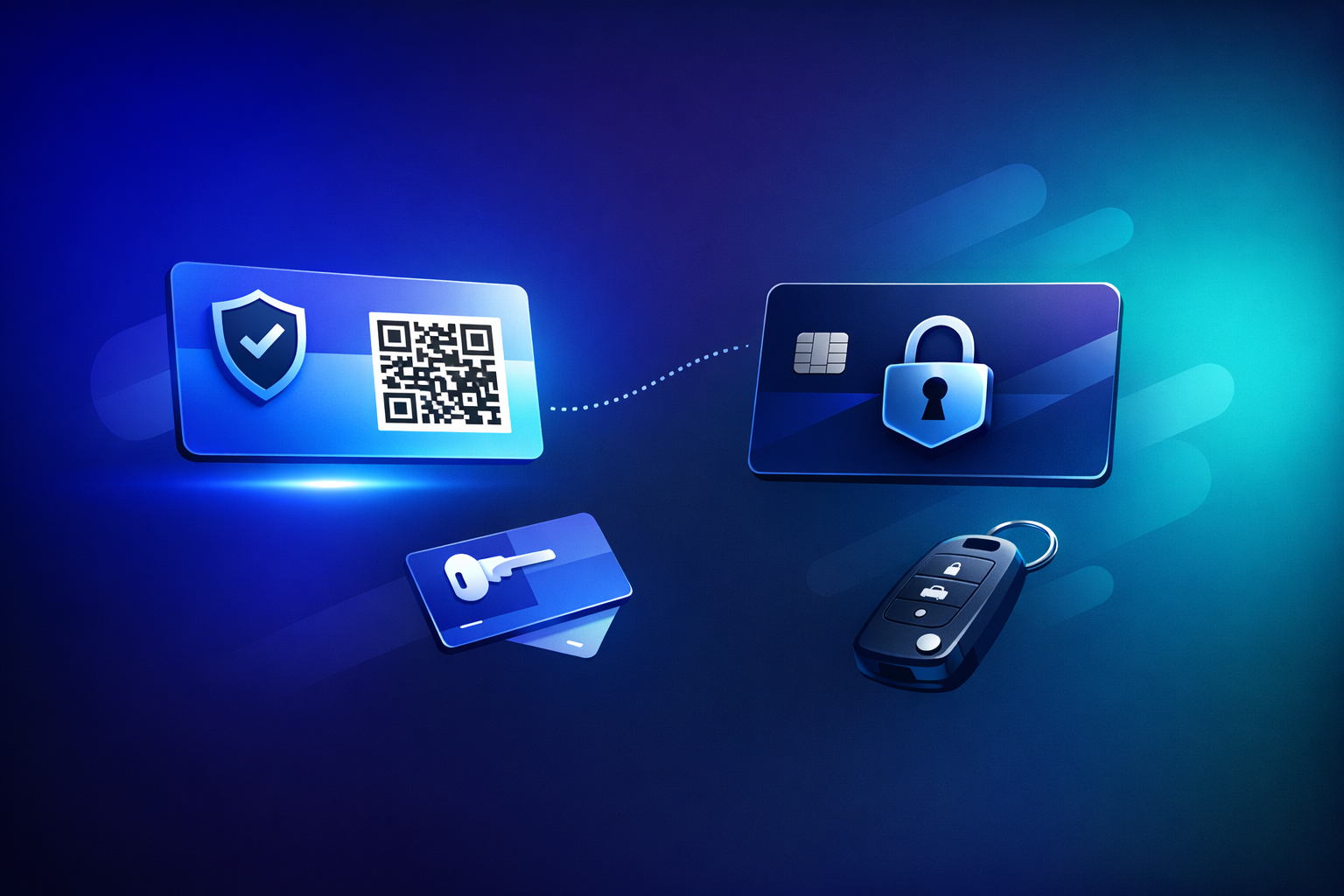
Every Smart Link generates a scannable QR code. This is invaluable for businesses that collect deposits at a physical location. Print the QR code at your reception desk, rental counter, or entrance. No need to type URLs or send emails — customers scan and authorize in seconds.
Every deposit gets a unique status page that customers can access anytime. The page shows the current hold status, a visual progress bar of the remaining hold period, a countdown timer, and the capture history. This transparency reduces "where's my deposit?" support tickets to near zero.
Your Smart Link dashboard shows how many deposits were opened, authorized, captured, partially captured, and released. Track conversion rates and identify friction points in your deposit collection process.
A single Smart Link can handle unlimited deposit authorizations. You don't need to create a new link for each customer. Your hotel reception QR code works for every guest, every day.
Important Considerations
Security deposit links only work with credit cards. iDEAL, SEPA Direct Debit, bank transfers, and other payment methods process payments immediately — they cannot hold funds. Make sure your customers know a credit card is required before they reach the payment page.
Choose a hold duration that matches your service period plus a reasonable inspection buffer. A 3-day equipment rental might need a 5-day hold (3 days rental + 2 days for inspection). A 7-night vacation rental might need a 10-day hold.
If you set the hold too short and it expires before you can inspect, you lose the ability to capture. If you set it too long, the customer's funds are tied up unnecessarily. The sweet spot is service period plus 2–3 business days.
Be transparent about the deposit in your booking process. State the deposit amount, what it covers, the hold duration, and when it will be released. Customers who understand the process are far less likely to contact their bank or dispute the hold.
PayRequest's automatic notifications help here — customers get confirmation when the hold is placed and when it's released, keeping them informed throughout.
Getting Started
Security deposit payment links eliminate the friction of traditional deposit collection. No cash handling, no bank transfers, no API code — just a link that your customer clicks.
PayRequest's Business plan at €20/month includes unlimited Smart Links, QR codes, customer status pages, and deposit management. There are no platform fees — you only pay Mollie's standard credit card processing fees.
Create your first deposit link or explore the security deposits feature to see how it works.